Knowledge Base Articles
Get expert insights, how-to guides, product updates, and best practices for streamlining patch management, improving endpoint security, and optimizing IT operations.

Knowledge Base
Failed to sign package; error was: 2147942403
When publishing third-party updates, a common error our customer may encounter is error code 2147942403.
The most common reason this error will occur is when the WSUSContent folder from the...
Knowledge Base
View Applicability Rules and Troubleshoot Detection States for Third-Party Updates
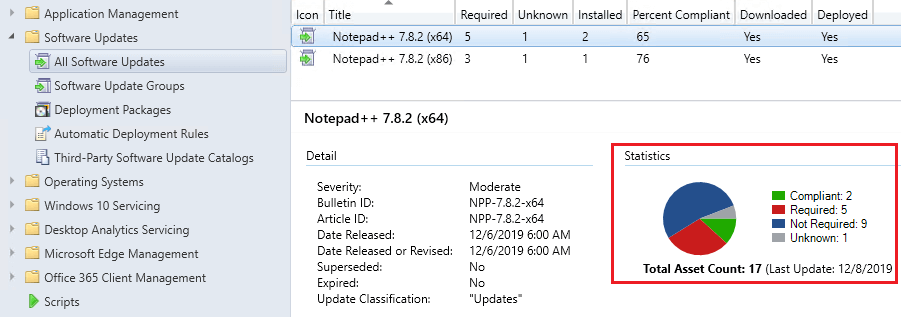
Viewing the applicability rules of a third-party update can help determine why an update does not appear in software center or install within SCCM.
This article looks at how the update...
Knowledge Base
How to Clean Up Third-Party Updates from the WSUS UpdateServicesPackages Folder
This article and video will describe the steps required to clean up obsolete/declined updates from the WSUS Database and how to properly remove the content folders for these updates from the...
Knowledge Base
How to Deploy the WSUS Signing Certificate for Third-Party Software Updates
Deploying the WSUS Signing Certificate to devices is a requirement for devices to trust and install third-party software updates from standalone WSUS or a Configuration Manager environment.
If...
Knowledge Base
How to Move the WSUS Content Folder to a New Location
The WSUSContent folder is where WSUS stores information regarding Microsoft software update EULA’s, third-party software update content, and Microsoft update content when using WSUS standalone...
Knowledge Base
Update Publishing Fails When Proxy is in Use, and Timestamping is Enabled
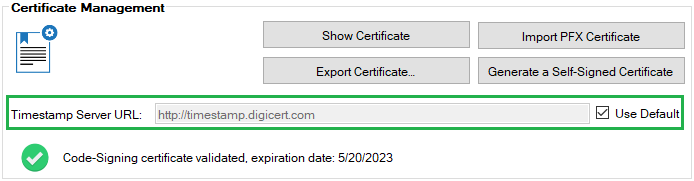
The most common publishing failure we see is related to proxies and timestamping.
We will be reviewing in detail why this scenario can cause issues and how to fix it!
Determine if You are...
Knowledge Base
Failed to set Subscriptions on the WSUS Server. Error:(-2147467259)Unspecified error
In this video KB article, we will be reviewing an issue that can happen when a third-party vendor has been removed from the WSUS products list, but the product is still enabled in the software...
Knowledge Base
Right-Click Options Available for Updates and Applications
You can tailor third-party application, updates and deployments using the right-click options available in Patch My PC Publisher. These actions allow you to configure scripts, command-line options,...
Knowledge Base
Troubleshooting License Activation Issues (Invalid License ID.)
This article details common reasons why the license validation may fail within our Publisher. If you’re facing a license activation error similar to below, this will be the guide for...
Knowledge Base
Troubleshooting SMTP Email Sending When Using Patch My PC
This article covers steps you can take to troubleshoot emails failing to send within our publishing service. Our automated email reports can be helpful to keep you informed when third-party products...
View More