Patch my Pc for security teams

Mitigate Risks with Automated Patching of Third-Party Applications

Patch vulnerabilities before you even detect them.

How can we improve your security?

Patch My PC enhances cybersecurity by automating the installation and updates of third-party applications, ensuring your software remains secure and up-to-date.

Seamlessly integrating with Microsoft Intune, Configuration Manager (ConfigMgr), and Windows Server Update Services (WSUS), it allows for efficient application management and deployment, freeing your team to focus on strategic security initiatives.

Strengthen compliance and mitigate security vulnerabilities with our dependable patching solution.
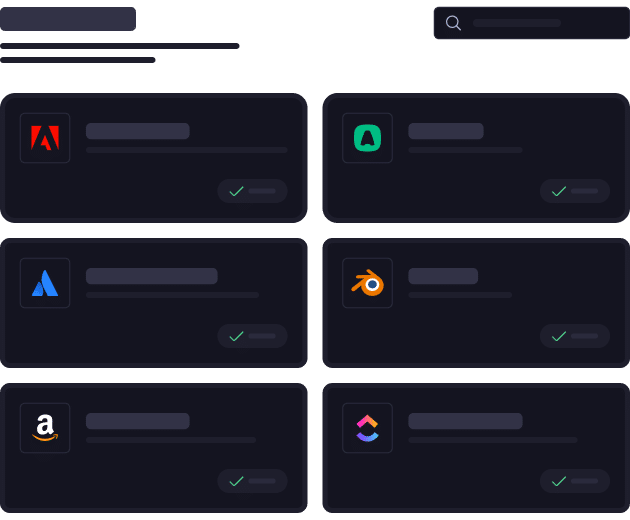
Home Updater Overview UI

Why is it important to have the latest version?

Running outdated applications can be disastrous. Hackers can exploit vulnerabilities to steal or encrypt your data. Regularly applying security patches through automated patch management tools is crucial for maintaining security.
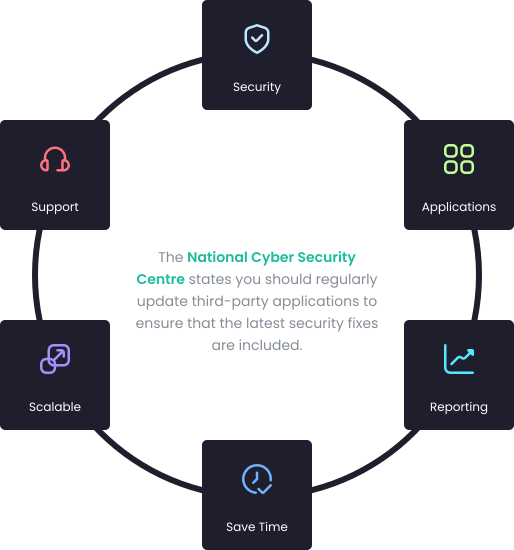
What tasks will we automate for you?

Identifying Updates

Identifying updates is challenging because IT engineers must constantly track and manage the continuous release of security patches and software updates to maintain system security and compliance.

Compatibility Testing

Ensuring that all updates and patches work seamlessly across diverse operating systems, applications, and hardware configurations without causing conflicts or disruptions.

Deployment Planning

Deployment planning is challenging due to the need to coordinate timely updates across multiple systems while minimizing downtime.

Manual Deployment

Manual deployment is problematic because it is time-consuming, prone to human error, and difficult to scale across multiple systems.

Verification

Verifying an update has been installed is challenging because it requires thorough checks across all systems to ensure successful deployment and functionality, which can be time-consuming and complex

Key features

Automated Patching

No need to manually package applications. Improved security by faster patching vulnerabilities.

Extensive Catalog

A huge application catalog, supporting +2000 applications that we can keep up to date.

Multi-Tenancy

Manage updates for multiple tenants from a single location.

First Class Support

Ask any customer, our support is fast, reliable and professional.

Bring Your Own Applications

Need more applications? Add your business application to your private catalog.

SaaS and On-Premises

We can offer a cloud and/or on-premises solution.

Customize Application Packages

Graphical interface to customize packages instead of commands.

Discover Application

We can discover applications in your environment so we can patch hem for you.

Add Custom Pre/Post Application Installation Scripts

If you ever need to configure environment-specific configurations when installing or updating a product, you can use add custom pre/post scripts.

Disable Self-Update Feature for Applications

Automatically turn off the self-update feature for products

Notify Users When Installing Applications

With our manage conflicting process feature, you can interactively notify the user to close the application with custom branding and options such as snoozing the notification.

Modify Installation Commands for Applications

Easily adjust installation command-lines to configure license keys or other environment-specific options unique to your company.

Show More Show Less

What are the next steps/ how to get started?

1
Book a demo
2
Start your trial
3
Activate your subscription
4
Enjoy extra time

Ready to get started?

See how automated application installations and updates can make your life easier.

What Customers Say About our products

Intuitive App Management, Seamless Intune Integration
I use Patch My PC to govern and update enterprise applications, which greatly improves the time it takes to deploy and update apps across many endpoints. I find the Patch My PC UI to be clean, efficient, and intuitive, especially compared to Intune at times. I really like the App Discovery page and the App Deployments page because they are super easy to navigate, making…
Chilembwe Asante
Streamlined App Management with Custom Deployment
I like how Patch My PC makes management of applications much easier, especially with packaging custom apps. The pre-packed apps perform really well, particularly for continuous updates. The UI is easy to use, and the platform overall works really well. I particularly appreciate the way it extracts information from MSIs and makes deploying custom apps easier. It’s quick to update Intune with changes made on…
James Coote
Effortless Integration and Solid Support
I like the usability of Patch My PC; it’s easy to use, and I can guide someone who’s never used it before to deploy an app with just a few clicks. The support is also really great because if I run into any issue, I can open a support ticket and it’s usually answered or responded to almost the same day. The integration with Intune…
Max Glogoza
Microsoft Intune Integration that Automates Installs, Updates, and Patching
The connection ton Microsoft Intune allows our IT department to automate software installation, updated and patching. This alone is the work of one full time employee. Only issue I have is that it does not allow for easy registry key deployments. Coming from Scappman that was a great feature. Remote deploying application and keeping them updated is a huge benefit for our IT team and the company….
Raul Mercado
Intuitive Automated Patch Management
I like the easy-to-use interface of Patch My PC, especially compared to Intune. It is intuitive, and you don’t have to search long to find functions. Additionally, I appreciate that Patch My PC can automatically update software, saving us from manually updating all clients. The initial setup was very easy, as an employee demonstrated all the important aspects to us. Patch My PC automates software updates…
Leon Kaesmann
Effortless Updates and App Deployments in Just a Few Clicks
I like how effortless it is to prepare new updates or app deployments. It is as easy as clicking a few buttons and choosing the group you want to deploy them too. PatchMyPC has significantly enhanced our IT operations by enabling us to fully automate the process of application updates and deployments across the organization, resulting in improved efficiency, greater consistency, and reduced manual effort for…
Burim Kllokoqi
Outstanding Support and User-Driven Features
One of my favorite things about Patch My PC is how incredibly helpful their support staff are. Whenever we’ve run into an issue that couldn’t be solved with one of their many knowledge articles, their team has always stepped in and guided us to a solution. I’m also a big fan of the “vote for your ideas” section on their website, where you can suggest…
Ryan Weeks
Patch My PC Saves Time Managing Multiple Software Applications
It’s easy to use and follows a similar approach to Intune, making it simple to integrate and intuitive to use from the start. The portal is easy to navigate, and their customer support is fast and approachable. Implementation was straightforward with the onboarding session. If we need to update or add a new app across the business, we just jump into the portal. It’s largely…
Jonathan Goodall