Knowledge Base Articles
Get expert insights, how-to guides, product updates, and best practices for streamlining patch management, improving endpoint security, and optimizing IT operations.


Microsoft Defender’s Attack Surface Reduction (ASR) rules can sometimes interfere with legitimate enterprise tools. One commonly flagged rule is Block credential stealing from the Windows local security authority subsystem (lsass.exe).
PatchMyPC-ScriptRunner.exe is the main process impacted. Since this ASR rule only supports path or folder exclusions, we outline the recommended exclusion options (relaxed, stricter, and very strict) to ensure Patch My PC apps and updates install successfully.


Create an Adobe Creative Cloud app as a custom app using Patch My PC Cloud

How to install the Company Portal manually on macOS
KB detailing how to download the Sonos S1/S2 Controller Installer and extract the MSI to be used with Patch My PC Publisher

Clean up unused Patch My PC applications in SCCM with these safe and simple deletion steps.

Running into access denied errors? Learn how to set permissions for content download and app creation folders.

Resolve PackageID missing content source path errors and map applications correctly in ConfigMgr.
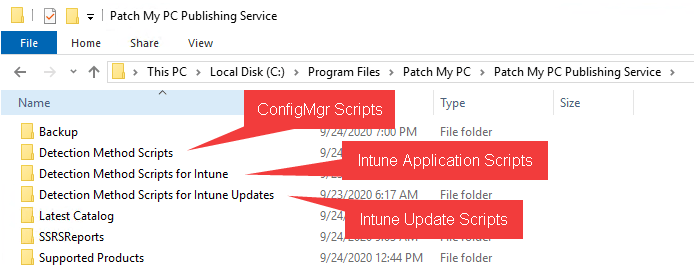
Apps not detecting as installed? Here’s how to troubleshoot and fix Patch My PC detection logic.

Fix WSUS compliance reports showing Installed/Not Applicable over 100 percent and interpret metrics correctly.