
Microsoft Intune Multi Admin Approval (MAA) lets administrators add a layer of governance to sensitive Intune changes, such as creating or modifying apps and scripts, by requiring a second administrator to approve a change before it takes effect. When an MAA access policy protects a resource, Intune holds the change until an approver signs off.
Historically, MAA applied only to delegated authentication flows: changes made interactively in the Intune admin center, or via Microsoft Graph using a signed-in administrator’s credentials. Because Patch My PC Cloud and Patch My PC Publisher authenticate using the application credential flow (a service principal or app registration rather than a signed-in user), MAA access policies did not affect them.
What’s changed
In its Week of June 22, 2026 Intune service update, Microsoft confirmed that MAA now applies to API calls made by automation through the Microsoft Graph API, not just interactive admin actions. If your tenant has MAA access policies configured and you use service principals, automation scripts, or third-party applications to modify protected Intune resources, those calls are now subject to the same approval workflow as interactive operations.
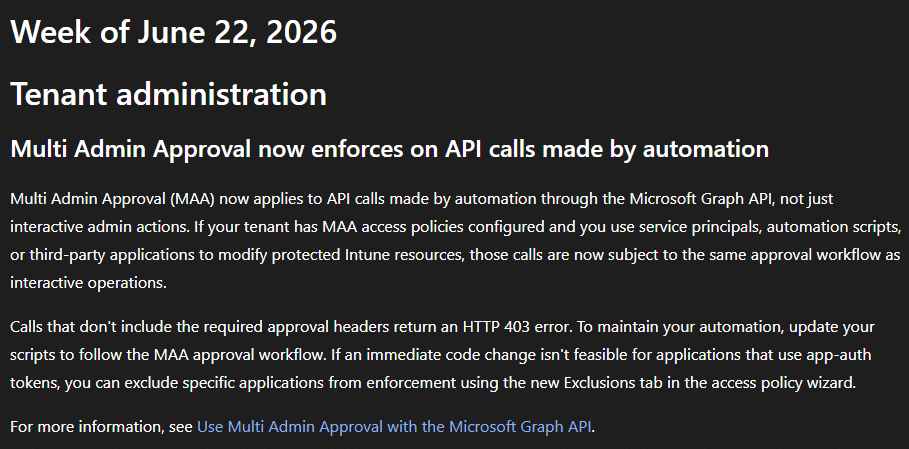
This directly affects Patch My PC Cloud (service principal) and Patch My PC Publisher (app registration). Under an app-scoped MAA access policy, calls that don’t include the required approval headers return an HTTP 403 error, which will cause Patch My PC Win32 app create and update operations to fail.
Microsoft’s recommended resolution is to update automation to follow the MAA approval workflow. Where an immediate code change isn’t feasible for applications using app-authentication tokens, as is the case for Patch My PC’s automation, Microsoft has delivered the ability to exclude specific applications from enforcement using the new Exclusions tab in the access policy wizard. Adding the relevant Patch My PC application as an exclusion is the supported way to keep your MAA policy in place while allowing Patch My PC automation to continue running uninterrupted.
What do you need to do?
- Patch My PC Cloud customers
Add the Patch My PC Cloud enterprise application as an exclusion. This enterprise application has the same Application (client) ID for all Patch My PC Cloud customers (d7708ecc-2a0f-4773-a38a-ff197163f5fe), so it can be identified consistently across tenants. - Patch My PC Publisher customers
Add the app registration that Publisher uses as an exclusion. Unlike Cloud, this app registration’s name and ID are unique to each customer’s tenant. Retrieve your specific Application (Client) ID from Publisher > Intune > Options and copy the value shown there.
How to add an exclusion
- In the Intune admin center, go to Tenant administration > Multi Admin Approval, and open the app-scoped access policy you want to edit.
- Select Edit next to Exclusions.
- On the Exclusions step, select the + (add) control under Apps.
- In the Select apps to exclude pane, use the Search box to find the application:
- For Cloud, search for Patch My PC Cloud and confirm the enterprise application’s ID matches the known Patch My PC Cloud client ID
d7708ecc-2a0f-4773-a38a-ff197163f5fe. - For Publisher, search for your Publisher app registration by the “Application (Client ID). You can retrieve this from Publisher > Intune > Options.
- For Cloud, search for Patch My PC Cloud and confirm the enterprise application’s ID matches the known Patch My PC Cloud client ID
- Tick the checkbox next to the result. It appears in the Selected list on the right. Repeat the search to add both applications if you use both products.
- Click Select to confirm.
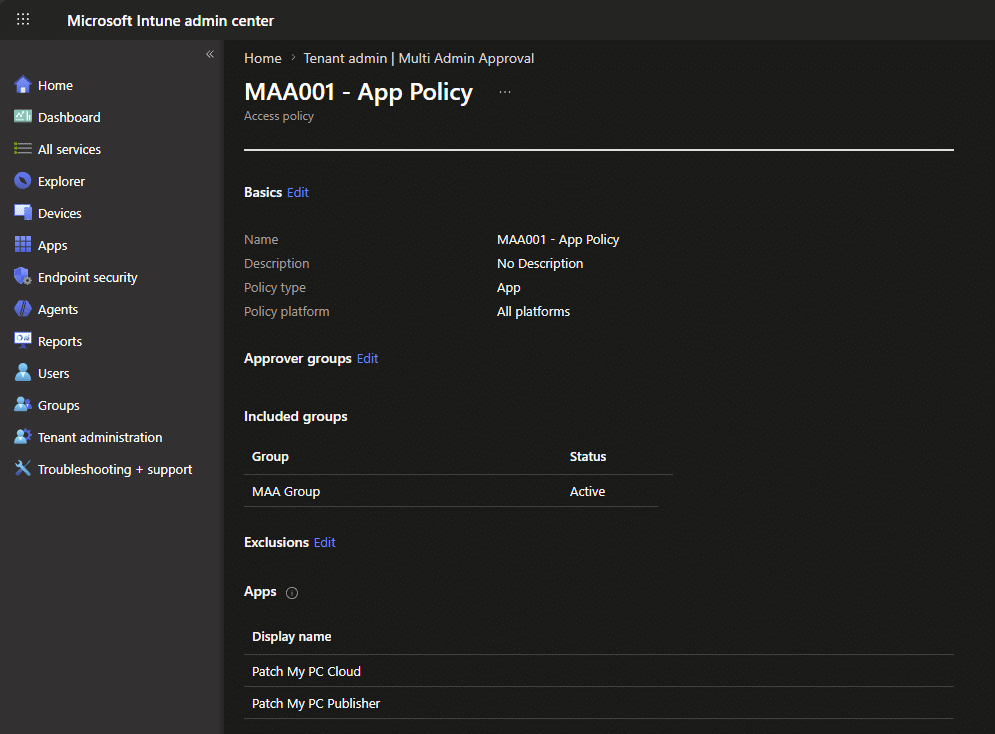
- The applications now appear in the Display name list on the Exclusions step.
- Proceed to Review + submit for approval, enter a business justification, and submit.
Note: Editing an MAA access policy is itself a change governed by MAA. Your exclusion request will be placed in Needs review status and must be approved by a second administrator (a member of the policy’s approver group) before it takes effect.
Once approved, the excluded applications are listed under Exclusions > Apps on the policy, and Patch My PC operations using those applications will no longer be held by the MAA workflow.
Background and timeline
This behaviour evolved over several months in early 2026:
- March 18, 2026
Microsoft began displaying an informational MAA banner in the Intune admin center, encouraging tenants to consider enabling MAA. At this point there was no change to feature behaviour and no impact on Patch My PC products. - March 26, 2026
A Microsoft service-side change unexpectedly caused MAA to block application-based automation, leading to failures for service principals (Cloud) and app registrations (Publisher). Microsoft released a fix shortly after. - April 2, 2026
Some tenants remained impacted after the fix, with MAA still applying to application-based workflows. The interim guidance was to log a Microsoft support case and, where necessary, temporarily remove the app access policy. - June 5–19, 2026
Microsoft documentation briefly indicated that application-authentication flows would come into scope for MAA, along with an enterprise application exclusion option — then reverted the change, noting it would return when ready. During this period, the only practical workaround was removing the affecting MAA app access policy (or requesting a temporary exclusion from Microsoft Support). - Week of June 22, 2026
Microsoft formally announced that MAA now enforces on Graph API calls made by automation, that non-compliant calls return an HTTP 403, and that applications can be excluded via the new Exclusions tab. This is the delivered, intended behaviour and the basis for the exclusion guidance in this article.
The application-authentication enforcement and the enterprise application exclusion capability described in this article are the delivered version of those previously-signalled changes.
More information
For full details on Multi Admin Approval, see Microsoft’s documentation: https://learn.microsoft.com/en-us/intune/fundamentals/role-based-access-control/multi-admin-approval