
The Microsoft Intune Multi Admin Approval (MAA) feature introduces the option for administrators to add an additional layer of security when creating or modifying scripts and apps in Intune by requiring admin approval before changes become effective.
MAA does not impact the ability for any Patch My PC products to succesfully create and modify Win32 apps in Intune. Patch My PC continues to operate seamlessly with Intune, and no adjustments are needed when using the MAA feature. This article will provide an overview of why this Intune feature has no effect on Patch My PC’s functionality
Why are Patch My PC products not affected by MAA?
MAA only affects changes to applications when the delegated credential flow is used. This could be when interactively creating/updating applications in the Intune Admin Centre or by invoking web requests to the Microsoft Graph directly.
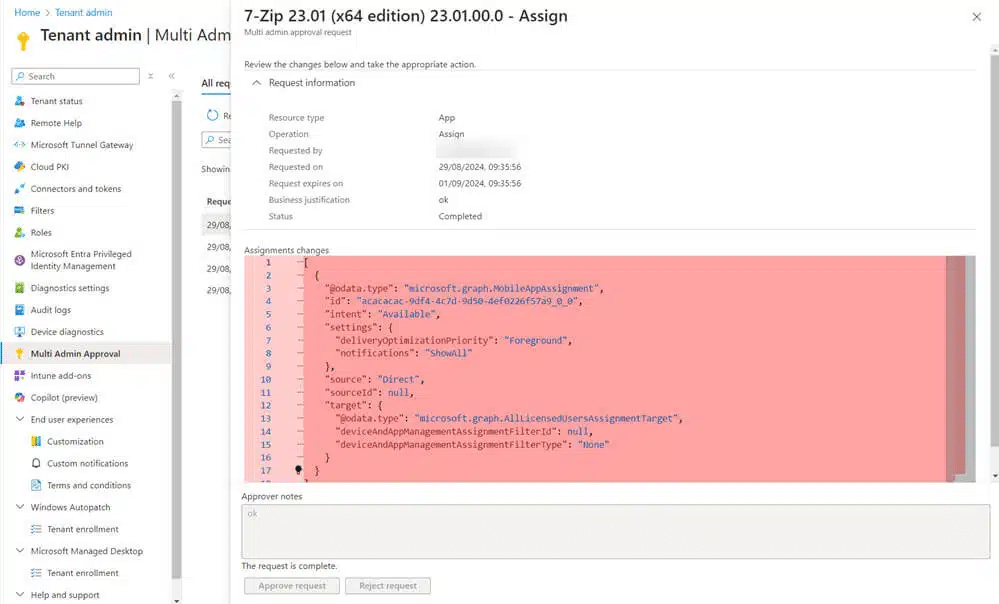
Here is an example of the MAA feature in action within the Intune Admin Center. When an assignment is removed from a Win32 app, the change must be approved.
Here is another example of a response when using a delegated authentication flow to make changes to a Win32 app when a MAA access policy has been created.
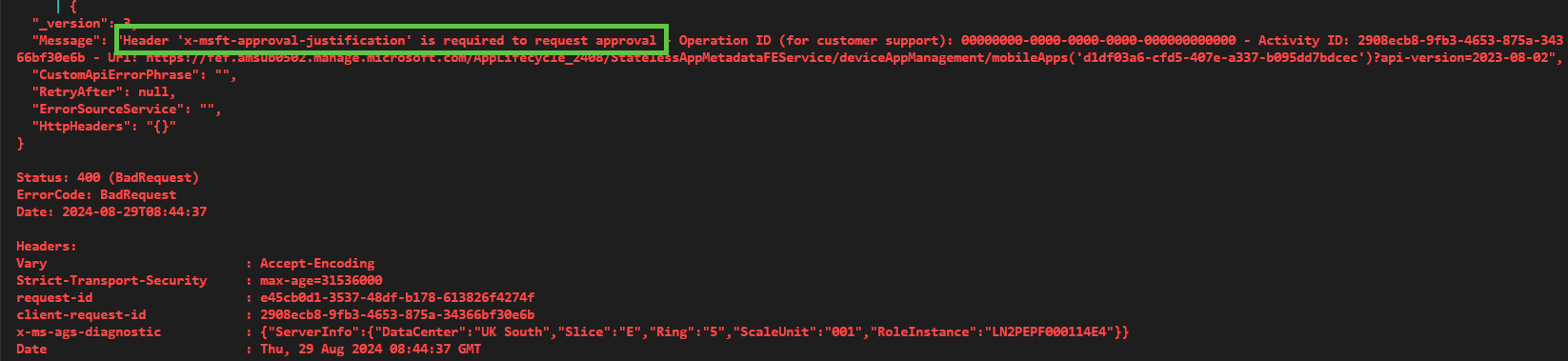
Patch My PC Cloud and Patch My PC Publisher utilises the the application credential flow, not a delegated credential flow. This is why our products are unaffected by any MAA access policies.
Update March 18th, 2026
Microsoft has recently started displaying a MAA banner in the Intune admin center. This is an informational prompt encouraging tenants to consider enabling MAA for additional governance.
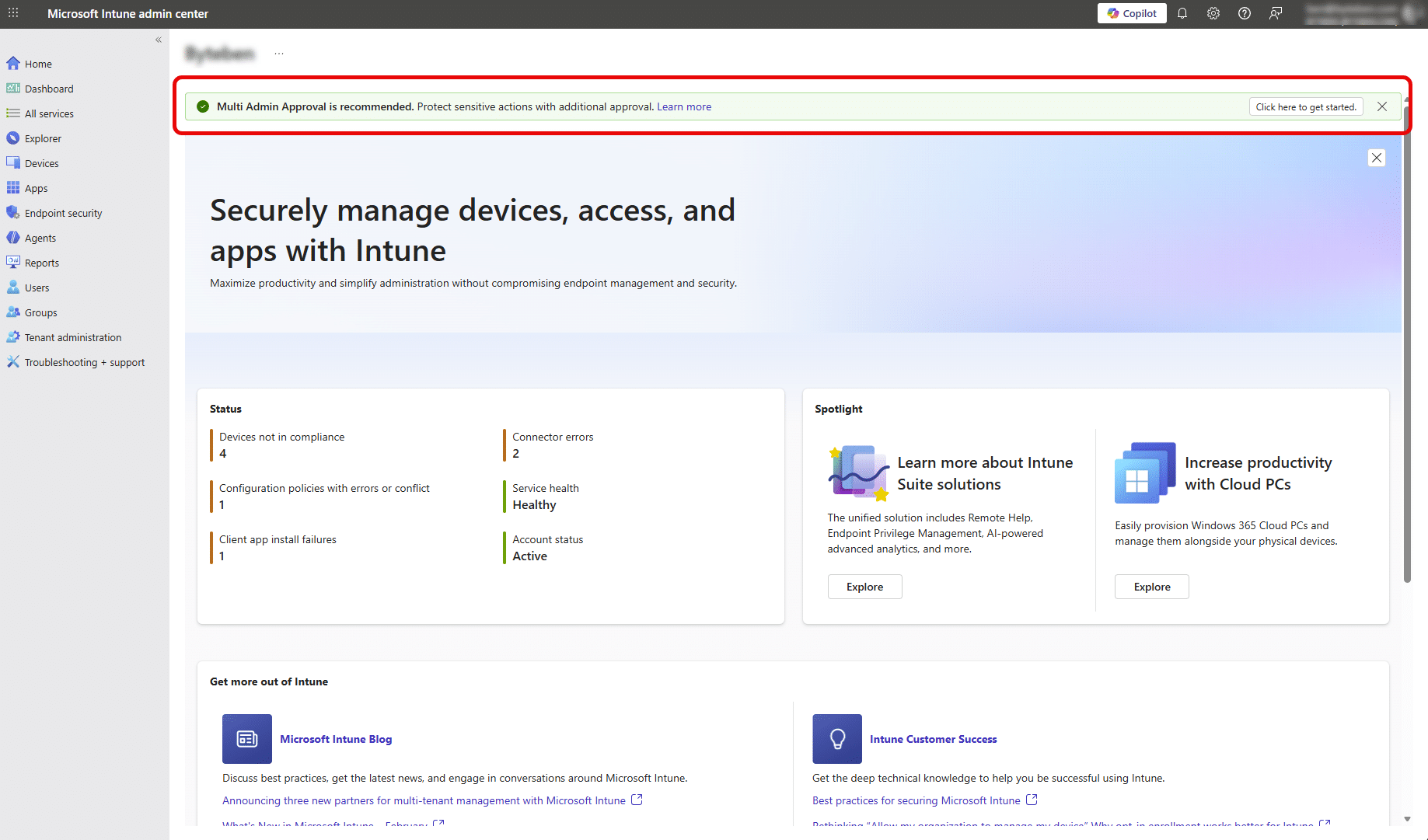
This banner does not represent any change to the previously described behavior of the feature and still has no impact on Patch My PC products.
For more information on MAA, review the Microsoft docs at https://learn.microsoft.com/en-us/intune/intune-service/fundamentals/multi-admin-approval.
Update March 26th, 2026
Earlier this week, Microsoft introduced a service side change that caused Multi Admin Approval (MAA) to unexpectedly block automation flows in Patch My PC Publisher and Patch My PC Cloud. This resulted in failures for scenarios using application based authentication such as service principals and app registrations.
Microsoft has since implemented a fix, and the issue should now be resolved. Automation flows that were previously impacted should resume normal operation without requiring changes.
This issue was caused by a change in how MAA was being enforced. MAA is designed to apply to delegated authentication flows and actions performed interactively in the Intune admin center. During this incident, MAA was also applied to application based automation flows, which caused previously working automation to fail. This behavior was not expected.
Update April 2nd, 2026
Following the Microsoft service-side fix released after the March 26th incident, many impacted tenants resumed normal operation. However, we are continuing to receive reports that some tenants remain affected, where MAA is still being applied to application-based automation workflows.
In these cases, automation using service principals (Patch My PC Cloud) or app registrations (Patch My PC Publisher) may continue to fail, even though the expected behavior is for MAA to apply only to delegated or interactive administrative actions.
We strongly recommend logging a support case with Microsoft if your tenant is still impacted. This helps Microsoft identify tenants that may not have received the full remediation and prioritize any additional service-side corrections.
As a temporary workaround, some customers have chosen to remove the App Access Policy from Multi-Admin Approval to allow automation to continue. This change reduces the governance protections provided by MAA for application access, so it should be carefully evaluated in accordance with your organization’s security requirements. If this workaround is implemented, we recommend re-enabling the policy once Microsoft confirms the issue is fully resolved in your tenant.
This behavior remains controlled by the Microsoft service, and further remediation is dependent on Microsoft updates.