
While digging through the Intune Management Extension, I noticed a new Sidecar notification action called Unattended Remote Help for Windows, and that one name was enough to send me down the rabbit hole. The more I looked at the IME, the Intune portal, and the Graph calls behind it, the more it started to look like Microsoft is almost done building unattended Remote Help for Windows on top of something much bigger than the normal user driven flow.
Please note: all of this is based on reverse engineering, portal tracing, and looking at the IME code, so some parts may still change and not everything is guaranteed to be one hundred percent accurate.
Introduction to Unattended Remote Help for Windows
Sometimes the Intune portal is not what gives it away first. Sometimes it is the device side. That is exactly what happened here. While looking through the Intune Management Extension, I noticed a new Sidecar notification action: Windows Remote Help Unattended.
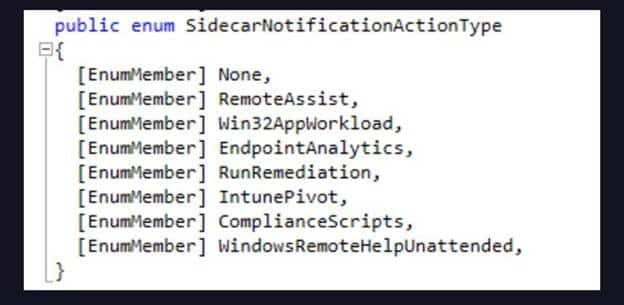
Windows Remote Help Unattended was sitting there next to the usual IME SideCar Notifications, but that one immediately stood out. Remote Help already exists. We already know how the normal flow works. A user gets involved, a session starts, and both sides meet somewhere in the middle.
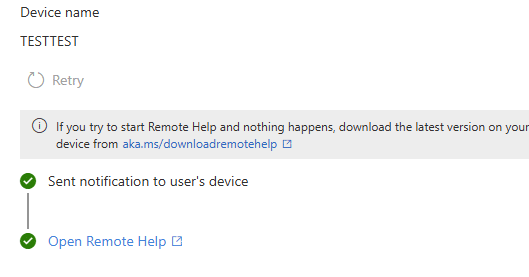
But Windows Remote Help Unattended suggested something else entirely. That one name was enough to start pulling the thread.
The First Unattended Stop Was the IME
Even though I wasn’t looking for the Windows Remote Help Unattended support (More looking for more IC3 breadcrumbs), I noticed that the IME also contained other classes like WindowsUnattendedHandler, WindowsUnattendedHelper, and WindowsUnattendedUtilities.
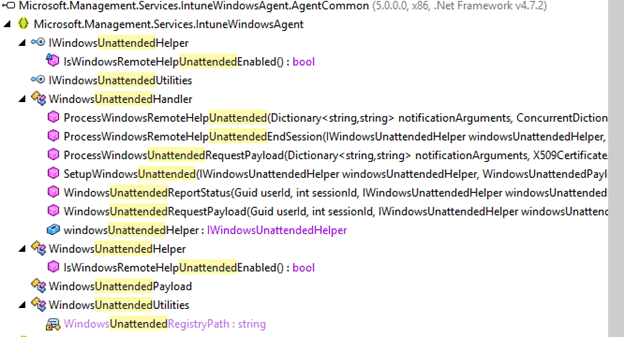
Together they form a proper remote help unattended flow for Windows. The handler processes the incoming notification. The helper handles the session setup and teardown. The utilities class takes care of the registry, local group membership, service control, user session tracking, and cleanup.
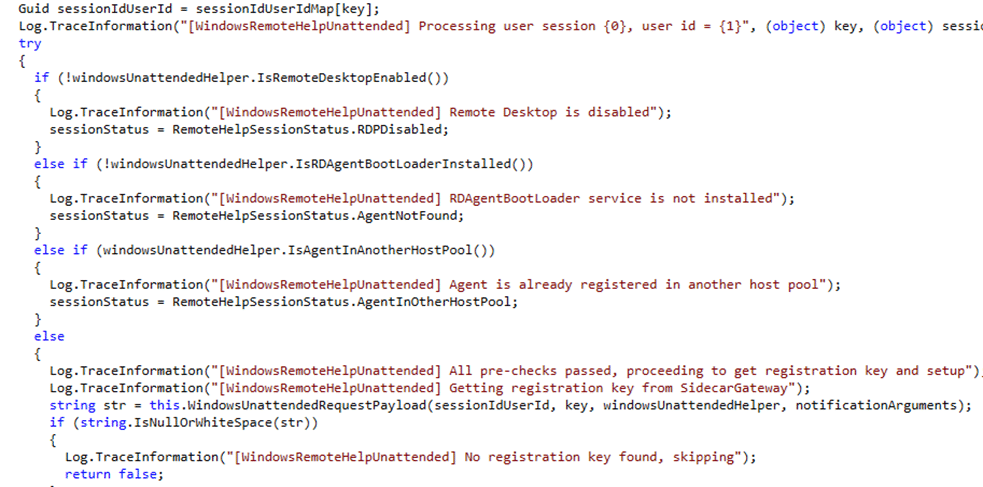
That already tells you this is not just some new item on the road map which will be there indefinitely (like EPM improved elevation detection) but something that is really almost done. (except the name as Intune Suite… uhhh that’s gone?)
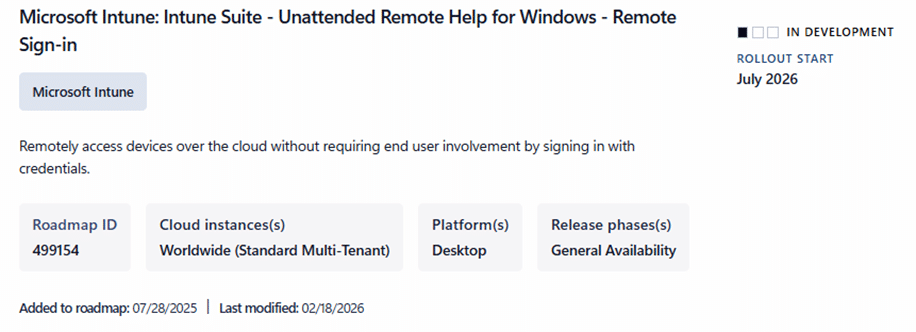
Why? Because, it seems that Microsoft has already written the device side implementation for it And by the looks of it, the IME code to support unattended support for remote help for Windows is almost finished.Let’s first check how that remote help unattended support request reaches the device when we launch a remote help unattended support request from the Portal
Launching Unattended Remote Help Control
The newer React based Remote Assistance blade already contains a separate session type step. Not just “Remote Help or TeamViewer,” but an actual choice between attended and unattended control. The strings are already there: Select Remote Help Control Session Type, Initiate attended control, and Initiate unattended control. This is what my lovely mockup generator showed me when showing the corresponding Intune Portal JS files.
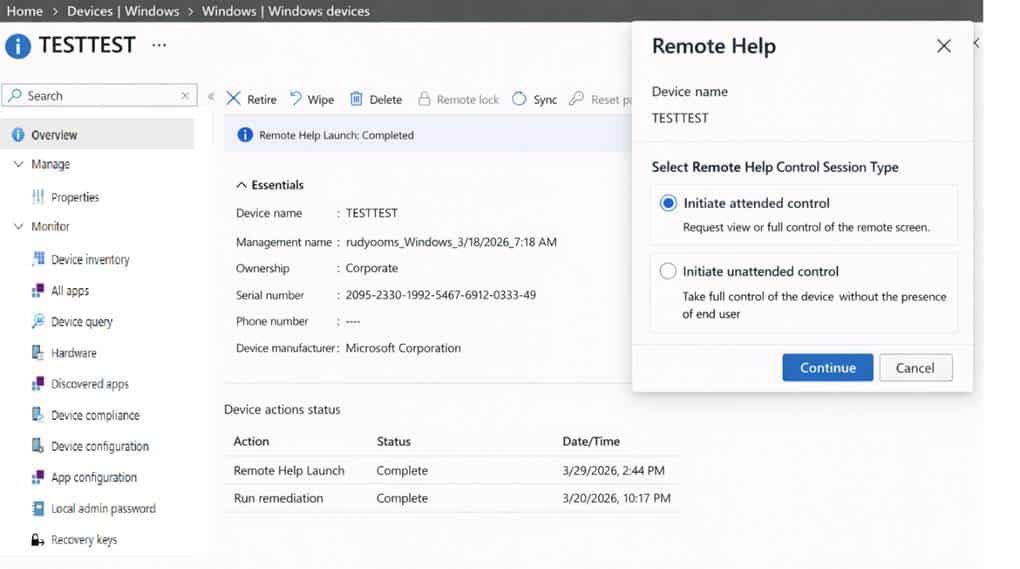
And the remote help unattended description is just as clear: take full control of the device without the presence of the end user. I asked my mock up generator, to come up with a mockup again, of how this would look like:
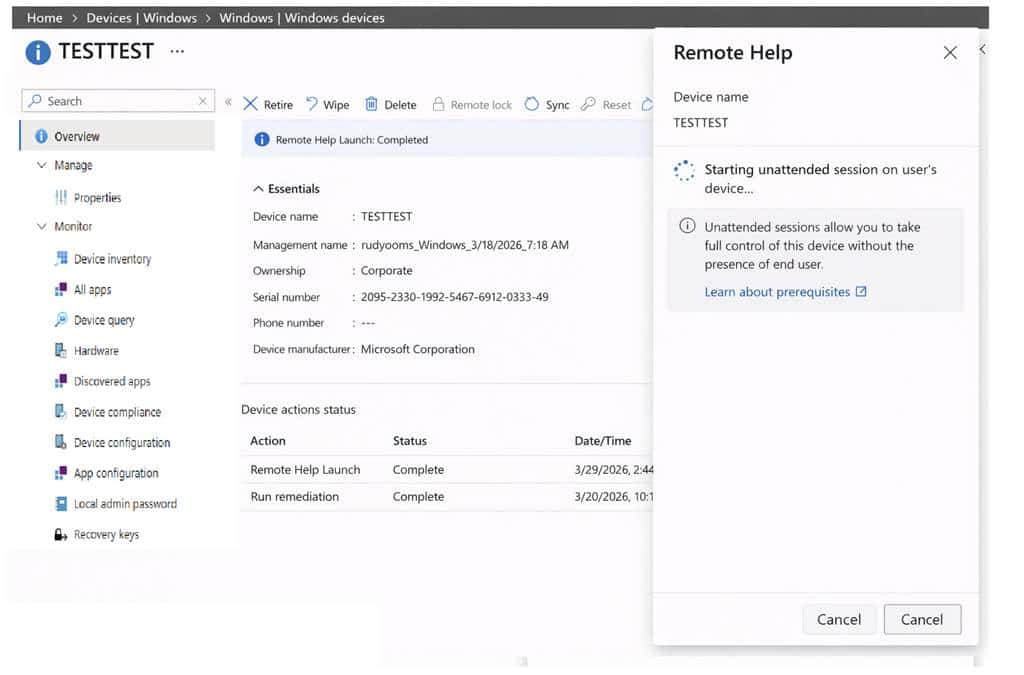
But before the Intune blade enables that Remote Help Session Type choice, it calls getAllowedRemoteHelpActions for the device. That looks like the precheck (aka if your tenant is flighted).
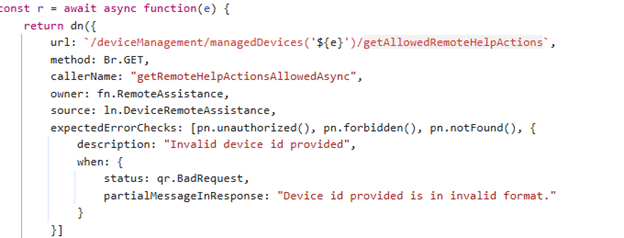
It is there to determine which session types are actually allowed for that admin on that device. The same code maps the returned values into actions like viewscreen, takefullcontrol, unattended, and elevation. When the admin starts the session, the portal still uses the same Graph action as normal Remote Help: createRemoteHelpSession together with the sessionkey.

The difference is in the payload. For unattended support, the body is just a bit different :{“SessionType”:”unattended”} instead of viewscreen.
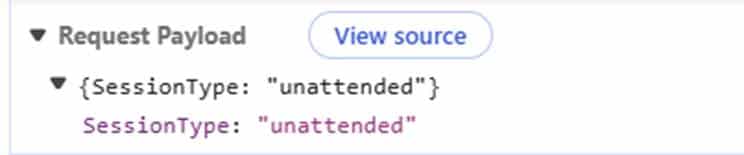
That was the point where the device side findings and the portal side findings started lining up properly.
The IME Code and Unattended Remote Help
Good to know (even when it’s a bit obvious). This unattended remote help for Windows feature, is not timer based like other IME workloads. The helper uses CheckinReason.Notification, which means it reacts to a Sidecar push Notification. It does not wait for the next IME schedule. (which is obvious but still)
That fits the kind of feature this is supposed to be. If an admin clicks unattended in the portal, the device needs to react right away. With the help of IC3 in the near future, this will be even better! Once the push arrives the IME performs a few checks.
Once the push arrives, the IME verifies that unattended support is enabled through a feature flag. It checks whether Remote Desktop is enabled.
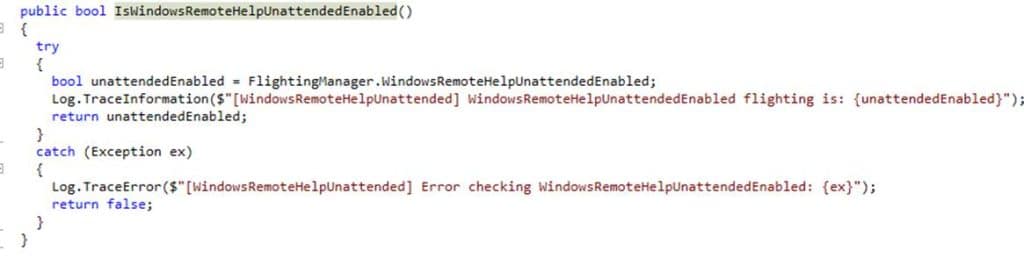
It also checks whether the RDAgentBootLoader service is installed and whether the device is already tied to another host pool by reading HostPoolArmPath from HKLM\SOFTWARE\Microsoft\RDInfraAgent.
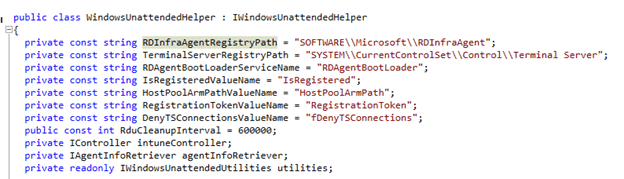
And this is also the point where it already starts to feel different from the Remote Help flow we know today. Once RDAgentBootLoader, RDInfraAgent, RegistrationToken, and HostPoolArmPath start showing up, it stops sounding like classic screen sharing.
The Session Key and the Encrypted Payload
Once the portal creates an unattended remote help session, the device side flow gets even more interesting. The notification already contains values like HelperUpn, HelperId, optional HelperSid, SessionExpiryInHours, and EndSession.
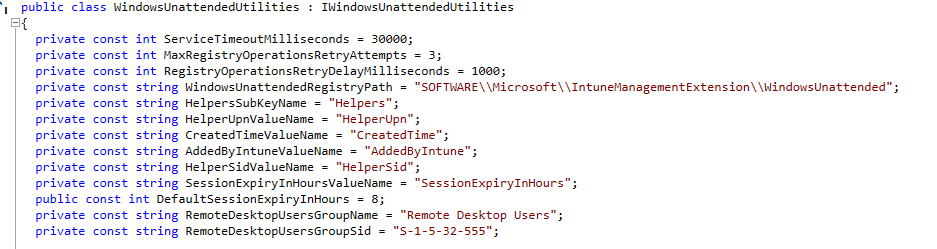
So the service is already pushing the remote helper identity down to the device before the device even asks for the real unattended payload. After that, the IME uses the session key to contact the gateway and request the unattended payload. That exchange only supports two request content types: WindowsUnattendedRequestPayload and WindowsUnattendedReportStatus.
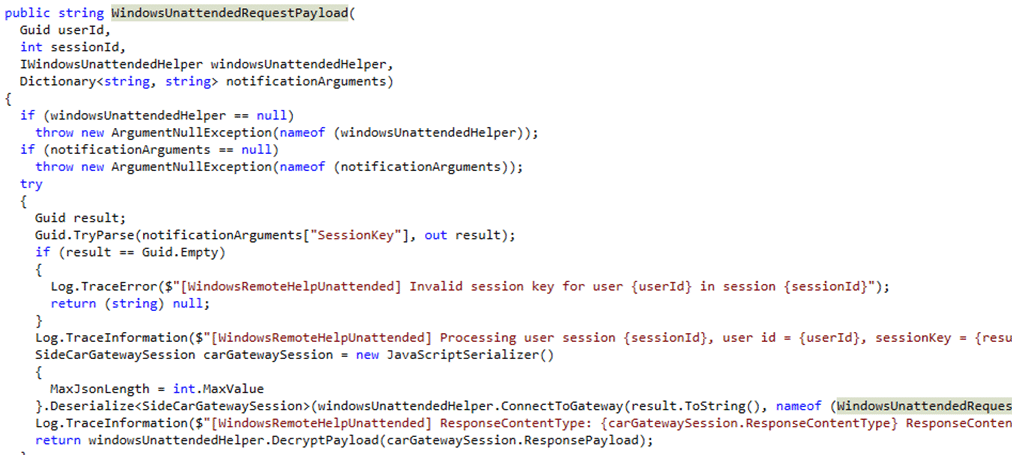
The returned unattended payload is obviously encrypted. The device decrypts it with its own MDM certificate. That strongly suggests the service is sending data meant only for that specific managed device.
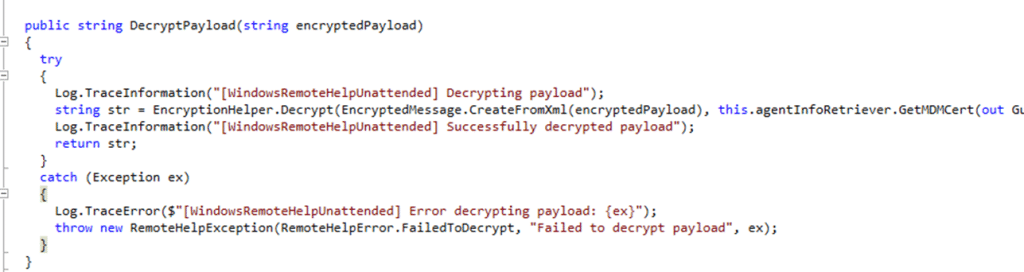
Whatever comes back after decryption is then used to update HKLM\SOFTWARE\Microsoft\RDInfraAgent. The IME sets IsRegistered to 0, writes a new RegistrationToken, and restarts RDAgentBootLoader.

That is the moment where it really stops looking like classic Remote Help and starts looking much more like a complete RDInfraAgent (Windows 365) registration flow.
The Helper Identity Is the Real Clue
The biggest clue in the whole flow is not the portal. It is the helper identity. The notification already contains HelperUpn and HelperId. The IME then takes that helper and adds them to the local Remote Desktop Users group. After that, it stores the helper in the registry under:
HKLM\SOFTWARE\Microsoft\IntuneManagementExtension\WindowsUnattended\Helpers\<HelperId>
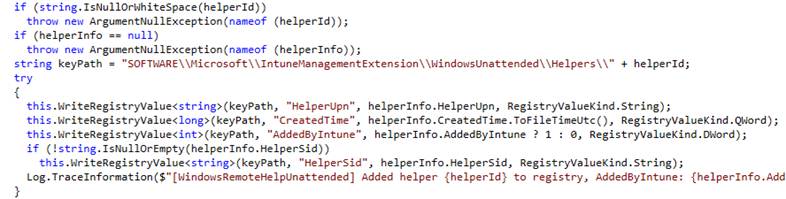
That tells you a lot about what Microsoft is doing. The helper is NOT the user sitting behind the target device. The helper is the support person who is being granted temporary local access on that device. That is the part that is the most important part for the Unattended part in Remote Help.
What Seems to Happen on the Device
The Windows Unattended utilities class makes that even clearer. The IME code enumerates WTS sessions on the device, checks whether a given username is logged on, and later logs that session off with WTSLogoffSession. It only looks at active or connected sessions, and it matches them to the helper identity.
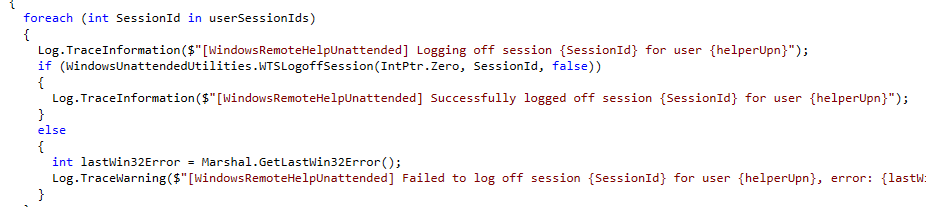
That is a pretty important detail. It strongly suggests the helper does not sign in as the device user. The helper gets their own temporary Windows session on that machine.
So if a user locks the device, unattended support still makes sense. The user does not need to unlock it or click Accept. The helper starts the unattended session from Intune, the device gets the notification, the IME fetches and decrypts the payload, configures RDInfraAgent, grants temporary Remote Desktop Users access, and the helper connects as themselves.
When the session ends, the device logs off the helper session, removes the helper from Remote Desktop Users, and deletes the helper tracking entry from the registry. That is the whole shape of the Unattended Remote Help feature.
This Sounds a Lot Like Windows 365 or AVD Plumbing
That is hard to ignore. RDAgentBootLoader, RDInfraAgent, RegistrationToken, HostPoolArmPath checks do not sound like the usual building blocks of classic attended Remote Help. They sound much closer to the remote desktop plumbing Microsoft already uses elsewhere.
That does not prove unattended Windows Remote Help is literally Windows 365 or AVD under the hood. But it does strongly suggest Microsoft is reusing the same family of components for the actual unattended connection path, while keeping Intune and Remote Help as the control plane on top.
That would also explain why the device side flow feels so different. Microsoft is not just launching an app and waiting for a user. It is preparing a managed device for a temporary remote session.
The Whole Unattended Remote Help Flow
At this point, the Unattended picture is fairly clear. The admin selects initiate unattended control in the Intune portal.
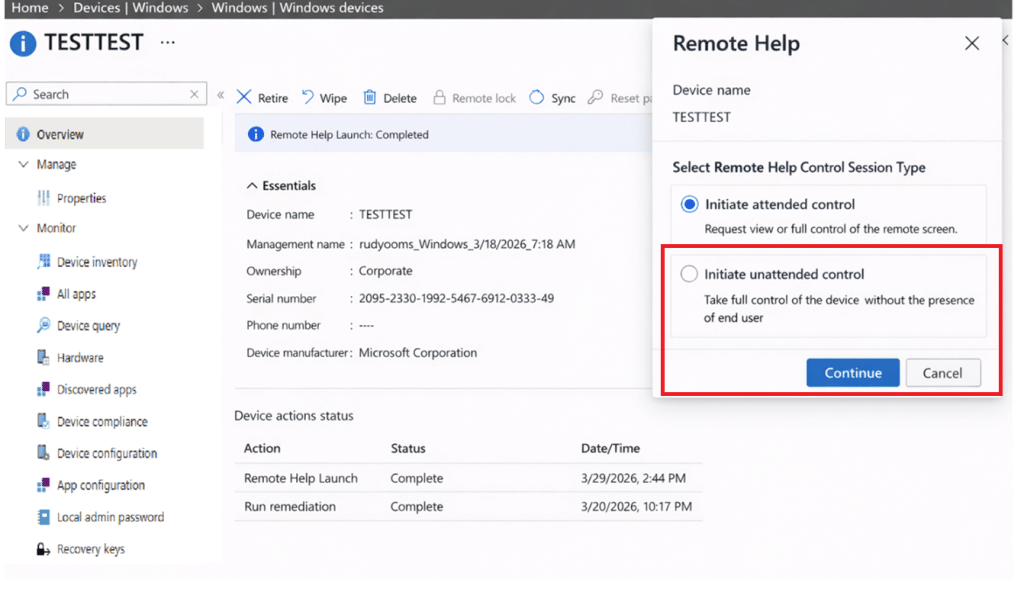
The portal creates a Remote Help session and marks it as unattended. The service sends a Sidecar notification to the device. The IME receives it and checks whether unattended support is allowed on that machine. If the prerequisites are met, the device uses the session key to request an encrypted unattended payload, decrypts it with the MDM certificate, updates RDInfraAgent with a temporary registration token, restarts the RD agent, adds the helper to Remote Desktop Users, and allows the helper to connect as themselves without requiring the end user to interact.
When the session ends or expires, the helper session is logged off, the temporary group membership is removed, and the registry tracking is cleaned up again.
What Is Still Missing
The backend still returns FeatureNotEnabled, so this is clearly not broadly lit up yet. There are also still a few details we cannot fully prove from the code alone. The biggest one is whether the helper lands in the locked console session or in a separate remote session every time. The WTS based cleanup logic strongly suggests a real helper session exists, but the exact session experience is still not fully visible.
Even with that gap, the overall design is not hard to see anymore. The portal knows about unattended. Graph accepts the session type. The IME has the handler. The Sidecar notification exists. The device side setup and cleanup are already written. The backend just is not ready to let most tenants use it yet. And it all started with one new Sidecar notification name showing up in the IME.