

This blog is about a new Intune feature that briefly appeared in Microsoft documentation: PowerShell script installer support for Win32 apps. The feature was documented, discussed in the community, and then removed again. That alone already raised questions.
More importantly, the feature tries to solve a long-standing limitation in how Intune handles PowerShell-based installers. To understand why this mattered, we first need to look at how Win32 app installations have always worked in Intune.
How PowerShell Scripts for Win32 apps always worked
For years, using PowerShell as a Win32 installer in Intune meant one thing: calling PowerShell from the install command. You packaged your files into an .intunewin, placed a .ps1 inside it, and configured the install command like this:
powershell.exe -ExecutionPolicy Bypass -File .\configure.ps1

Since Intune does not manage execution policy, it had to be configured explicitly. PowerShell scripts were also not treated as installers, leaving the script as just another file inside the package/IntuneWin file.
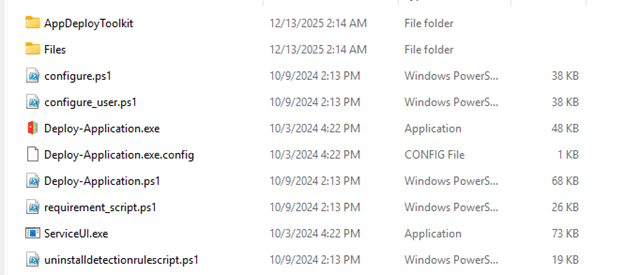
This approach worked, but the script lived inside the encrypted payload (.intunewin). Any script change required a full rebuild and reupload of the app, which meant you needed access to the original Win32 app content. Intune does not offer a supported way to retrieve uploaded app content, although it is technically possible to retrieve it and extract the encrypted content, as I explained in a separate blog. and YouTube video.
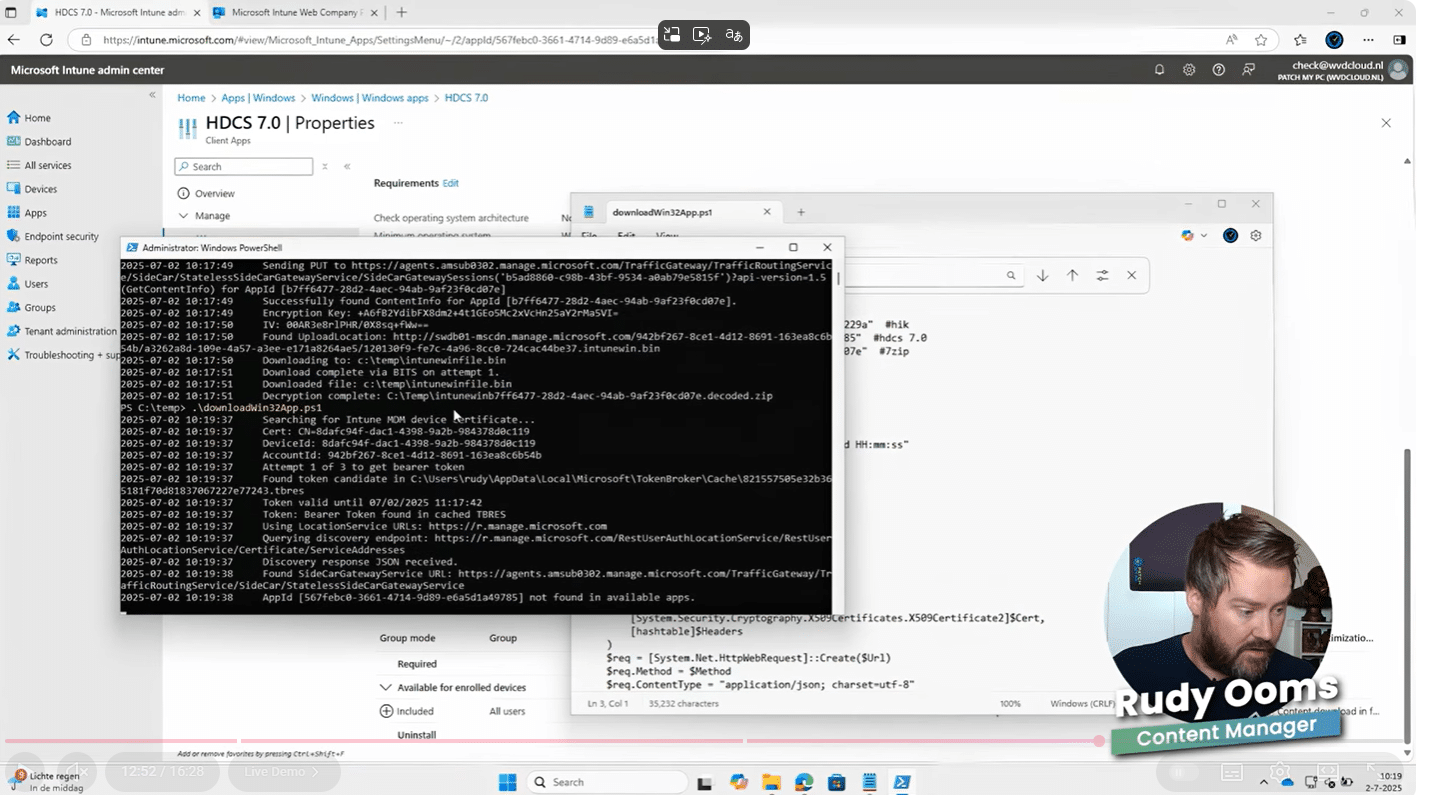
Why did this become a real pain point
The problem is not that this approach is broken. The problem is operational overhead.
If you are not using tooling like Patch My PC and your installer logic lives in PowerShell, every script fix becomes a full app lifecycle event. New package, new upload, new processing time, new content download on devices.
That makes small fixes risky and slow. And that is exactly why people started paying attention when Microsoft documented something different.
The new PowerShell script Installer support for Win32 apps in Intune
In the removed Whats New In Intune Microsoft documentation, a new capability was described: PowerShell script support for Win32 apps.

Instead of calling PowerShell from the command line, the installer itself would be a PowerShell script. In the Intune portal, this shows up as a new installer type: PowerShell script.
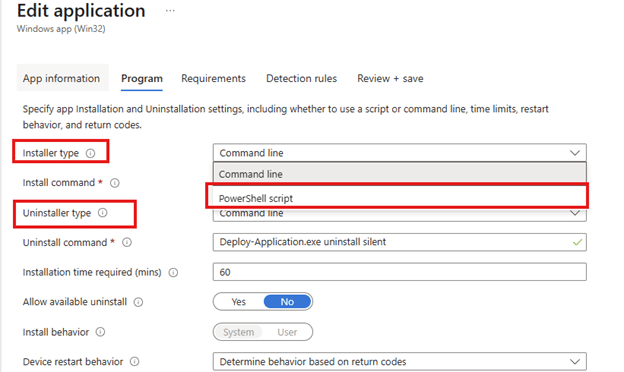
With this model, you no longer reference a .ps1 file within the .intunewin. You can upload or edit the script directly within the app configuration. The script content is visible and editable in the portal. Which is pretty great if you ask me.
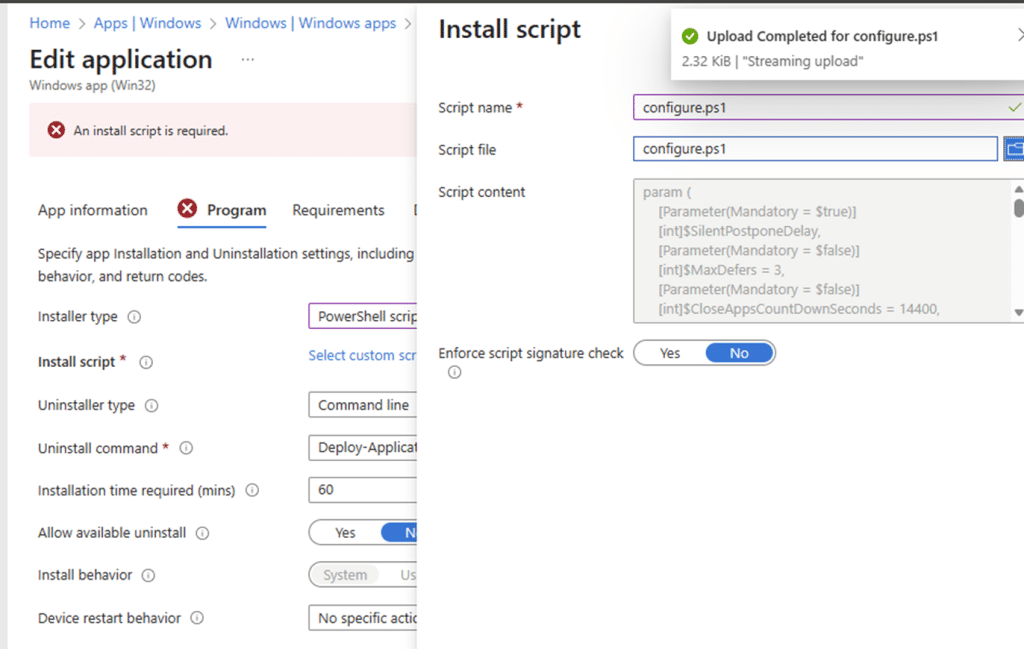
This is a big and important change. The PowerShell script is no longer part of the static payload. It becomes metadata, just like detection scripts. A funny thing is that, when they first released this script installer support feature, it was missing the 64/32 bits switch…. It seems that Microsoft silently added it… But well, it’s broken.
Intune Win32 PowerShell Script Installer 64 Bit Switch Not Working
What Microsoft introduced with PowerShell script Installer support
The new PowerShell script Installer support for Win32apps feature, changed this model. Instead of using “Command line” as the installer type, Intune introduced PowerShell script as a first-class installer option for Win32 apps.

In this new Win32app flow, the PowerShell script itself is uploaded and added directly to the app configuration. This is not the same as calling PowerShell from the command line. The PowerShell script is no longer just a file inside the payload. It becomes part of the Win32 app configuration, similar to how detection scripts already work. That single change is the entire point of the feature.
Why PowerShell Script Installer matters for both new and existing Win32 apps
For new Win32 apps, this means you no longer need to wrap PowerShell installers in execution policy bypass commands or embed scripts inside the package. The PowerShell script itself becomes the installer. For existing Win32 apps, this is even more important. It means you can update installer logic without rebuilding or reuploading the app content. Fix the script, save the app, and move on.
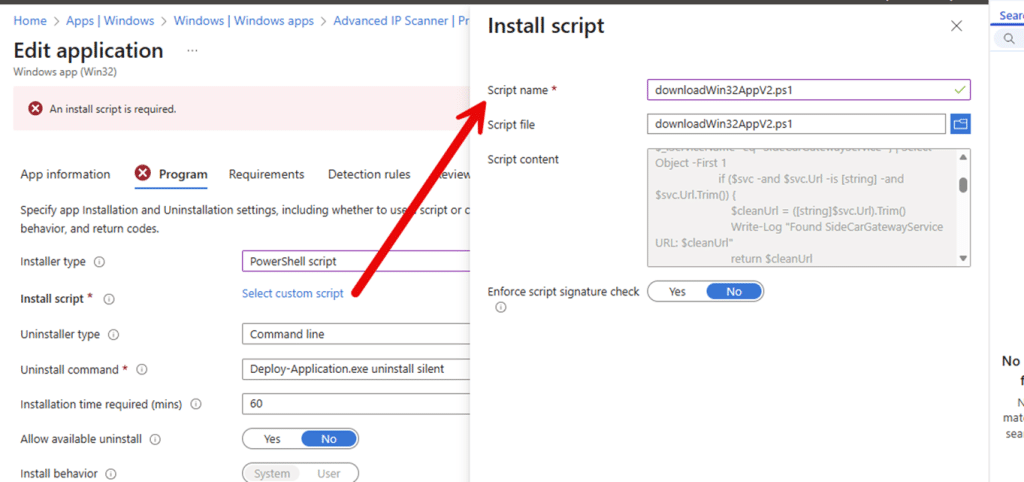
That is the missing piece when you are not using third-party tooling like Patch My PC. Editing a Win32 app would finally change the installer logic itself, not just how it is called.
PowerShell Script Installer under the hood
From a Graph perspective, this aligns with how PowerShell detection rules already work. The script content is stored as data, not as a file inside the payload.
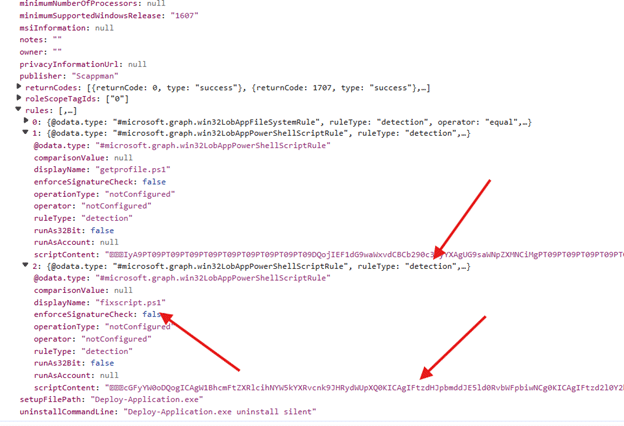
The only weird thing is the ruletype: Detection. I would assume it was installation rather than detection. Once you update the installer type and the script, the Intune Management Extension retrieves and executes them as part of the Win32 app configuration, not as part of downloaded content. Let’s zoom in on that one as well.
The PowerShell Script Installer logic in the IME
With PowerShell script installer support already available for the Enterprise App Catalog Apps, all the required logic was already present in the Intune Management Extension.
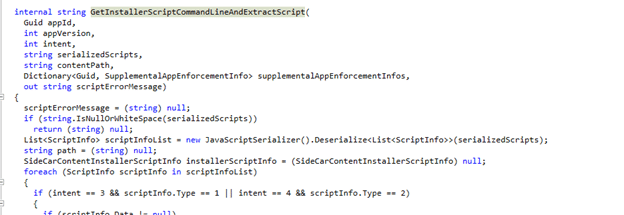
When looking at the IME code, there is a dedicated path that resolves the installer scripts from the policy metadata. From there on, it writes them to disk, and dynamically builds a PowerShell command line to execute them. This logic is completely separate from the classic Win32 payload execution path.
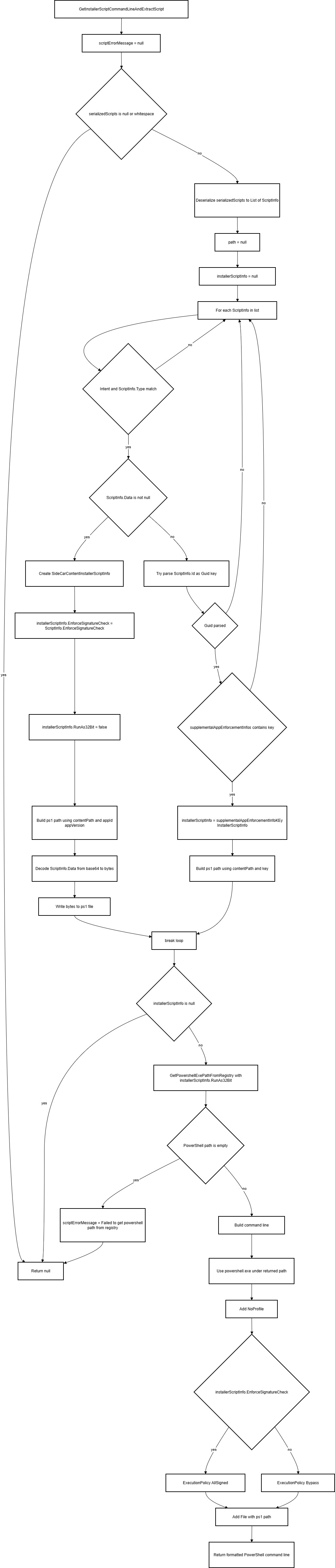
Instead of relying on a script embedded in the .intunewin file, the IME deserializes a list of installer scripts provided by policy, selects the correct one based on intent, materializes it locally as a .ps1, and then executes it using a generated PowerShell command line.

The execution behavior is also controlled by metadata. The IME explicitly switches between ExecutionPolicy Bypass and AllSigned depending on the installer script configuration and resolves the correct PowerShell binary directly from the registry. If no installer script is present, or if script resolution fails, the IME falls back to classic Win32 command-line execution. In other words, the PowerShell script installer acts as an overlay on top of the existing Win32 app model, not a replacement.
The PowerShell Script Installer logic Full Flow
For everyone who wants to know what really happens under the hood based on a mermaid flow of the IME PowerShell script installer code… here you go!
Final thoughts
PowerShell script Installer support for Win32 apps is not a minor portal enhancement. It is a structural change in how Intune treats installer logic. Once you understand the difference between “calling PowerShell from a command line” and “PowerShell as the installer”, the excitement around the feature and the confusion after its removal both make sense. Whether and when this PowerShell script Installer support for Win32 apps feature returns is still unclear.