

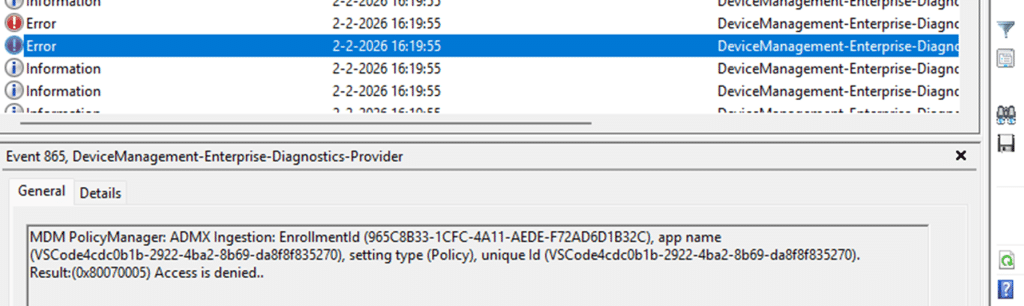
When an Intune policy fails with 0x80070005 Access Denied, the explanation usually sounds obvious. Something tried to write to the registry, but Windows denied the write to the policy.
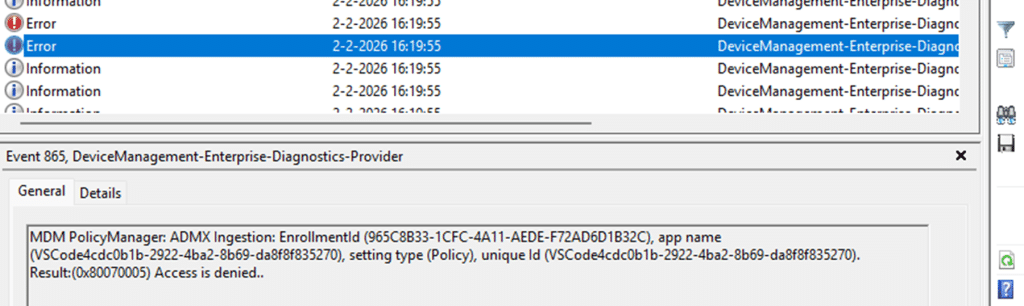
The first assumption is that permissions or the policy context (device VS user) must be wrong. Maybe the policy ran under the wrong user or device scope. That story feels reasonable, but in this case, it is completely wrong.
Nothing ever tried to write to the registry. The policy never reached that stage. Windows rejected it long before it could apply it, at a point where most troubleshooting never looks. The failure happened while Windows was still reading the policy definition itself.
This Is an ADMX 0x80070005 Ingestion Problem
Let me start by noting that imported ADMX policies do not work as many people assume.
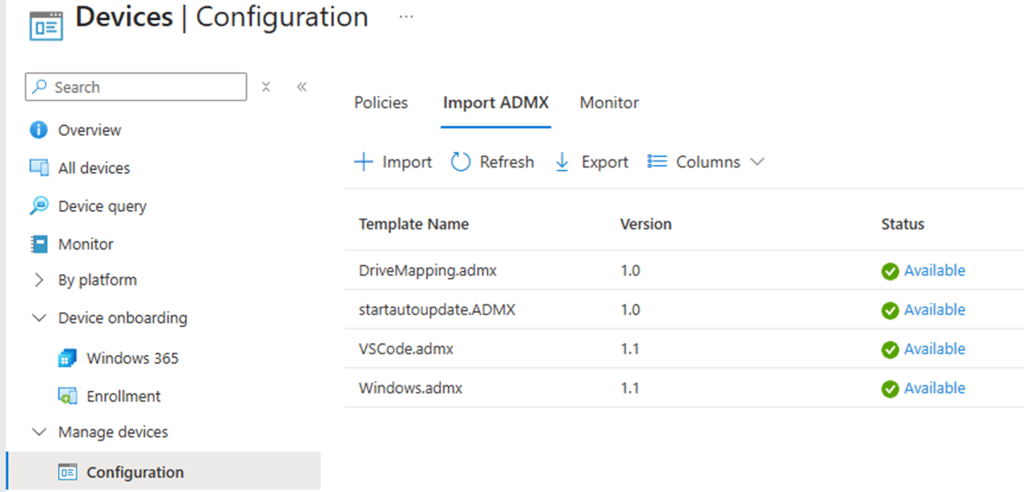
When Intune delivers such a policy that is powered by the imported ADMX, Windows does not immediately translate it into registry writes.
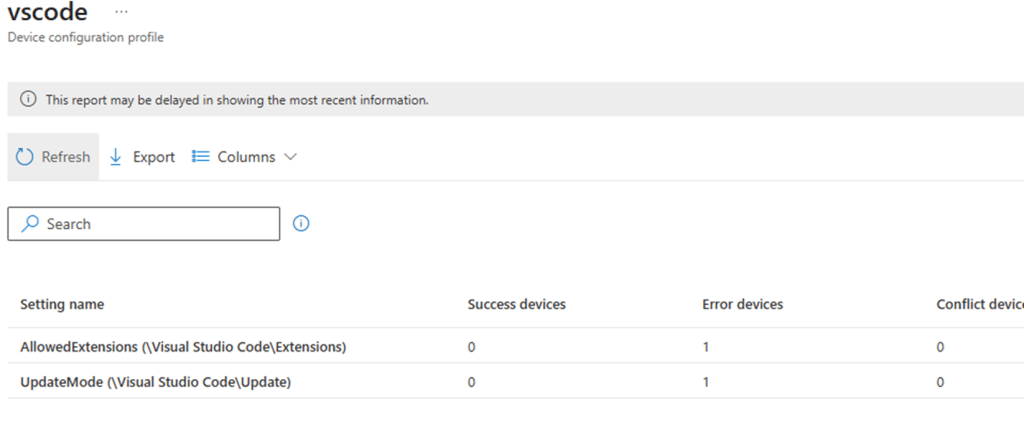
When Windows needs to apply this VSCode policy, it must first start the ADMX ingestion. During ADMX ingestion, the PolicyManager parses the ADMX XML and turns each <policy> element into an internal policy object.
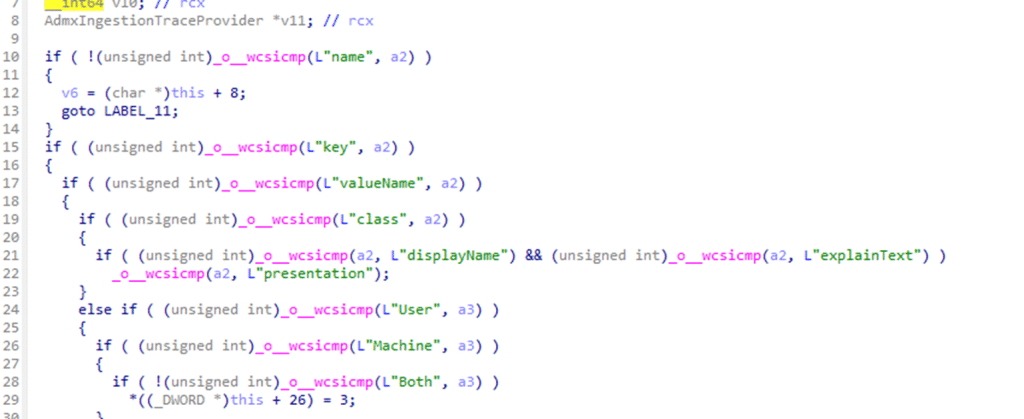
Only policies that successfully survive this phase are later evaluated, applied, and reported on. If ingestion fails, the policy effectively does not exist. That distinction matters because 0x80070005 is returned during ingestion, not when checking whether the policy is applicable.
The Moment Everything Goes Wrong: The Key Attribute
Each ADMX policy definition includes a key attribute. This key attribute specifies the registry path that the policy claims to manage. In the VSCode ADMX, that path looks like this: Software\Policies\Microsoft\VSCode
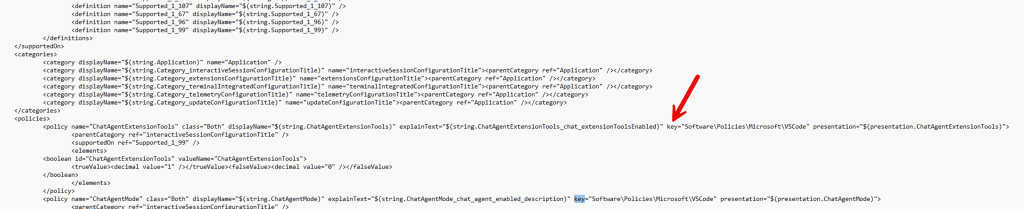
That key value is not treated as a suggestion. It is treated as a declaration of intent, and Windows validates it immediately while parsing the XML.
What Windows Is Actually Checking
When the PolicyManager encounters the key attribute inside an ADMX policy, it does not write anything to the registry. No key is opened, no ACL is evaluated, and no permission check is performed. Instead, the value is routed through an internal integrity check with a more fundamental purpose. Windows first determines whether the policy definition itself is even allowed to exist.
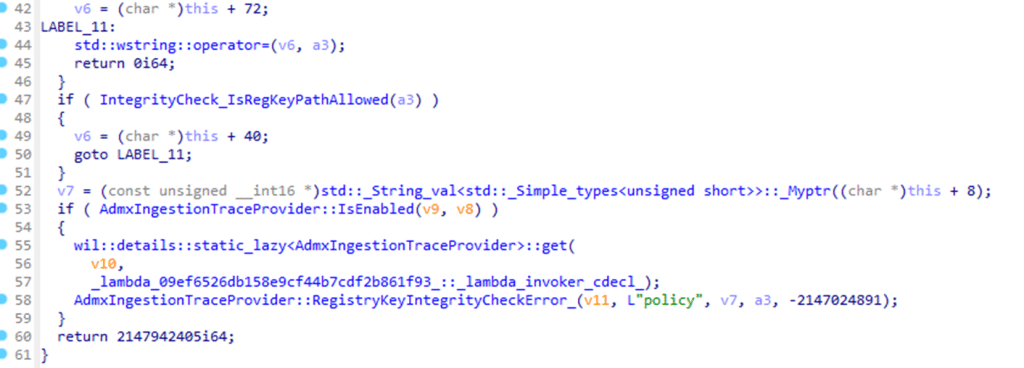
This integrity check enforces a hard boundary around which registry paths ADMX policies are permitted to define. That boundary exists to prevent third-party ADMX files from claiming ownership over sensitive system areas, even when those areas sit under familiar policy hives.
First Comes the Exception List
The integrity check starts by looking for explicit exceptions.
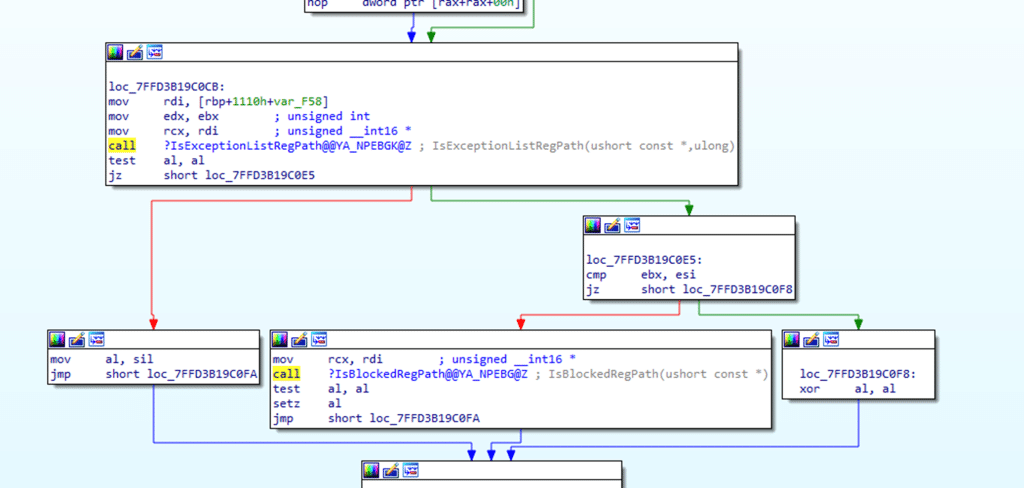
Windows maintains a compiled list of registry paths that are allowed to be targeted by ADMX policies even though they live under protected namespaces. These exceptions exist for inbox and Microsoft-owned components such as Office, Edge, Visual Studio, OneDrive, Exchange, IME features, Windows Search, and several others.
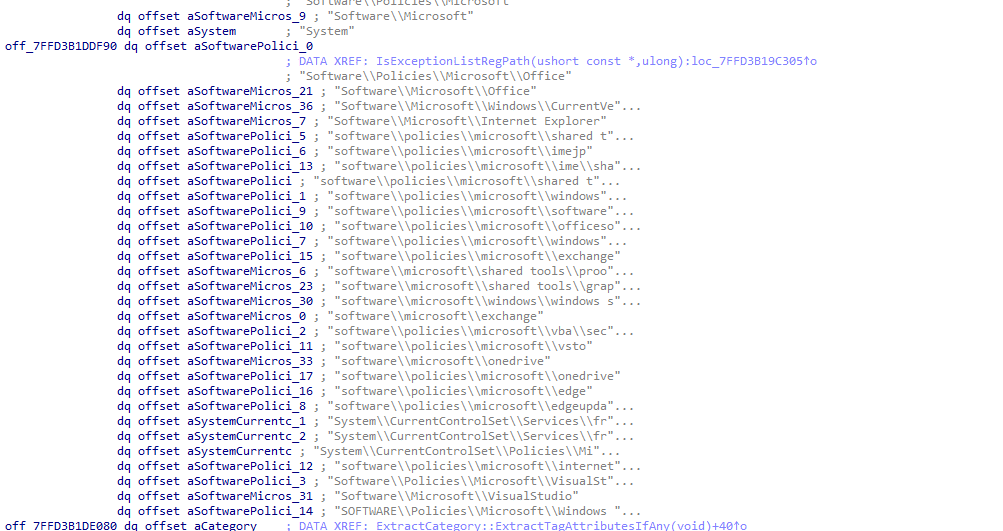
This list above comes from the PolicyManager binary, and it is not configurable. It is baked into the policymanager.dll. If the policy’s registry path matches one of these exception entries, ingestion proceeds immediately. No further validation is performed.
This is why ADMX policies for Edge or Office can safely target paths under Software\Policies\Microsoft without triggering any 0x80070005 errors. They are explicitly allowed AKA in the exception list.
Then Comes the Blocked Path 0x80070005 Check
Only when NO exception applies does Windows perform the second evaluation: ISBlockedRegPath, AKA Access Denie,d AKA 0x80070005
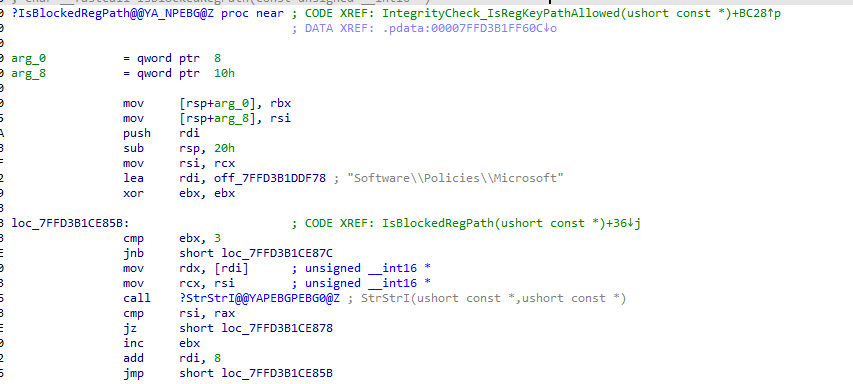
At this stage, the registry path is compared against a set of protected prefixes such as Software\Policies\Microsoft and various System locations.

The logic here is intentionally unsophisticated. It is a straightforward string comparison, not a semantic or contextual analysis. If the path falls under one of these protected prefixes and no exception matched earlier, the ADMX ingested policy is rejected outright. There is no warning and no fallback. The function returns failure immediately, and ingestion stops. That failure is surfaced as 0x80070005.
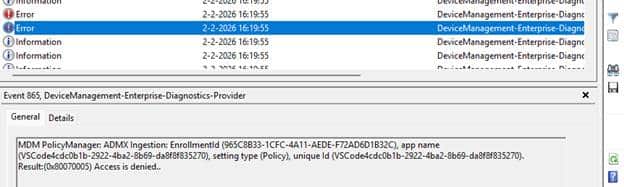
Why the VSCode Policies Fail
With that flow in mind, the VSCode behavior stops being mysterious. The ADMX defines its policies under Software\Policies\Microsoft\VSCode.
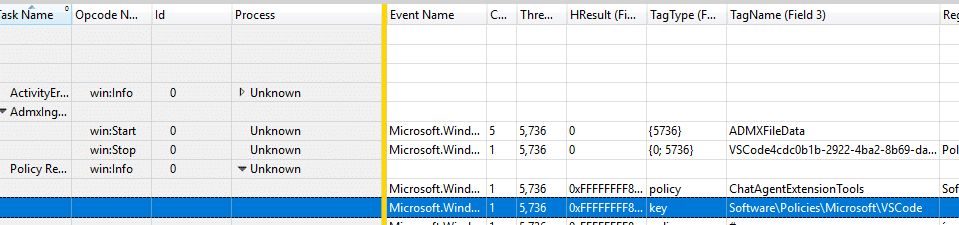
That path does not appear anywhere in the exception list. At the same time, it clearly falls under the blocked Software\Policies\Microsoft namespace. Because the exception check fails and the blocked path check succeeds, PolicyManager rejects the policy during ingestion. The policy object is never created. Nothing is staged. Nothing is applied.
Why the Error Message Is Misleading
The returned error code is 0x80070005, which is almost universally interpreted as a permissions problem. That interpretation sends troubleshooting in the wrong direction. No permissions were evaluated. No registry access was attempted. The failure simply indicates that Windows refuses to apply a policy definition targeting an unapproved registry location.
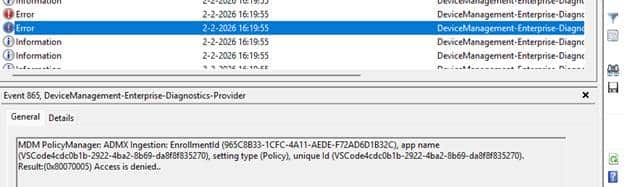
Access was denied not to the registry, but to the idea of the policy itself.
The Exact 0x80070005 Decision Flow Inside PolicyManager
This is the logic Windows follows, without interpretation or simplification:
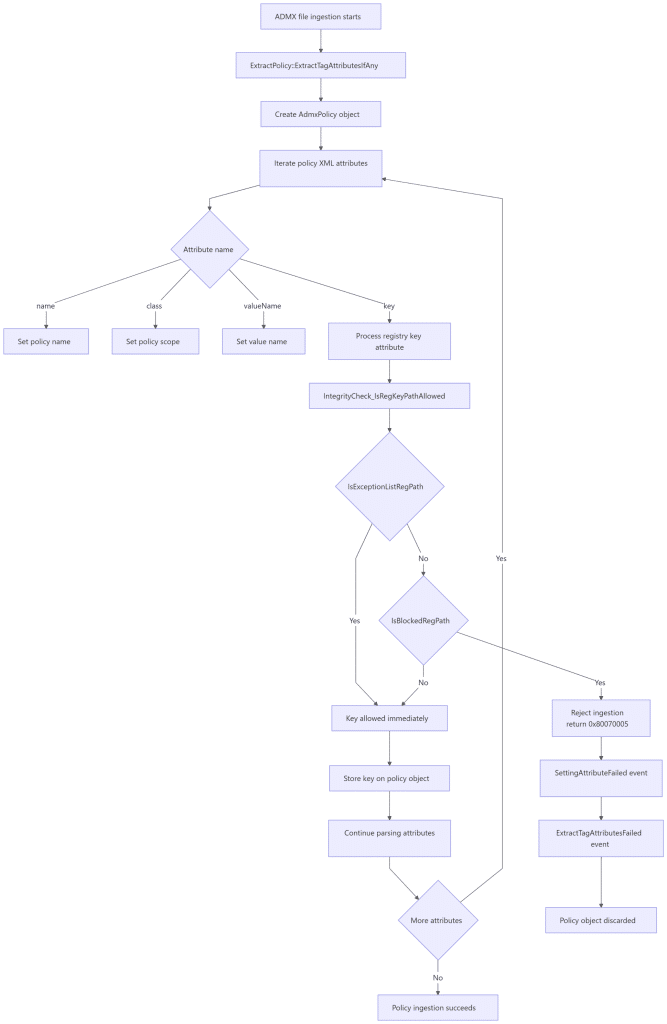
Once the rejection branch is taken, the process stops. There is no retry mechanism because nothing failed at runtime. The policy was never accepted in the first place.
Why This Matters More Than It Looks
This explains a class of Intune failures that otherwise defy logic. The policy assignment is correct. The device is healthy. Scripts writing to the same registry path work without issue. Manual testing succeeds. Yet the policy fails instantly and consistently with the error 0x80070005 The reason is simple. Windows never allowed the policy to exist.