
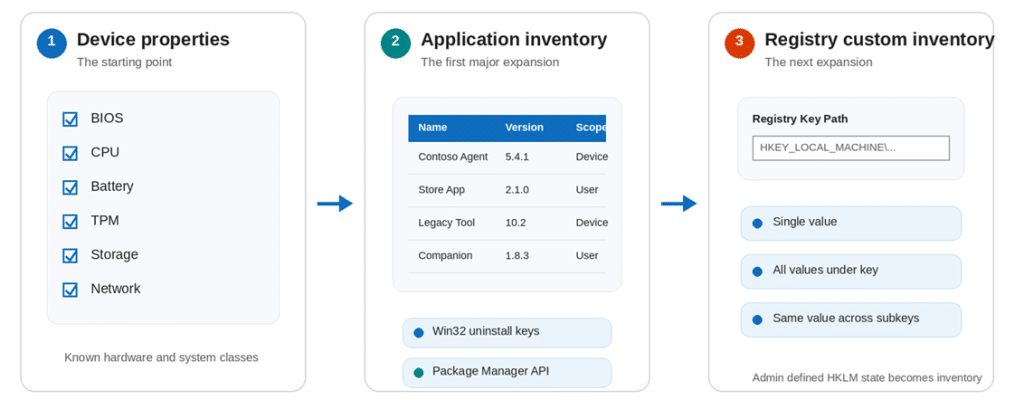
Device Inventory started with predefined Hardware Properties and later added application data. App Inventory then showed that the same agent and upload pipeline could support a completely different data source. Windows Registry Data Custom Inventory was the next step:

With this new Windows Registry Data Inventory added to Intune, administrators can define the HKLM data they need, and the Device Inventory Agent collects it through a native Registry provider.
Device Inventory is becoming more than a hardware catalog
The Intune Properties Catalog originally focused on known Windows Device Hardware classes such as BIOS, CPU, storage, TPM, battery, and operating system information. An administrator selects the properties to collect, assigns the policy, and the Device Inventory Agent sends those values to Intune.
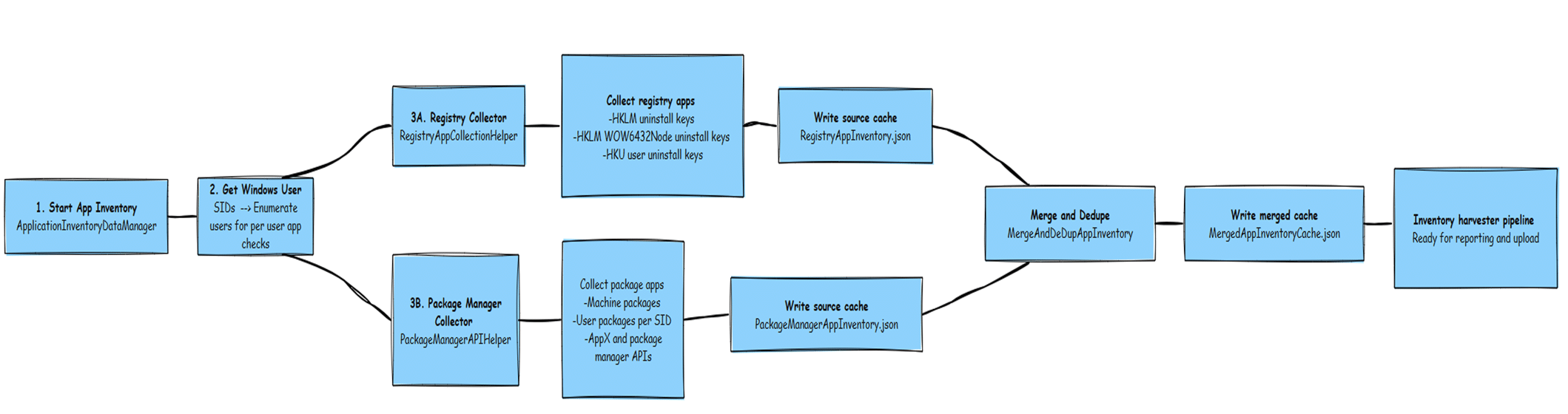
App Inventory showed that this Inventory foundation could do more. Instead of creating another separate reporting agent, Microsoft expanded the same Device Inventory service with application properties. Win32 applications are read from uninstall Registry locations, Microsoft Store applications are read through the package manager API, and the merged data follows the Device Inventory upload path.
The Windows Registry Data addition follows the same direction. The difference is that the administrator can now define the registry keys they want to collect. If a useful Windows state lives in a supported HKLM location, it can become part of normal device inventory instead of requiring another script.
App Inventory showed the model first
The enhanced App Inventory experience is important to this Registry story because it uses the same Device Inventory Agent. The Properties Catalog enables the application workload; the agent selects the Windows Registry collectors, and the results are written to the shared uploader database before they are sent to the Intune data platform.
That gives us the architectural pattern for Registry inventory: one extensible agent, multiple providers, and one common transformation and upload foundation.
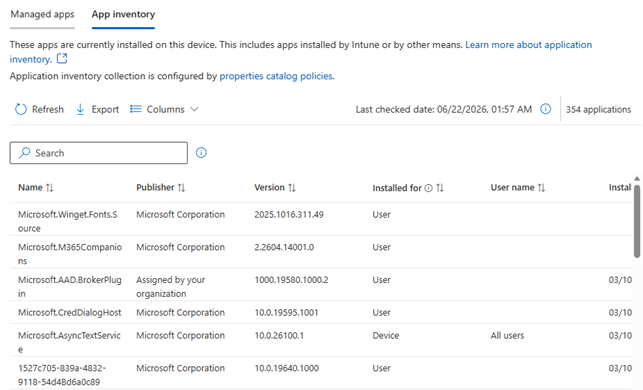
For more information and a deep dive into how the Device Inventory agent gathers that Application data, check out our webinar

Windows Registry Data appears as a custom property in the portal
Microsoft describes three HKLM collection patterns. Single value reads one named value from one key. All values under key targets the values directly below a key without recursively walking the tree. Same value across subkeys reads one consistent value name from every immediate child key.
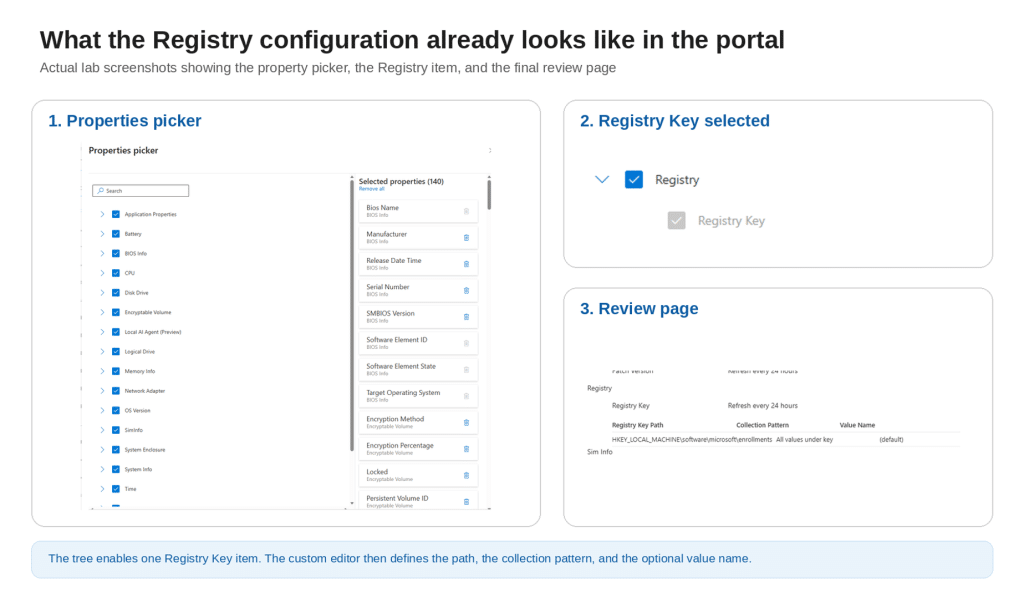
The Intune portal matches that design. The Windows Registry Data appears in the Properties picker with a Registry Key child item. Selecting it opens a custom editor for the Registry Key Path, Collection Pattern, and Value Name. The configured entry then appears on the review page before the policy is created. That custom editor is significant. The registry is not presented as a set of hundreds of predefined properties. The properties picker enables the feature, while the editor defines what the device should collect.
The Device Inventory Agent and the Windows Registry Data
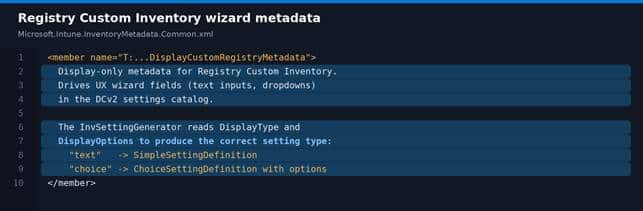
The Device Inventory metadata package on the device defines DisplayCustomRegistryMetadata. Its own documentation says it exists for the Custom Windows Registry Data Inventory and drives text fields and dropdowns in the DCv2 Settings Catalog wizard.
This is the direct connection between the portal editor and the Device Inventory Agent itself on the device. The display model describes what the administrator sees. The runtime Registry metadata describes what the Device Inventory Agent must collect.
How the Windows Registry Data policy reaches the device
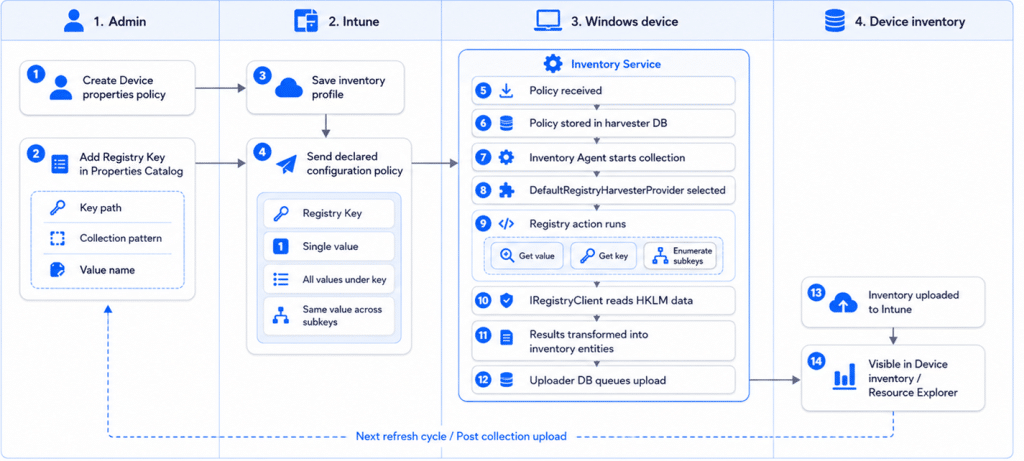
After the Properties Catalog policy is created and the device checks in, the Registry definition is delivered through the Device Inventory policy path. The policy contains RegistryInventoryMetadata and the actions that describe the key path, collection pattern, value name, and expected type.
The Inventory Service stores the policy locally. When the collection is due, the agent reads the metadata type, selects the Registry provider, performs the requested action, transforms the result into inventory entities, and places the data in the normal uploader path.
The Device Inventory Agent uses a native Registry provider
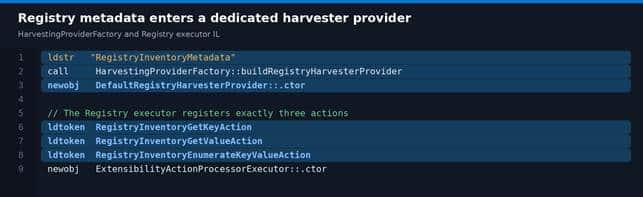
The Device Inventory service does not launch PowerShell or use a remediation script for this collection. HarvestingProviderFactory recognizes RegistryInventoryMetadata and creates DefaultRegistryHarvesterProvider.
The Registry executor registers three native action models: RegistryInventoryGetValueAction, RegistryInventoryGetKeyAction, and RegistryInventoryEnumerateKeyValueAction. The provider executes the actions from the policy and passes successful results to HarvestedDataTransformer.
How the Windows Registry Data is collected on the device
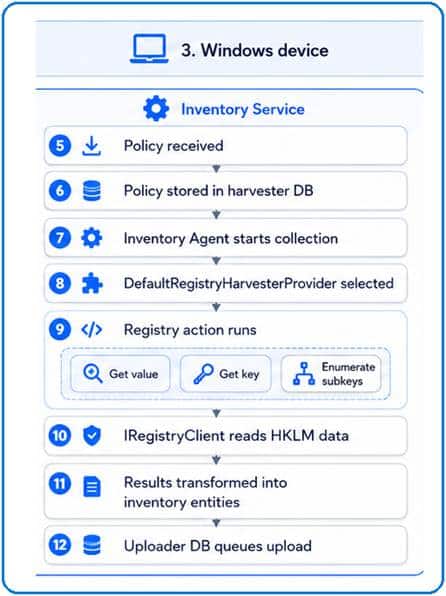
The full overview becomes easier to follow when we zoom into the Windows device. The Inventory Service stores the delivered policy, starts the collection run, selects the Registry provider, executes the requested action, reads the HKLM data, transforms the result, and places it in the uploader database.
Single Registry Value
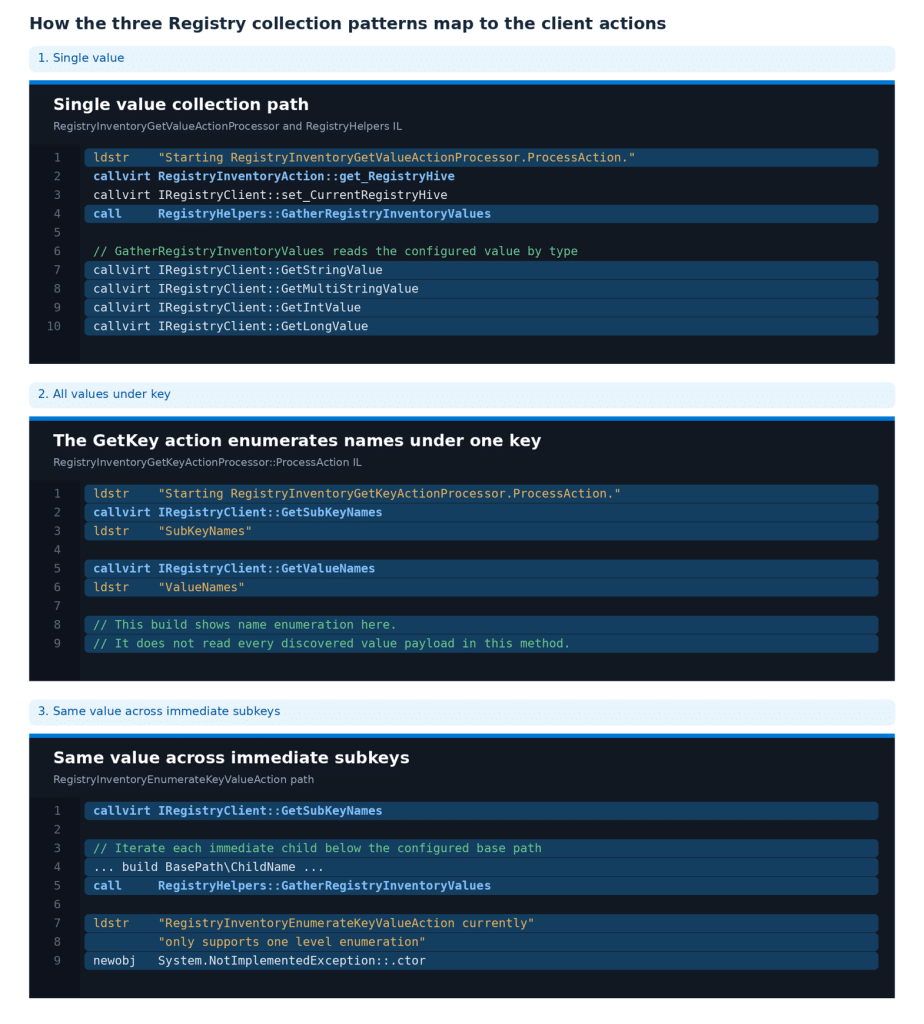
The Registry Inventory GetValue Action Processor selects the configured hive and subkey, then calls RegistryHelpers.GatherRegistryInventoryValues. The internal Registry client reads the named value using the configured type. This path is clearly visible for String, MultiString, DWord, and QWord values.
All Registry values under key
The RegistryInventoryGetKeyActionProcessor calls GetSubKeyNames and GetValueNames for the selected key. That proves the device can enumerate the names directly below the key. One caveat remains: this method does not itself read the payload behind every discovered value name, so the complete name to value expansion is not visible in this build.
Same value across immediate registry subkeys
The RegistryInventoryEnumerateKeyValueActionProcessor enumerates the immediate child keys below the configured base path, builds each child path, and reads the configured value from every child. The code explicitly limits this action to one level, which matches the public description of immediate subkeys rather than recursive collection.
The result follows the normal Device Inventory upload path
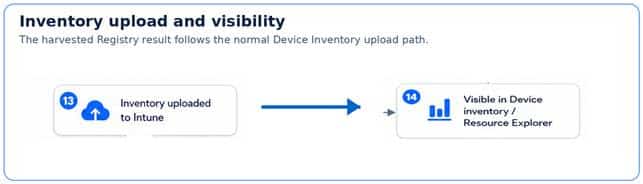
After collection, the action result is transformed into harvested inventory data. The Inventory Agent writes the data to the shared uploader database and triggers the existing Device Inventory upload flow. Registry data is therefore not sent through a separate Registry-specific channel.
The package also contains validation for allowed keys and value names. The public editor currently limits the feature to HKEY_LOCAL_MACHINE, which is the boundary the article should use even though the client contains some additional CurrentUser handling.
Why this matters
A large amount of useful Windows state still lives in the Registry. Enrollment state, security settings, vendor agent configuration, legacy application state, and troubleshooting values often have no predefined Device Inventory property.
Today, a simple fleet question about one HKLM value can become another PowerShell script, remediation, custom compliance policy, or reporting workaround. Registry Custom Inventory gives those simple questions a native home inside Device Inventory. It will not replace scripts that need complex logic or remediation. Its value is much simpler: collect a small, useful piece of Registry state through the existing inventory system without building and maintaining custom collection logic.
Final thoughts
Windows Registry Data Inventory makes more sense when viewed as the next expansion of Device Inventory. App Inventory already proved that the agent can add new providers while reusing the same policy, transformation, storage, and upload foundation. The portal now exposes the Windows Registry Data editor. The client package contains the matching wizard metadata and native collection path. The remaining step is the service rollout that accepts these definitions and returns the collected data end to end across tenants.