
An hourly remediation sounds straightforward: assign it, and it should run sometime within the next hour. But when looking closer at how the Intune Management Extension evaluates remediation schedules, the behavior turns out to be very different. In this blog, I will walk through what really happens on existing devices and why the first execution depends on policy retrieval events rather than on the one-hour interval.
Introduction to the Hourly Remediations
Some time ago, I wrote a blog explaining why Intune PowerShell scripts always appear with a delay. The key takeaway from that article was simple: the Intune Management Extension does not receive a push when scripts are assigned. Instead, the agent periodically pulls workloads from the Intune service. If the device has not yet retrieved the workload that contains the script, nothing happens yet.
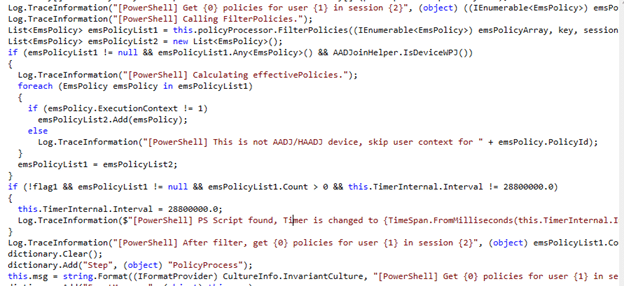
That design explains why PowerShell scripts sometimes appear delayed on devices. It also explains another misconception I hear quite often. When administrators create a remediation with an hourly schedule, many assume the device will wait up to one hour before running the remediation for the first time. In other words, the expectation usually looks like this:
Hourly Remediation assigned
↓
Device waits up to one hour
↓
First execution
That sounds logical. But it is not how the Intune Management Extension actually behaves. On already-enrolled devices, an hourly remediation is not performed within the first hour after assignment. The first execution is triggered by policy retrieval events such as user sign-in, device restart, IME restart, or the periodic workload cycle, NOT by the one-hour interval itself.

The real first trigger is policy retrieval, not the hourly Remediation interval
To understand why this happens, it helps to revisit the architecture discussed in the earlier blog about PowerShell script delays.
A small summary for people who didn’t read the blog above: The Intune Management Extension does NOT receive push notifications when PowerShell scripts or remediations are assigned. Instead, it retrieves workloads from the service at specific moments. Because of that design, remediation scripts only appear on the device when the extension retrieves the workload that contains them. For remediation scripts, policy retrieval typically happens when one of the following events occurs:
- the user signs in
- the Intune Management Extension service restarts (the device restarts)
- the periodic remediation policy retrieval cycle runs (every eight hours)
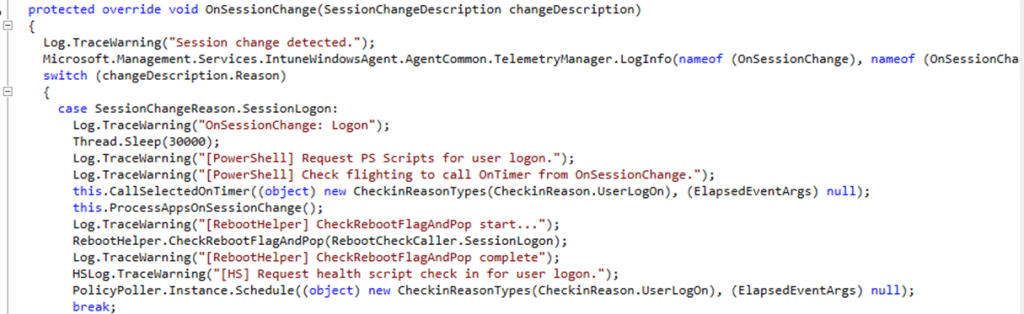
This means that assigning a remediation does not immediately trigger execution. The device must first retrieve the specific policy that contains the PowerShell remediation.
What happens when the hourly remediation policy arrives
Once the remediation policy appears on the device, the scheduler determines whether to run the remediation.
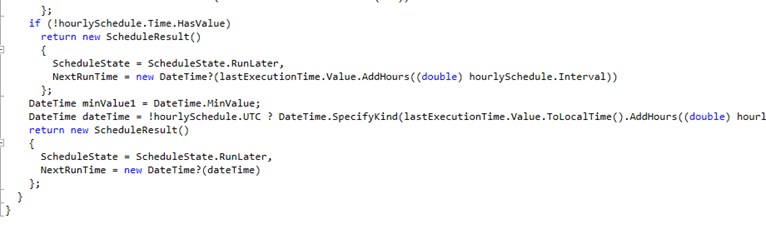
At that moment, the Intune Management Extension checks whether the remediation has already been executed. If no execution history exists yet, the scheduler allows the remediation to run immediately. So the logic effectively looks like this:
Remediation policy retrieved
↓
Scheduler evaluates remediation
↓
No previous execution found
↓
Run remediation immediately
This is the key point: the scheduler is not waiting for one hour to pass. It simply checks whether the remediation has already been executed. If the answer is no, the remediation runs right away.
What this means for already enrolled devices
On a device that has already been enrolled for some time, the first execution therefore depends entirely on when the device retrieves the remediation policy. The sequence typically looks like this:
Admin assigns remediation
↓
Device retrieves workloads
(user sign-in / restart / IME restart / periodic retrieval)
↓
Remediation policy appears on the device
↓
Scheduler evaluates remediation
↓
No previous execution found
↓
Remediation executes immediately
So the device does not wait one hour before executing the remediation. Instead, the remediation runs the moment the device processes the remediation policy for the first time. Only after that first execution has taken place does the hourly interval begin to matter.
What happens during enrollment
Enrollment behaves slightly differently because the Intune Management Extension is installed during the enrollment process. Once the extension is installed and the service starts, it immediately begins retrieving workloads assigned to the device.
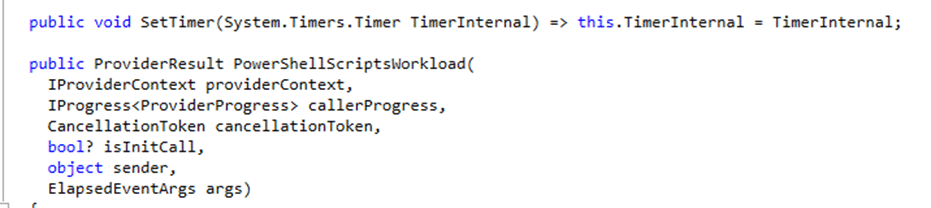
If the remediation policy already exists in the assignment, the device retrieves it almost immediately. Since the remediation has never been executed before, the scheduler again allows it to run right away. The sequence during enrollment typically looks like this:
Device enrollment
↓
IME installed
↓
IME service starts
↓
Workloads retrieved
↓
Remediation policy received
↓
No previous execution found
↓
Remediation executes with 5 minute delay
This is why administrators often observe an hourly remediation executing only a few minutes after enrollment completes. The remediation is not waiting for the hourly interval. It simply runs the first time the device processes the policy.
The five-minute reevaluation you may see in logs
There is one small detail in the hourly scheduler that can confuse people when looking at logs. Whenever the scheduler decides to run a remediation immediately, it also schedules a follow-up evaluation roughly five minutes later. This comes directly from the schedule handler logic, which sets the next evaluation moment to the current time plus five minutes.
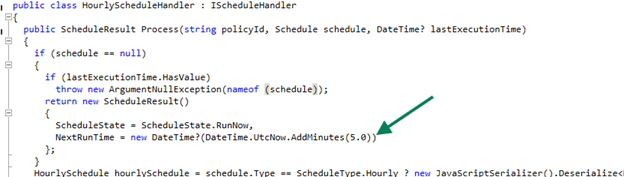
That does not mean the remediation runs every five minutes. It simply means the scheduler checks the schedule again shortly after the first execution. The sequence looks like this:
12:39 remediation executes
↓
LastExecution timestamp written
↓
12:44 scheduler reevaluates (+5 minutes)
↓
13:39 next hourly execution allowed
By the time the five-minute reevaluation happens, the execution timestamp already exists, and the hourly interval prevents the remediation from running again. So if you notice activity roughly five minutes after the first run in the logs, that is simply the scheduler reevaluating the schedule.
The registry key that anchors the hourly schedule
After a remediation is executed, the Intune Management Extension records the execution timestamp in the registry. You can find it here: HKLM\SOFTWARE\Microsoft\IntuneManagementExtension\
SideCarPolicies\Scripts\Execution\<UserId>\<PolicyId>_<Version>. Inside that key, the agent stores the value: LastExecution
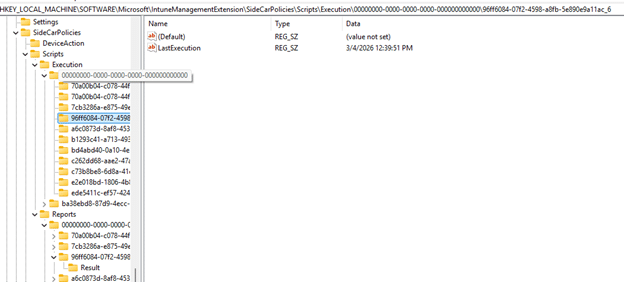
That timestamp becomes the reference point for the hourly schedule.
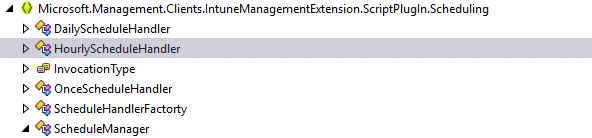
When the scheduler evaluates the remediation again later, it compares the current time with the stored execution timestamp. Only when the configured interval has passed will the remediation be allowed to run again. This means the hourly schedule is anchored to when the hourly remediation last executed, not to when it was assigned. That is why hourly remediations often run at slightly irregular minutes instead of exactly on the hour.
The key takeaway
The word hourly creates the expectation that a remediation will run sometime within the next hour after it is assigned. But the Intune Management Extension does not schedule the first run that way.
On already-enrolled devices, the first execution occurs when the device retrieves and processes the remediation policy. That moment is tied to events like user sign-in, device restart, IME restart, or the periodic workload retrieval cycle. Only after the remediation has been executed once does the hourly interval begin controlling when the next run is allowed.
So if an hourly remediation appears shortly after enrollment or soon after a policy retrieval event, that behavior is not unusual. It simply means the device has just processed the remediation policy for the first time.