

Performing a Local Autopilot Reset from the lock screen is meant for the moments where a device is stuck, and you just want to bring it back to a clean state. You press Ctrl + Win + R, enter local admin credentials, and expect the local Autopilot reset to start immediately.
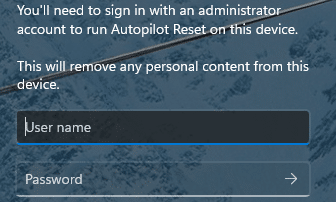
Except sometimes it doesn’t. You enter the local admin credentials, and Windows just signs that admin into Windows instead of starting the Local Autopilot Reset.

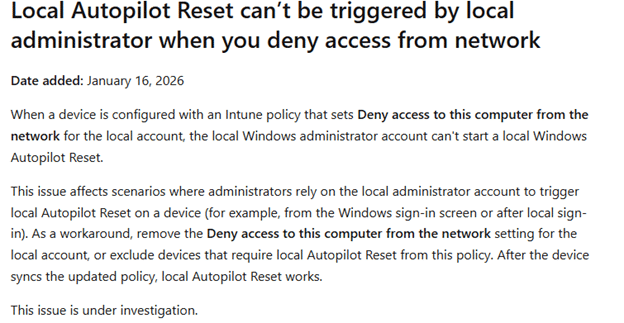
Microsoft already lists this behavior as a known issue and mentions it is still under investigation.
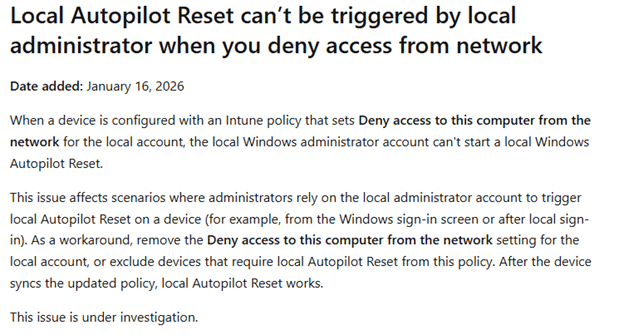
That explains the symptom, but it doesn’t explain the cause. So, I went looking for the “why”.
The setting that breaks it (and why people configure it)
As mentioned in the Autopilot Known Issue overview, the policy that triggers the issue is: Deny access to this computer from the network
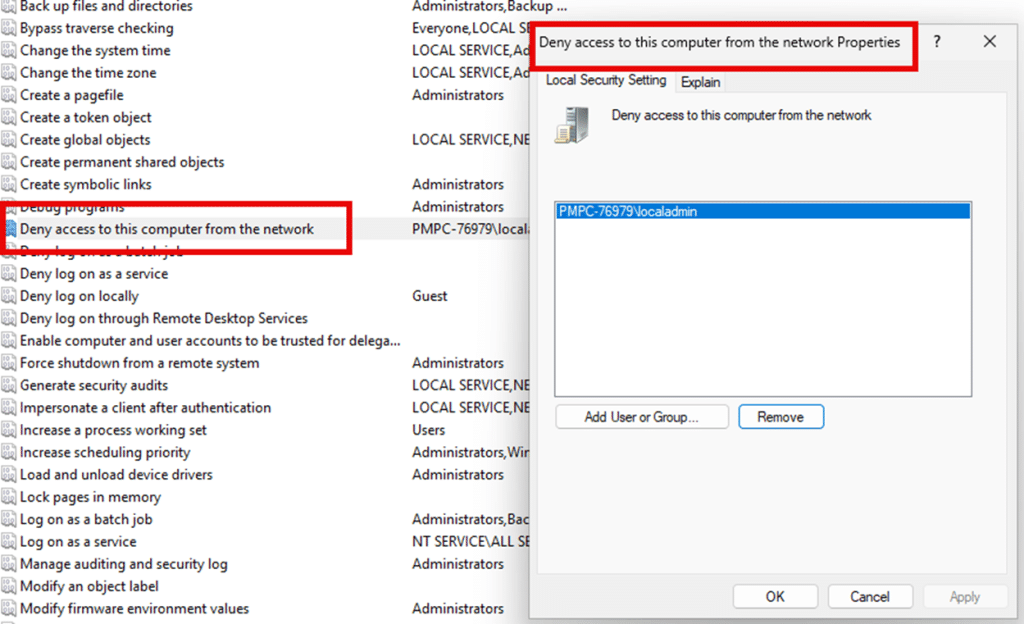
Many security baselines recommend setting this for Administrators.

The reasoning behind it is simple. If administrators cannot log on over the network, it reduces remote entry points like admin shares and certain remote management paths. It is a common hardening choice, and it usually does exactly what it promises.
And that is what makes this situation so annoying. You are not doing something exotic. You are deploying a baseline that many environments already have. The problem is that Local Autopilot Reset depends on a logon type that falls under that same “network access” category. Let me explain.
The missing detail: Local Autopilot Reset does not validate your admin creds as an interactive logon
At the lock screen, the Local Autopilot Reset credential prompt looks like any other admin prompt. You type the username and password, and it feels like Windows is simply checking whether the credentials are correct.
That is not what happens. The Local Autopilot Reset validates those credentials by requesting a Network logon token.
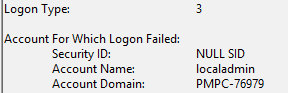
And that token is controlled by the same user right you just hardened. So the setting doesn’t break the Local Autopilot Reset later in the process. It blocks the reset before it even gets the chance to start.
What actually happens when you press Ctrl Win R
When you press Ctrl + Win + R, Windows doesn’t immediately start resetting the device. It first needs to verify that the person in front of the screen is allowed to trigger it. That’s why the credential screen appears.
That UI is hosted by LogonUI, but the logic behind it comes from the Local Autopilot Reset credential provider in mgmtrefreshcredprov.dll. The moment you enter the local admin username and password, the credential provider does two things.
It first packages the credentials into a real Windows authentication payload. Not a quick string comparison, but a proper logon blob that Windows can hand off to the security subsystem.
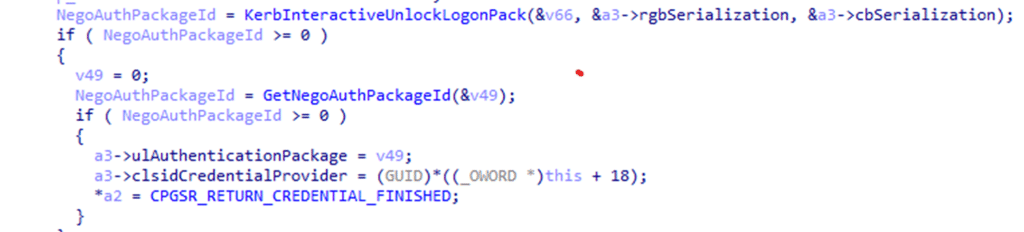
That’s where everything changes. Instead of treating it like an interactive sign-in, the provider calls LsaLogonUser to let Windows authenticate the credentials and issue a Network logon token (LogonType 3).
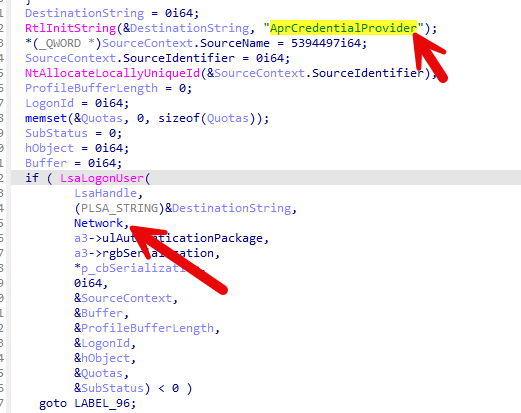
That single word, Network (logon type 3), is the whole story.

Why the Local Autopilot Reset breaks before the reset can even start
LogonType 3 is governed by the user rights assignment: Deny access to this computer from the network
So, when your baseline includes Administrators in that deny list, Windows rejects the request for a Network logon token. Authentication succeeds, but token creation is not granted. The result is a nice error in the Security log: STATUS_LOGON_TYPE_NOT_GRANTED (0xC000015B)

Because the token is never created, the credential provider cannot proceed to the next step. Before it can launch the reset, it also confirms the token is an admin token.
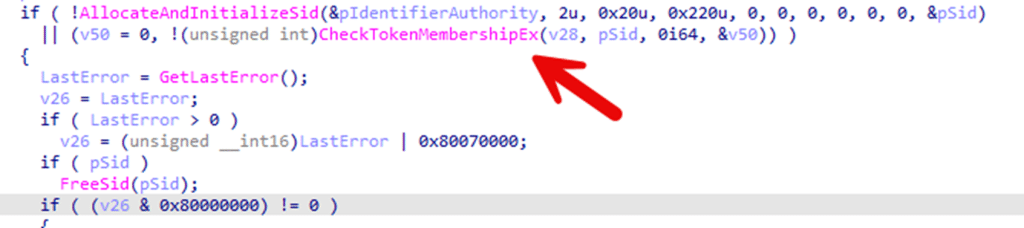
The part it never reaches: LaunchReset and MgmtRefresh
Once (and only if) the token exists and the credential provider confirms it is an admin token, the next step is to call LaunchReset.

That function activates the MgmtRefresh runtime class, which is the real entry point into the Local Autopilot Reset engine. But when the Network logon token is blocked, the flow never reaches that call.
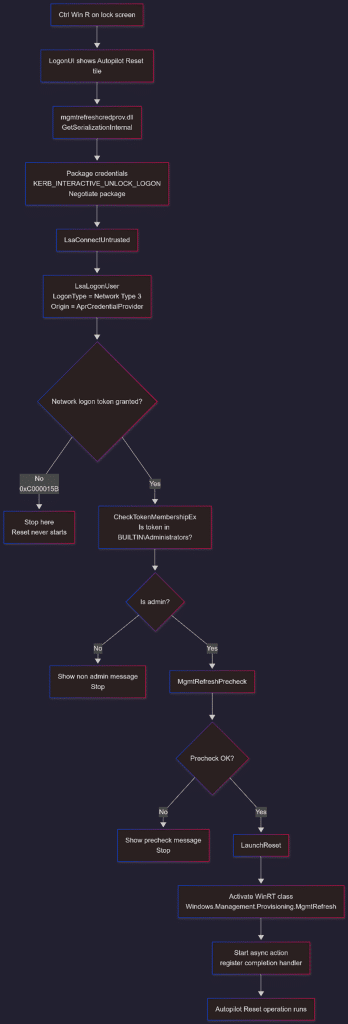
The Local Autopilot Reset Flow
Let’s connect all the dots and put it all together in a flow.
Why Microsoft calls it a known issue
Microsoft lists this as a known issue and mentions it is still under investigation. That makes sense, because this is not an “Autopilot bug” in the classic sense. It’s a design collision.
A local Autopilot Reset requires admin credentials to run, but it validates those credentials using a Network logon token. And network logon is exactly what many security baselines deny for administrators.
What you can do today to get the Local Autopilot Reset working (or not)
If you want the Local Autopilot Reset on the lock screen to work reliably, the account you use to trigger it must be allowed to obtain a LogonType 3 token. That means:
- Don’t deny network logon for the account you use for the local Autopilot Reset
- Don’t deny it for a group that contains that account, like Administrators
If your baseline currently blocks it, you have two realistic options:
- adjust the baseline
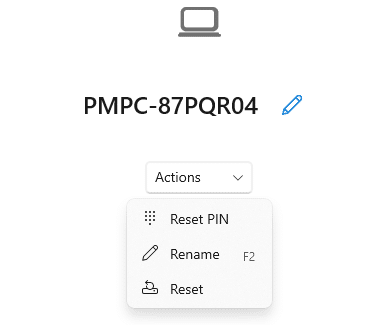
- accept that Ctrl + Win + R to perform a Local Autopilot Reset won’t work in that hardened configuration, and teach your users to use the Company Portal to reset the device
Conclusion
This issue looks like Local Autopilot Reset randomly failing, but it isn’t random at all. It fails for a very specific reason. The credential provider behind Ctrl + Win + R validates the admin credentials using a Network logon token, and that token is blocked by Deny access to this computer from the network.
Once you know that the reset depends on LogonType 3, the entire behavior makes perfect sense. The credentials are correct, the UI appears normal, but the reset never starts because Windows refuses to create the token it needs.