

If you recently changed or added firewall rules in Intune and the outcome felt unpredictable, you are not imagining things.

Microsoft has published a service health message (IT1214934) confirming a degradation where newly created or recently changed firewall rule policies are not applied correctly to Windows devices.
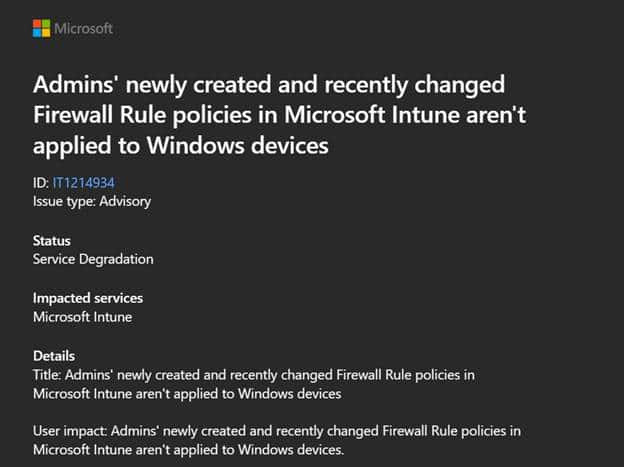
While that confirmation is pretty important, it still does not fully explain the weird behavior many IT administrators have started seeing in their production environments. To understand what is going on, we opened the Firewall policy we changed.
Firewall Rules looking fine in the Intune portal?
From the Intune portal perspective, firewall policies largely appear healthy. Assignments appear correct, devices remain compliant, and most…most settings reported successful. But when you look closer, an anomaly is a generic error 65000 on the Enabled setting, which is easy to overlook because the rest of the rule shows as succeeded.
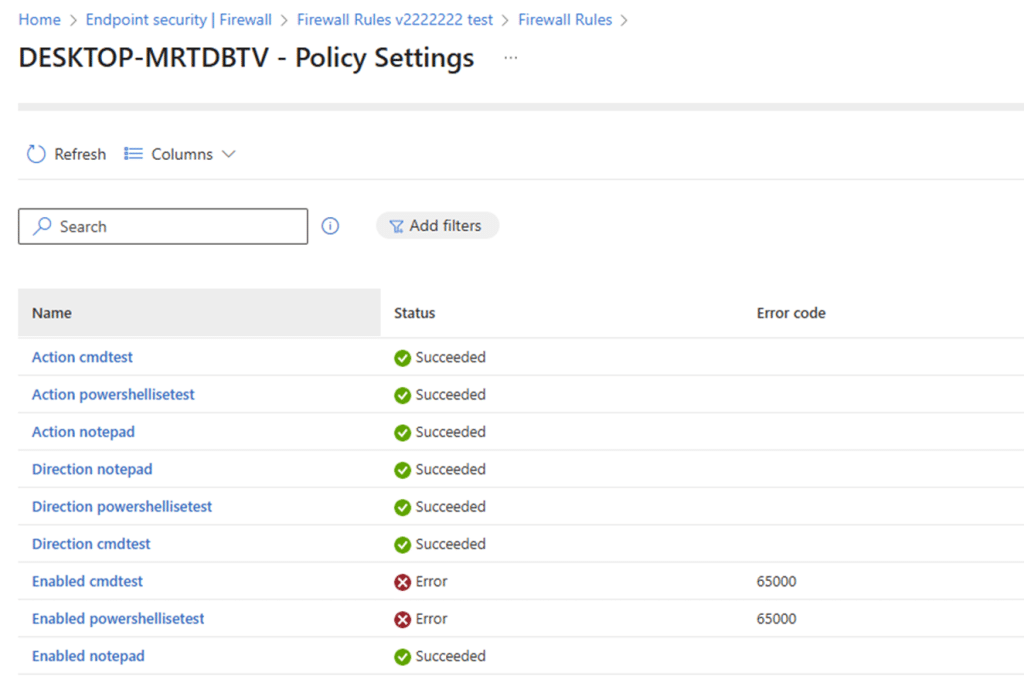
As we have learned in the past, error 65000 just means… The policy engine has got no clue what to do with it. When looking at the eventlog, it gives us a nice 404, the parameter is incorrect error, but that’s it.
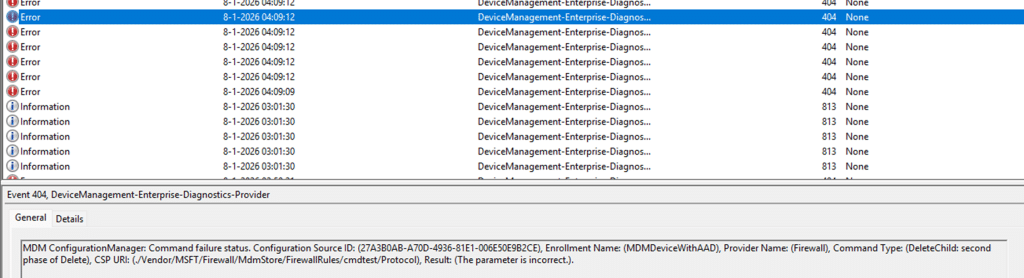
Which sounded familiar when looking at the official troubleshooting docs:
But it was pretty obvious that the existing firewall rules had already been configured for a while, and we only added one more.
Looking at the Firewall Rules Monitoring on the device
On affected devices, the Windows Defender firewall rules are clearly being delivered. They seem to appear in the Windows Defender Firewall UI. However, when you look more closely, it becomes obvious that something is wrong.
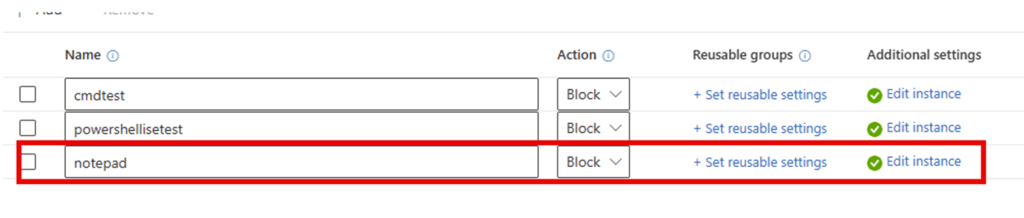
As shown above, I added the Notepad rule and configured it to block. Before syncing, I checked the existing firewall rules to ensure I wasn’t dreaming.

As shown above, cmdtest and powershellisetest were clearly visible and configured to block. After performing a couple of syncs (because the first time it errors out with the error 0x82aa0002)

Notepad finally showed up in the Monitoring section of the Firewall.
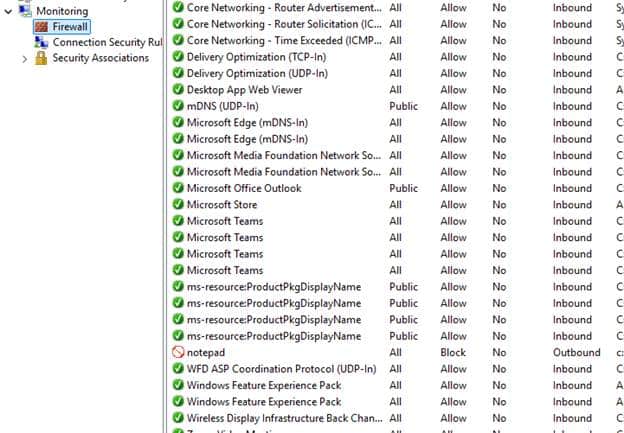
But the other two firewall rules, cmdtest and powershellisetest, were no longer enforced. They were still present, but effectively inactive.
Troubleshooting the Windows Firewall Rules
The real answer shows up in the registry. When deploying Intune-managed firewall rules, they are written to the following location:
HKEY_LOCAL_MACHINE\SYSTEM\CurrentControlSet\Services\SharedAccess\Parameters\FirewallPolicy\Mdm\FirewallRules
Each firewall rule exists here as a registry value, and within that value is a critical flag called Active. This flag determines whether the firewall engine actually enforces the rule. Rules marked with Active=TRUE are committed to the effective firewall policy. Rules marked with Active=FALSE exist on the system but are ignored during traffic evaluation.
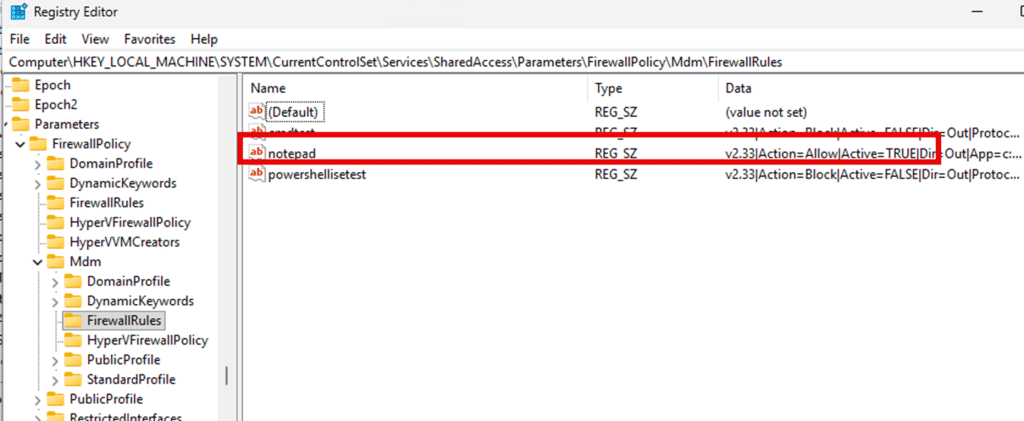
As shown above, once you know to look for this flag, the strange behavior starts to make sense… well just a bit…. In affected environments, only one rule, typically the most recently created or modified one, has its Active flag set to TRUE. Earlier rules remain present in the registry and visible in the firewall UI, but they are inactive. They look applied, yet they do nothing.
When things get worse
In one scenario, changing the name of the firewall policy or just adding an additional firewall policy triggered an even worse situation. Somehow an existing outbound policy was changed to block an to any outbound. Guess what that does? Yes…. it will block all communication with the internet, and you no longer have power over your device
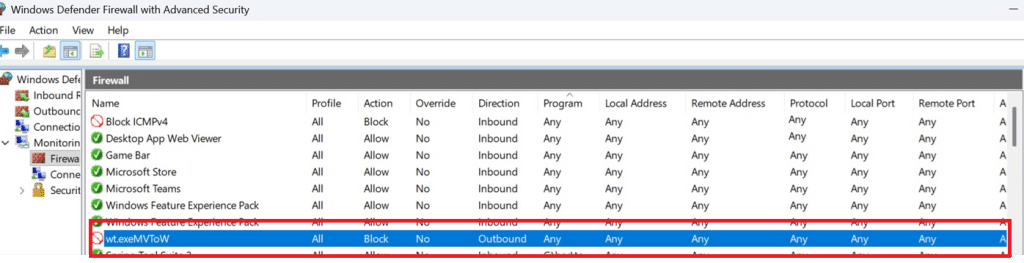
The only way to fix this is logging in to the device and clean up the registry keyss: FirewallPolicy\Mdm\FirewallRules
What I think went wrong
Based on everything we observed on affected devices, this issue does not appear to be caused by a single broken firewall rule. It looks like a failure in how Intune firewall rules are identified and reconciled when a policy is changed. Initially, the firewall rules written under the MDM store used the readable policy names, such as cmdtest and powershellisetest, as the registry value names.

That already stood out, because historically these rules are stored using generated identifiers, not the display name. Microsoft’s own troubleshooting guidance shows this behavior clearly, with firewall rules represented by generated IDs rather than friendly names.

Microsoft Reverted that change?
When we later repeated the exact same steps to reproduce the issue, the behavior had changed again. The firewall rules were no longer written using the policy name. Instead, they appeared with generated identifiers, exactly as described in the TechCommunity blog.

This changed behavior strongly suggests something in the service side handling of firewall rule identity had changed in the meantime. The most likely explanation is that during the incident window, Intune ended up treating the firewall rule name as part of the rule identity. When a rule was renamed, reassigned, or otherwise modified, Intune issued a delete and add sequence. (YES!! also when you just change the name of the Firewall Rule policy itself!)
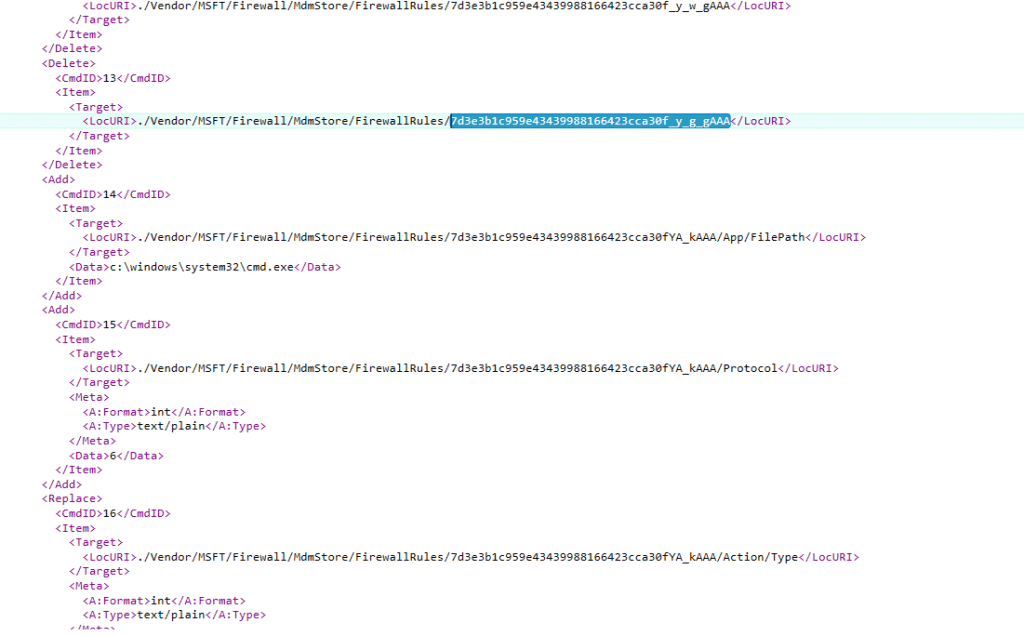
On the device, that sequence did not always fully clean up the old rule across all firewall stores. When the new rule was added with the same or overlapping identity, the firewall engine detected a conflict and refused to fully activate it. That explains the inconsistent states we observed. Some rules remained present but inactive. Others showed up with Name=Invalid. In the worst cases, an existing rule effectively turned into a block any to any rule, cutting off all network traffic as soon as the policy applied.
Now that the rules are again written using generated identifiers instead of the policy name, the behavior aligns with how the firewall CSP is designed to work. Renames no longer change the underlying identity, and the add replace logic behaves as expected.
In short, this looks less like a device side failure and more like a temporary identity mismatch in how Intune processed firewall rules during incident IT1214934.
How does this align with the IT1214934 Microsoft health message
Microsoft’s service health IT1214934 message confirms that firewall rule policies were not applied correctly and that remediation involves reprocessing affected policies. What the message does not fully capture is how disruptive and inconsistent the impact can be.
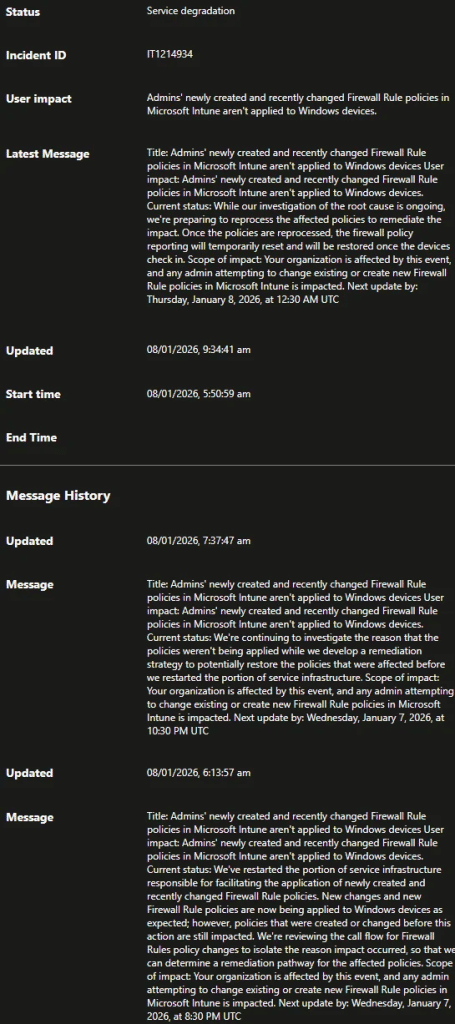
Depending on timing, rule order, and whether a device is newly enrolled or already established, the same underlying issue can lead to ignored rules, misleading success states, or complete network isolation.
What this means right now
If you are troubleshooting odd firewall behavior today, the registry is the place to look. When Intune says everything is fine, but the device behaves differently, the Active flag usually tells the real story, and until Microsoft fixes it, please don’t make any changes to your existing Firewall rules!