
In this blog, we take a closer look at what really happens when the Intune MDM device certificate fails to renew. While investigating a strange certificate renewal issue, we uncovered an undocumented condition that can silently block the renewal of the Intune MDM Device certificate. This issue started with a single UPN in the registry that contained the old domain name. This is the first post of 4 in the Intune MDM Device CA renewal saga
Please note: This blog is based on my own testing and analysis, including decompiling publicly available Windows binaries. No NDA covered information, internal documentation, or private sources were used.
Introduction
The Intune MDM device certificate isn’t something most people think about, yet it’s at the core of how trust is managed between the device and the Service (Intune).
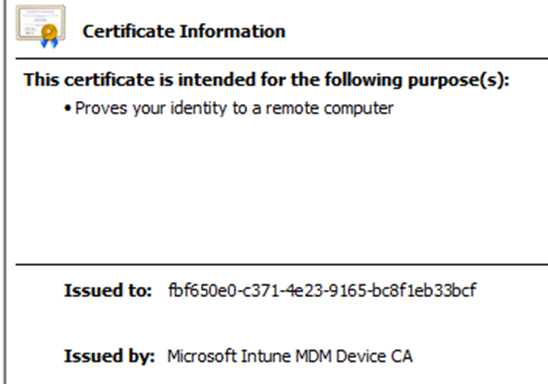
It’s the digital proof that a device really belongs to your organization (the OIDs contain your tenant IDs) and that Intune can securely talk to it. Without that cert, Intune cannot communicate with the device, and the device cannot communicate back. In most cases (99%?), this Intune MDM Device certificate should renew automatically, and no one would even notice. However, if the certificate renewal fails, the device’s connection to the Intune service will be lost, and the device becomes orphaned. Which is bad… as you need to reenroll the device, right?
The Intune Root Certificate Renewal
Now here’s the part that will affect every Intune environment. Around early May 2026, the Microsoft Intune Root Certification Authority will reach the end of its lifetime.
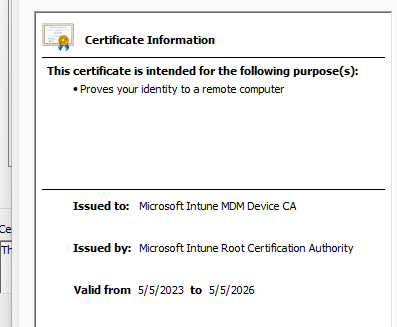
This shouldn’t be a significant issue, as the new root certificate will be distributed to all devices worldwide in the coming months (already underway). When the Intune root certificate is renewed, every Intune MDM device certificate that is chained to it must also be renewed; otherwise, walking the certificate chain would fail, and, as a result, the certificate would not be trusted. Trust me, we don’t want that to happen.
That global renewal will happen automatically, in theory, but only if the underlying renewal flow works. And that’s where things get interesting.
Before we noticed the root certificate was about to expire, we stumbled upon an issue that isn’t documented anywhere. A small but critical and also funny condition that can silently prevent the renewal of the Intune MDM device certificate, even though everything else looks healthy.
When Certificate Renewal Didn’t Happen
We noticed a subset of devices that were well within their renewal window. Based on the timing explained in the earlier blog Intune Device Certificate Renewed Renewal, those Intune MDM Device certificates should have been replaced automatically.
Normally, a scheduled task called
Schedule created by enrollment client for renewal of certificate warning handles that renewal.
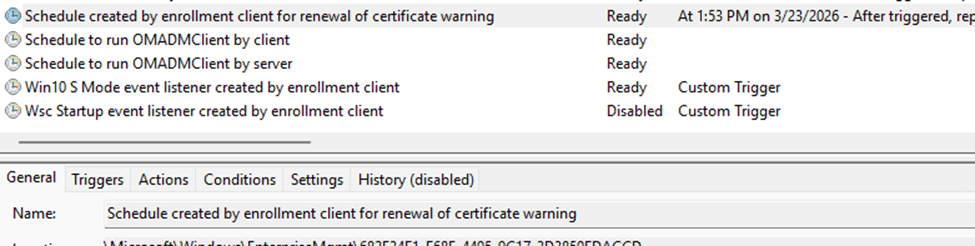
But nothing happened.
No new certificate appeared.
No renewal events in the logs.
The devices were still checking in and receiving policies, but the Intune MDM certificate remained unchanged. When reviewing the blog mentioned above, the first thing to check is the RenewErrorCode. The registry keys containing information about the Intune enrollment held the first clue: HKLM\SOFTWARE\Microsoft\Enrollments\{EnrollmentID}
RenewErrorCode = 0x80180018

The UserLicense Certificate Renewal Error
Besides the enrollment information in the registry, the DeviceManagement-Enterprise-Diagnostics-Provider log also gave us a more explicit message:
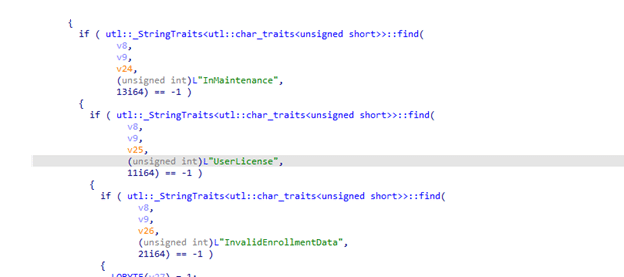
Event 52: MDM Enroll: Server Returned Fault/Code/Subcode/Value=(UserLicense) Fault/Reason/Text=(Failed to issue token: UserValidation)
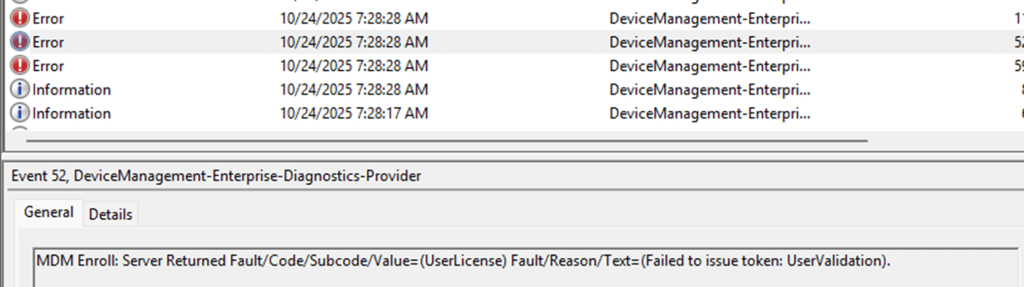
This message appeared every time the renewal was attempted. At first glance, it appeared to be a licensing issue. And according to Microsoft’s MDE2 documentation, the error code confirms it:
MENROLL_E_USERLICENSE (0x80180018)
License of user is in bad state and blocking the enrollment. The user needs to call the admin.

In addition to the 0x80180018 error, we also observed an authentication error on other devices with the same issue.
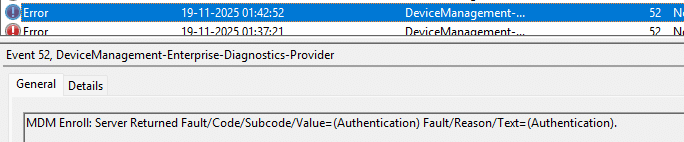
This authentication error will result in the 0x80180002 error (User Could not be Authenticated)
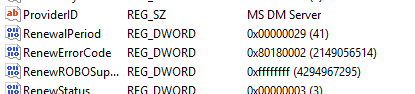
However, the existing and primary users were already licensed with the proper license. Their accounts were active. Intune was functioning normally. So why was the enrollment server claiming otherwise?
The Merger That Changed Everything
All the affected devices shared a common characteristic. They belonged to users who had recently been migrated to a new domain name after a merger. Their email domains and UPNs were changed, and the old domain was later removed from the authorized domains, but the enrollment data stored on the device remained unchanged. Checking one of the devices confirmed it:
UPN = [email protected]
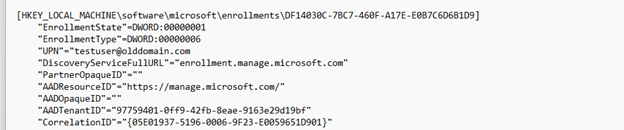
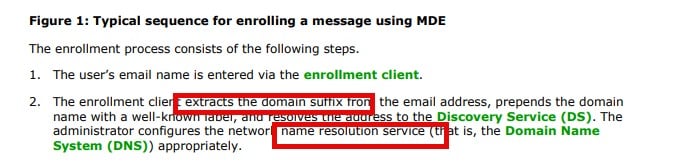
The user’s current account was now [email protected]. The certificate renewal request was still using the old UPN (EmailAddress) from the original enrollment. We can see the discovery being sent to the enrollment service in Fiddler.

When the Enrollment Service attempted to locate the user’s Intune license, what happened? The domain was no longer resolving to any real user. Because the device renewal request did not include a valid user (UserEmail), the user license check failed.
The funny thing is that this whole discovery flow is documented in the Enrollment documentation.
The UPN Test
After reviewing the Enrollment code and the Fiddler trace, it was clear what we needed to test. We updated a single value in the enrollment registry, the UPN Nothing else.

Once we changed the UPN @domainname to the new domainname, we triggered the new Intune Certificate Renewal flow again .

(Yes, I built a script that mimics the new Intune Certificate Renewal Flow… more details are in this blog.) With the Certificate Renewal being executed, the Intune MDM certificate was renewed immediately. The moment the device started using the correct identity, the renewal completed without issue.
What Happens Under the Hood
In older Windows builds, deviceenroller.exe handled the Intune Certificate renewal directly. It would perform discovery, retrieve policy, and request the new certificate. That Intune Certificate renewal logic has now moved to the Enrollment Service, which runs quietly in the background.
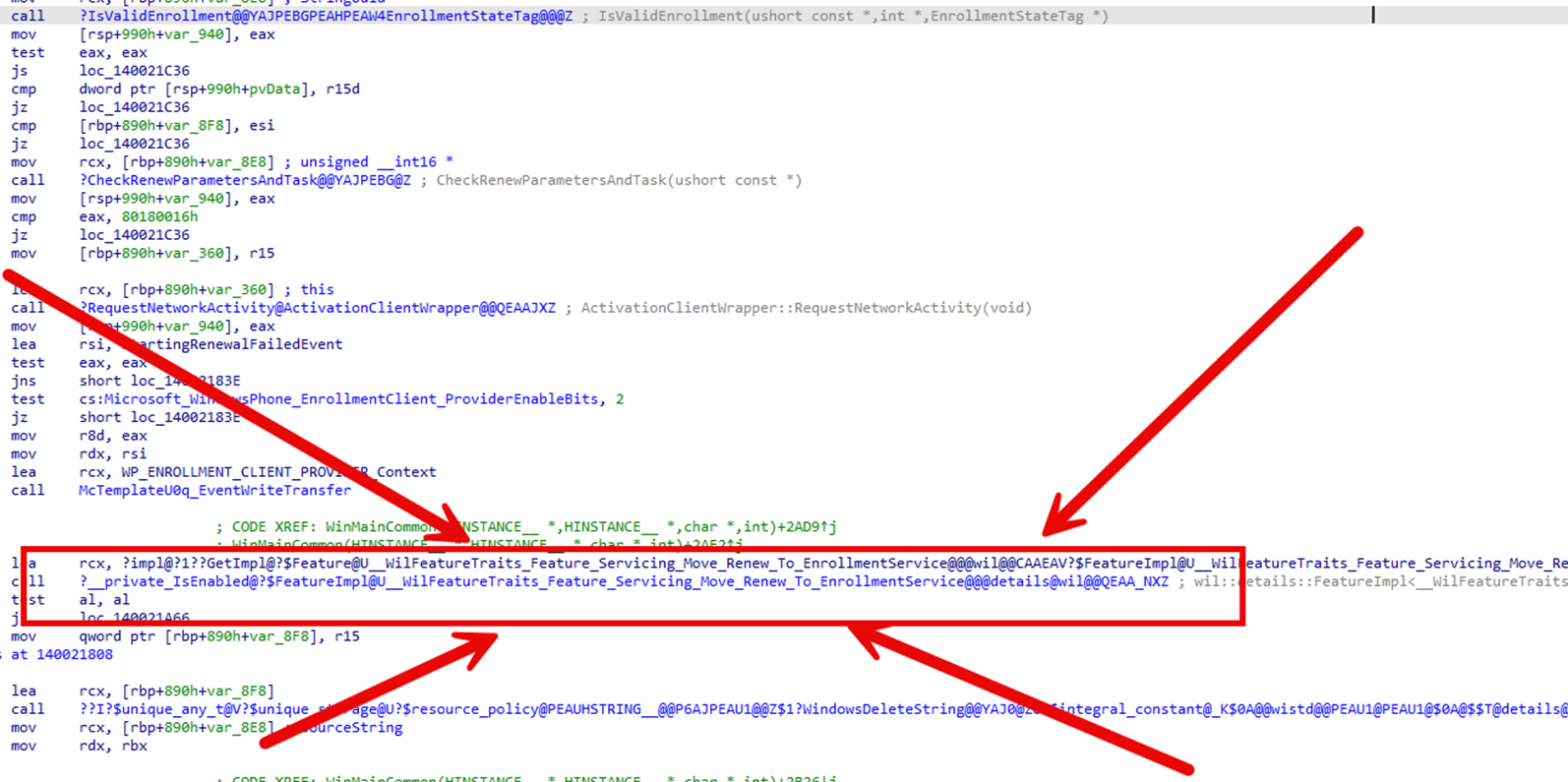
It reads the stored enrollment data, the TenantID, ProviderID, and UPN, and uses it to authenticate the device and request an access token from Entra ID.
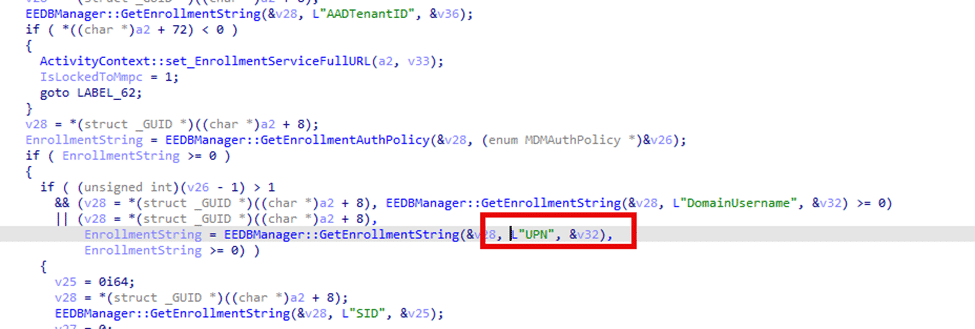
When the UPN (email address) points to the old domain, the enrollment service doesn’t recognize the user’s email address and can’t determine whether the user has a valid license. With the service believing the user has no license, the Renewal stops. Once we corrected the UPN in the Enrollment registry, the Enrollment Service immediately found the licensed user and renewed the MDM certificate on the fly.
Why This Matters
The Intune MDM device certificate is the trust anchor between the device and the Intune service. It’s what allows Intune to securely identify and communicate with that device.
If the Intune MDM Device certificate can’t be renewed, that chain of trust eventually breaks. The device may still appear healthy for a while, but when the certificate expires, communication stops completely.
With the Microsoft Intune Root Certification Authority renewal coming in 2026, every MDM device certificate will need to be renewed as part of that process. Any device stuck with an outdated UPN or incorrect enrollment data won’t be able to renew, and Intune will lose its connection to that device. This issue doesn’t generate obvious errors. Everything looks fine until it’s too late.
How to Check
You can check the stored UPN directly in the registry: HKLM\SOFTWARE\Microsoft\Enrollments\{EnrollmentID}\UPN
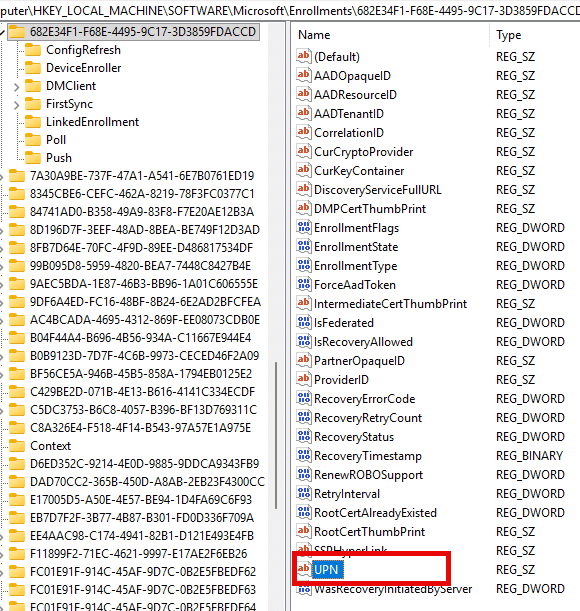
If it still points to an old tenant or domain, update it!. Once the correct UPN is in place, the next Intune Certificate Device renewal will succeed automatically.
How To Fix
Now the only question remains.. how are we going to fix this cluster uhhh issue?
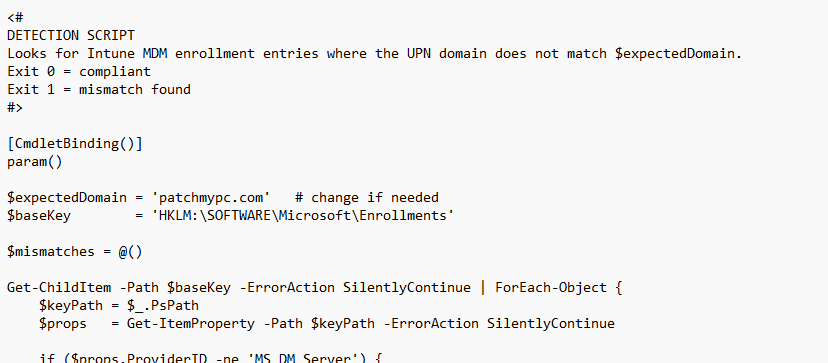
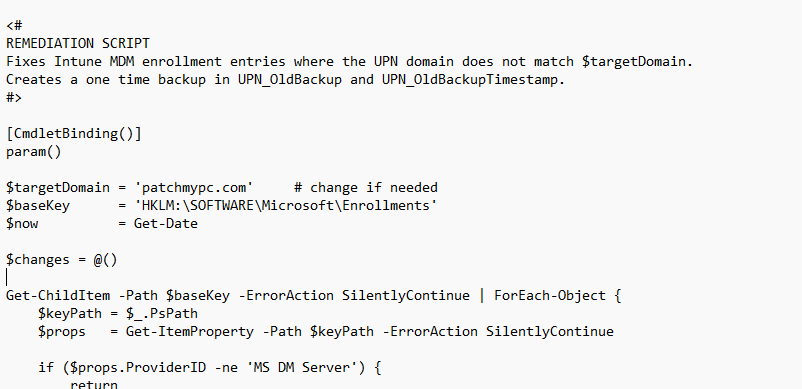
These scripts will update the wrong UPN domain name to the new one. Please change the targetdomain to the one it NEEDS to be!
Closing Thoughts
The renewal process described in the earlier blog still applies; however, the Intune MDM device certificate renewal logic has been updated. The Enrollment Service (Dmenrollengine.dll) now handles the certificate renewals in the background. It’s faster and less visible, but it depends entirely on what’s stored in the registry. A single outdated UPN can block renewal entirely.
And with the Intune Root Certification Authority renewal coming up in 2026, this detail matters more than ever. In an upcoming post, we’ll take a closer look at the renewal process itself.