
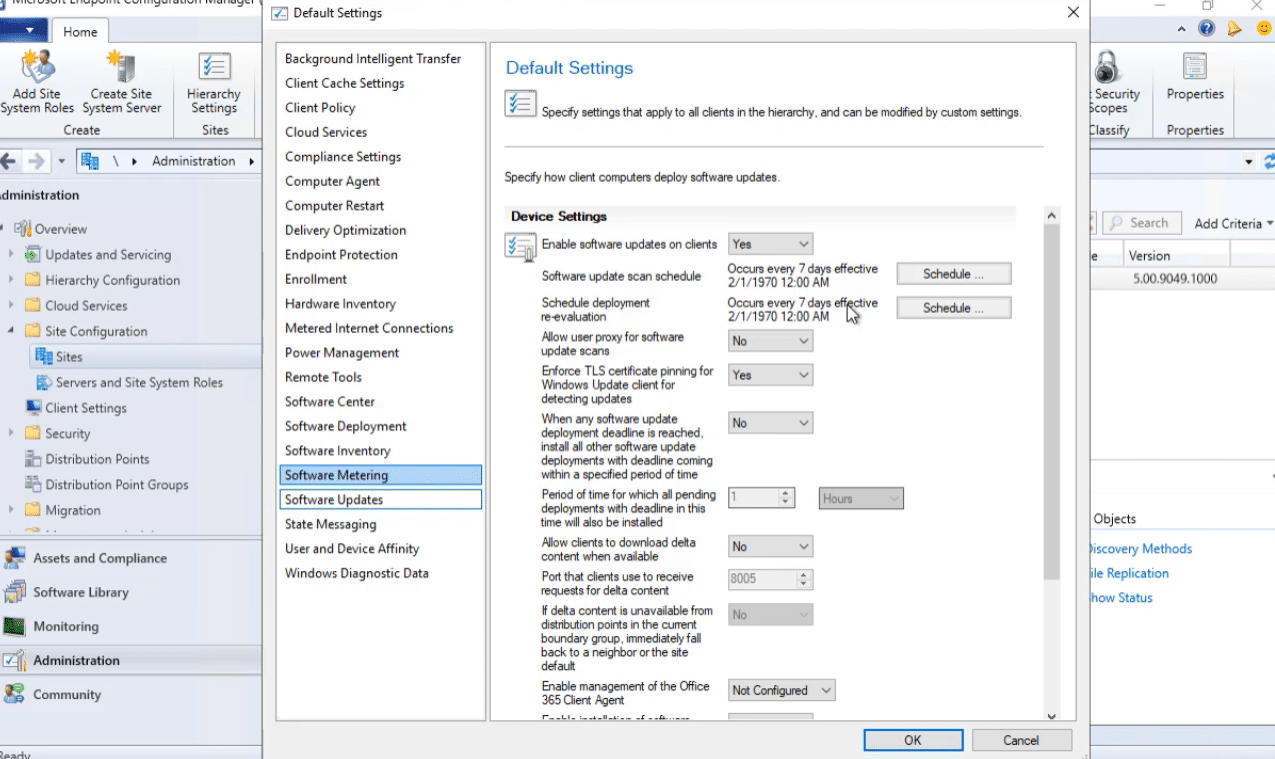
Scenario 1: Configuring Software Update Policy
When you first start off with configuration manager and software updates there are always a lot of questions, what options should l use, how do they work and more.
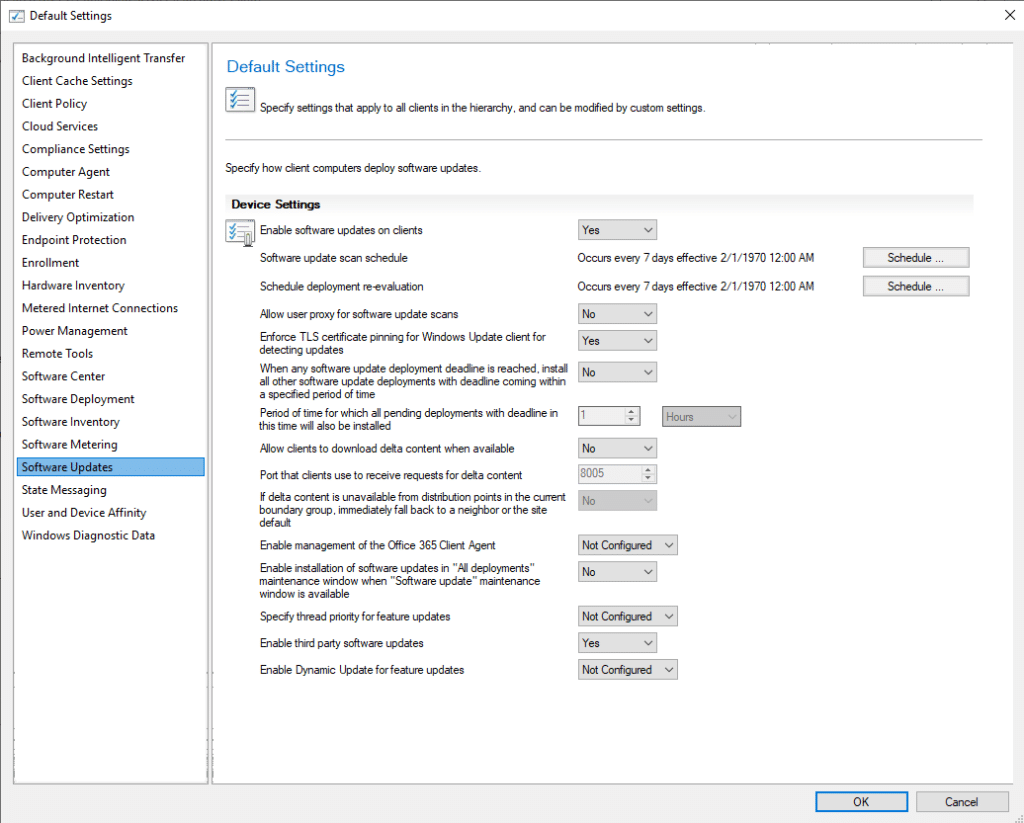
Software Update Scan Schedule
When does this REALLY Happen
- Anytime a NEW software update group is assigned AND machine policy Runs
- Anytime a scheduled instance of Software Update Scan Schedule Hits
- Anytime a Deployment is completed
- Sometimes after a reboot is completed – Depends on assignment configuration
- After a servicing stack update https://docs.microsoft.com/en-us/mem/configmgr/sum/plan-design/plan-for-software-updates#bkmk_ssu
Schedule Deployment Re-evaluation
- This does NOT contact WSUS
- Uses the existing locally stored policies in WMI
WMI Explorer is a fantastic tool to review the classes that are involved in all of this
https://github.com/vinaypamnani/wmie2/releases/tag/v2.0.0.2
To pick up a draggable item, press the space bar. While dragging, use the arrow keys to move the item. Press space again to drop the item in its new position, or press escape to cancel.
To pick up a draggable item, press the space bar. While dragging, use the arrow keys to move the item. Press space again to drop the item in its new position, or press escape to cancel.
| What is It | WMI Path |
|---|---|
| Software Update Objects | MACHINENAMEROOTccmClientSDK:CCM_SoftwareUpdate |
| Update Manager | MACHINENAMEROOTccmClientSDK:CCM_SoftwareUpdatesManager |
| Update CI Assignment | MACHINENAMEROOTccmPolicyMachineActualConfig:CCM_UpdateCIAssignment |
| Maintenance Windows | MACHINENAMEROOTccmPolicyMachineActualConfig:CCM_ServiceWindow |
| Cient Policy | MACHINENAMEROOTccmPolicyMachineActualConfig:CCM_SoftwareUpdatesClientConfig |
Enable Third Party Updates
When you set this option to Yes, it sets the policy for Allow signed updates for an intranet Microsoft update service location and installs the signing certificate to the Trusted Publisher store on the client.
Delta Updates
Explanation from microsoft.com
Set this option to Yes to allow clients to use delta content files. This setting allows the Windows Update Agent on the device to determine what content is needed and selectively download it.
- Before enabling this client setting, ensure Delivery Optimization is configured appropriately for your environment. For more information, see Windows Delivery Optimization and the Delivery Optimization client setting.
- This client setting replaces Enable installation of Express installation files on clients. Set this option to Yes to allow clients to use express installation files. For more information, see Manage Express installation files for Windows 10 updates.
- When this option is set, delta download is used for all Windows update installation files, not just express installation files.
- When using a CMG for content storage, the content for third-party updates won’t download to clients if the Download delta content when available client setting is enabled.
Deltaldownload.log – is the log file that tracks this behavior
Maintenance Windows
When you set this option to Yes, and the client has at least one “Software Update” maintenance window defined, software updates will install during an “All deployments” maintenance window.
By default, this setting is set to No. This value uses the same behavior as before: if both types exist, it ignores the window.
Scenario 2: Maintenance Windows
Types of Windows
To pick up a draggable item, press the space bar. While dragging, use the arrow keys to move the item. Press space again to drop the item in its new position, or press escape to cancel.
To pick up a draggable item, press the space bar. While dragging, use the arrow keys to move the item. Press space again to drop the item in its new position, or press escape to cancel.
| Value | Type |
|---|---|
| 1 | All Deployment Service Window |
| 2 | Program Service Window |
| 3 | Reboot Required Service Window |
| 4 | Software Update Service Window |
| 5 | Task Sequences Service Window |
| 6 | Corresponds to non-working hours |
How To Schedule a Maintenance Window
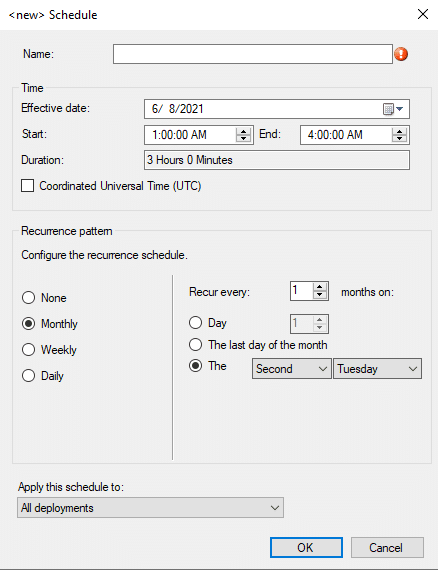
Finding Maintenance Windows in ConfigMgr
SELECT  sw.Name AS [MW Name],
	Sw.CollectionID,
    sw.Description,
    sw.StartTime,
    sw.Duration AS 'Duration Minutes',
    sw.IsEnabled AS 'MW Enabled',
    sys.Name0 AS ServerName,
	sys.Resource_Domain_OR_Workgr0,
    sys.Operating_System_Name_and0 AS OperatingSystem
FROM  dbo.v_ServiceWindow AS sw INNER JOIN
      dbo.v_FullCollectionMembership AS fcm ON sw.CollectionID = fcm.CollectionID
INNER JOIN  dbo.v_R_System sys ON fcm.ResourceID = sys.ResourceID
WHERE  (sys.Name0 = 'DEMO6')
ORDER BY [MW Name], sys.Name0
The not really maintenance window
Business hours, and clients.
Log File on the Client
servicewindowmanager.log
https://docs.microsoft.com/en-us/mem/configmgr/sum/understand/software-updates-introduction