
Most admins already found the Secure Boot policy in Intune. That’s not the problem. The problem is what happens after you assign it… and Intune tells you nothing useful. No progress view. No readiness view. Just Error 65000, “not applicable,” or silence. So I went looking for the missing piece.
UPDATE 02/09/2026
It turns out a new Secure Boot Status report is coming! Well… The Secure Boot Report showed up …. and was pulled back again..
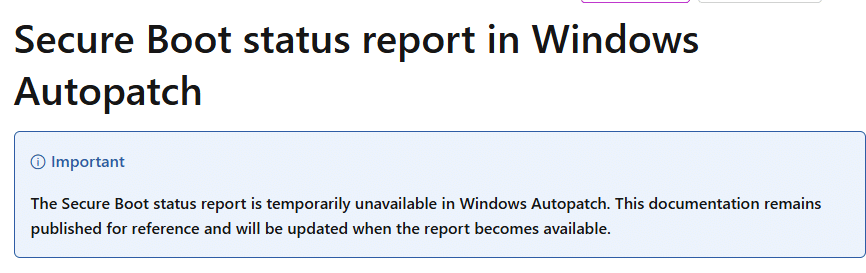
Why? Well looking at the feedback it got… the data in the report couldn’t be trusted… and there is nothing worse then having data you can’t trust.
Introduction
By now, everyone has heard the same message. Secure Boot certificates are set to expire, and we need to act before 2026 turns into another last-minute scramble. Microsoft even made it sound straightforward. There’s guidance, there’s a built-in Intune policy to enable the update, and the assumption is that once you assign it, Windows will take care of the rest.
But that is only one part of the story. Because enabling the Secure Boot policy is the easy step. The hard part is everything that comes after. You need to know which devices are actually ready for the update, which ones still depend on old firmware, which ones staged the new certificates, and which ones quietly refused the policy entirely. And right now, Intune doesn’t give you a clean answer to any of that. You get deployment status, you get generic Error 65000 outcomes, and then you’re back to logs and PowerShell just to understand what happened.
That gap is what makes Secure Boot certificate updates so frustrating. Not the policy itself, but the fact that you cannot manage the rollout properly without visibility.
And while chasing that missing visibility, I found something interesting in the Intune portal. A Secure Boot status report blade that looks like the missing piece, Microsoft hasn’t fully turned on yet.
Microsoft gave us the Secure Boot policy
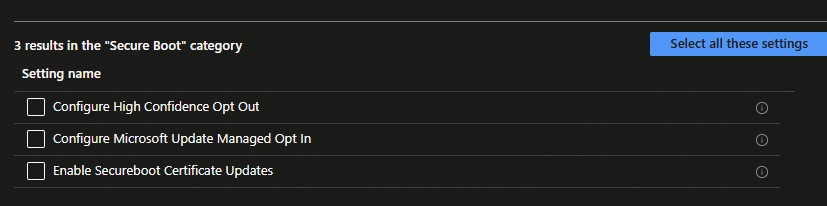
Microsoft didn’t leave us with nothing. Intune now provides built-in settings that can enable Secure Boot certificate updates. In theory, that sounds like the perfect solution. You configure the Secure Boot Settings catalog, you assign it to the right devices, and Windows takes care of the rest.

In production, the experience often looks very different. The policy deploys, devices report back, and Intune answers with the most generic outcome possible: Error 65000. That error is not only unhelpful, it also sends you down the wrong path, because it makes it look like Intune failed to deliver the policy.

On the device itself, the story is usually clearer. The policy is not failing because of sync issues. It is being blocked. Many devices log the real reason as policy is rejected by licensing.

When you see that message, retrying does not help. This is not a portal problem. Windows is refusing to apply the setting. If you want the deep dive into why that happens, I covered it in a separate blog about the licensing engine behind policy decisions. But even if you understand the root cause, you still end up with the same operational question. How do you manage this rollout without guessing?
Capability comes first
Before you even talk about policy success or failure, there is another layer that can decide everything. The device needs to be capable.

Secure Boot certificate servicing is not a normal configuration toggle. It is tied to UEFI variable updates and firmware behavior. That means a portion of your fleet may need BIOS or firmware updates first, before they can even process the change reliably. If a device isn’t capable, there is no point chasing policy retries. The platform itself needs to be brought into a state where the update can be applied.
And that is where visibility becomes critical. Without a readiness view, you can’t separate a device that cannot do it from a device that simply hasn’t done it yet.
Even if the policy works… where is the outcome?
This is the part I didn’t expect to be the most frustrating. Even when the Intune policy applies successfully, it still doesn’t provide a clear Secure Boot Status Report. You can see that a profile was assigned, and whether the profile reports as applied, but that doesn’t answer the real fleet question you need to address with Secure Boot.
You want to know which devices are still using the old Secure Boot certificate, which are staged, which are updated, and which are blocked. Besides that, you also want to know which devices are not ready and need firmware updates first. Without that overview, you are left with manual checks. And at scale, manual checks aren’t a plan.
The PowerShell workaround, and why it could not be enough
This is why so many people fall back on PowerShell Remediations to configure the Secure Boot Certificate Update. PowerShell inventory works because Windows actually exposes Secure Boot servicing state on the device. With the right checks, you can see whether a device is capable and where it is in the process.

In some scenarios, you can even trigger the servicing flow by setting the values Windows waits for before continuing. That approach helps. It fills the reporting gap, and it gives you a sort of Secure Boot Status Report. But it also has a practical limitation. Not every tenant can use proactive remediation at scale. Not every organization wants the long-term answer to be “we fixed it with scripts.” Even if you can, it still feels backwards that something this important needs custom plumbing just to get basic visibility.
At that point, I started wondering if Microsoft was already building the missing portal view and simply hadn’t turned it on yet.
The Quality Update Management story made me suspicious
Some time ago, I was browsing the public Intune roadmap, and one line immediately caught my attention. Windows Quality Update Management policies.
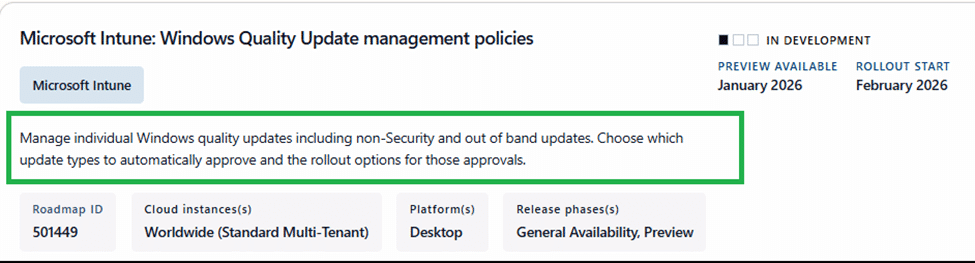
It sounded like one of those roadmap entries that could either be a small UI tweak or the beginning of something much bigger. So I opened the Intune portal, launched Dev Tools, and started poking around in the portal code to see what was already there.
Within a couple of minutes, I found it. A new wizard for quality update management policies, and even reporting views that weren’t fully exposed yet, including Quick Machine Recovery.
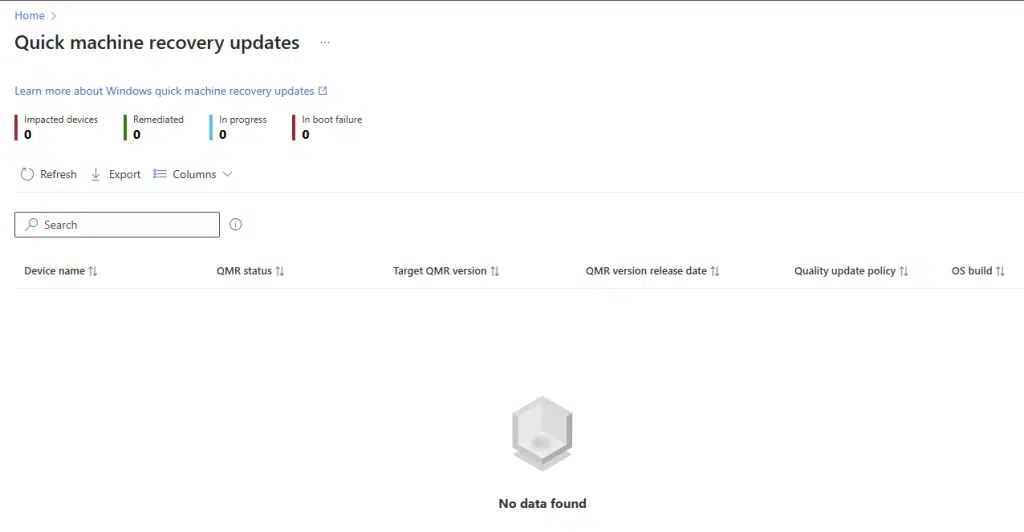
It was one of those moments where you realize the portal can be ahead of the documentation. Microsoft was clearly building the full experience, even if it wasn’t officially live everywhere.
And that’s when the thought hit me. If Microsoft is quietly building servicing dashboards for quality updates and recovery, why wouldn’t they do the same for Secure Boot certificate updates? It would make perfect sense. This is a 2026 deadline problem that every admin is now dealing with. The Intune Secure Boot policy exists, the errors are confusing, and the reporting is basically totally missing. Everyone wants the same thing. A clean overview that answers one simple question. Where do we stand? So I opened the Intune portal again, launched Dev Tools, and went looking. And honestly, it took less than a minute.
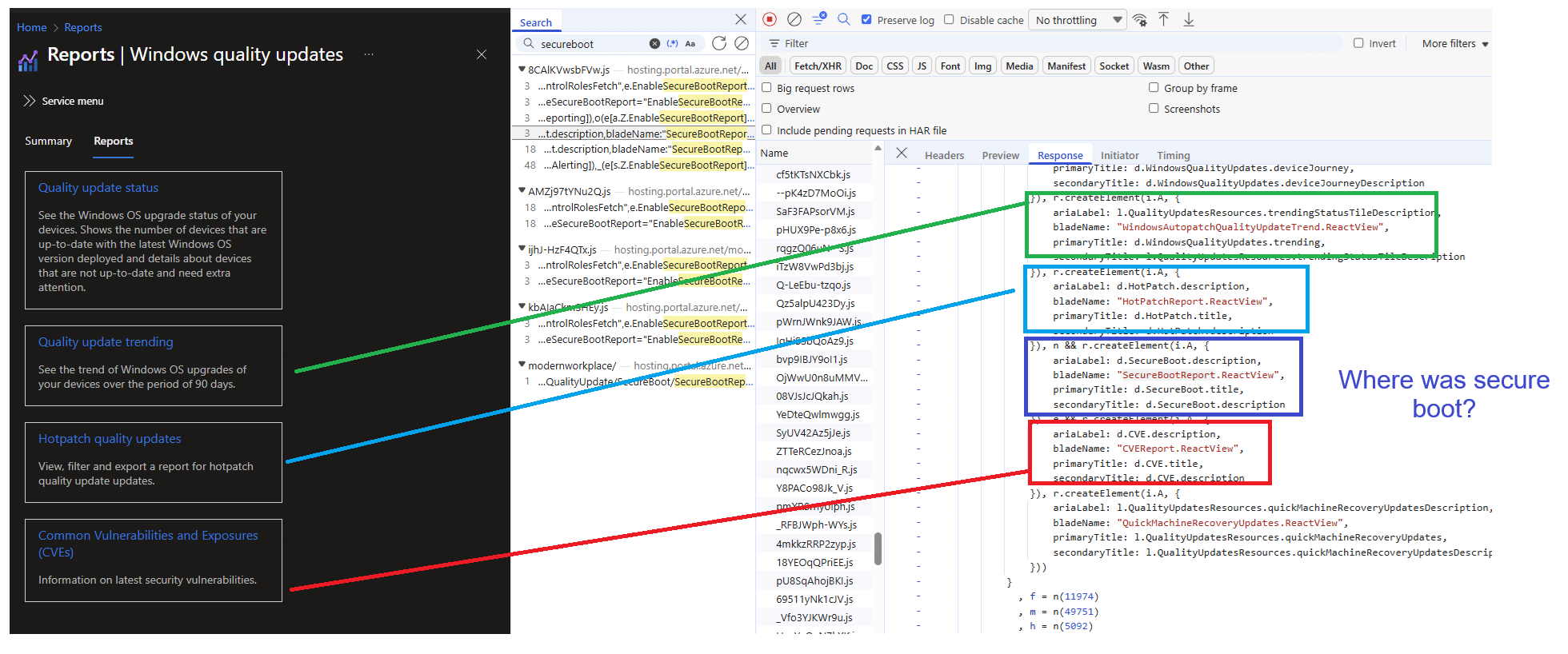
The Secure Boot status report is already in the portal
A brand-new report called “Secure Boot status” was already sitting there. It shows up next to the other Windows servicing reporting tiles, which is what made it stand out immediately. It looks like it is designed to become the exact report we’ve been missing. A device-level overview that can show progress and status, including export options.
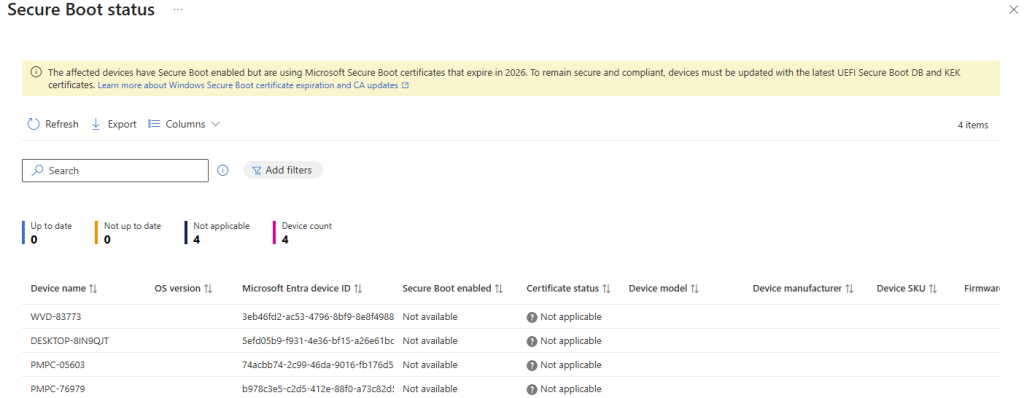
Please Note: This is production tenant which is not flighted for anything!
But when I opened the new Secure Boot Status Report, it was clear the report isn’t fully alive yet. Which explains why it wasn’t visible as a tile in the Quality Updates Reports.
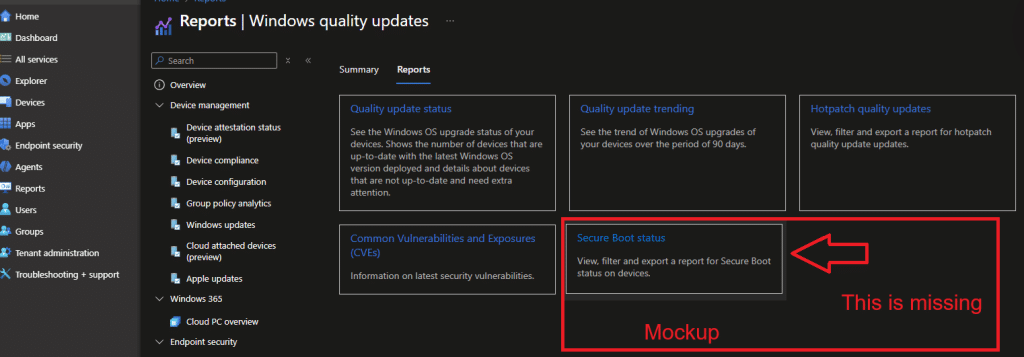
Even while the code is already there to show the Secure Boot Status report in this overview

In my tenant, every device returned the same not available/not applicable outcome (patience is key). Every device showed “Secure Boot enabled” as not available, and the certificate status was marked as not applicable. That does not look like a broken report. It looks like a report that has already been merged into the Intune portal, while the autopatch backend is still being rolled out, or the dataset is still being populated. After talking with a few others… it seems their tenant is already showing at least some data.
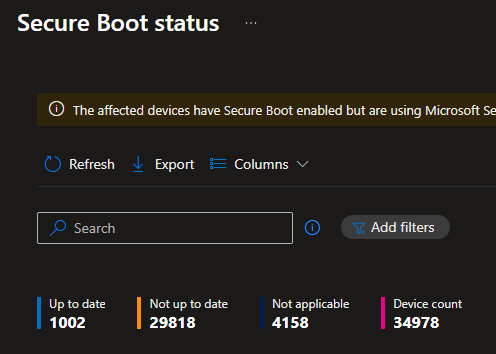
The fact that this new Secure Boot Status report is filling up is all the evidence we need that it is fully working… Well.. fully working…
- Issue 1: Somehow, we can only export the first 100 devices....
- Issue 2: Where is the date/timestamp of the data… How old is the data I am looking at? As there is something called ingesttime.. so I assume thats the date, the data was ingested?

But still where is that data coming from?
The backend behind the Secure Boot Status Report is Autopatch
Once I saw the corrosponding Intune blade, the next step was obvious. If the UI is present but the data isn’t available yet, what should it query once it becomes active? The answer shows up immediately when you inspect the network calls. This is not classic Intune reporting. The API client identifies itself as SecureBootReport.api, and it relies on an endpoint called mmdLocationSvcEndpoint.
When that endpoint isn’t present, it falls back to services.autopatch.microsoft.com.

That changes the context completely. This report isn’t built on top of the normal Intune policy status model. It is built on top of a unified reporting service in the Autopatch world. The dataset name makes that even clearer. The portal queries unified-reporting/odata/1.0/DeviceSecureBootUpdateDetails.

That naming is too specific to be accidental. Microsoft is building a Secure Boot certificate update reporting pipeline, which is exposed as an OData entity named DeviceSecureBootUpdateDetails. Even export is implemented properly. The portal creates an export task first, and then polls for completion using a task id. That’s not something you wire up casually. That’s the foundation of a report intended for use at scale. Even though the report isn’t returning meaningful results yet, the infrastructure supporting it already exists. Which means the missing part isn’t reporting. The missing part is the gradual rollout.
What this Secure Boot Status report contains
The structure of the Secure Boot Status report already tells you what it is meant to become.
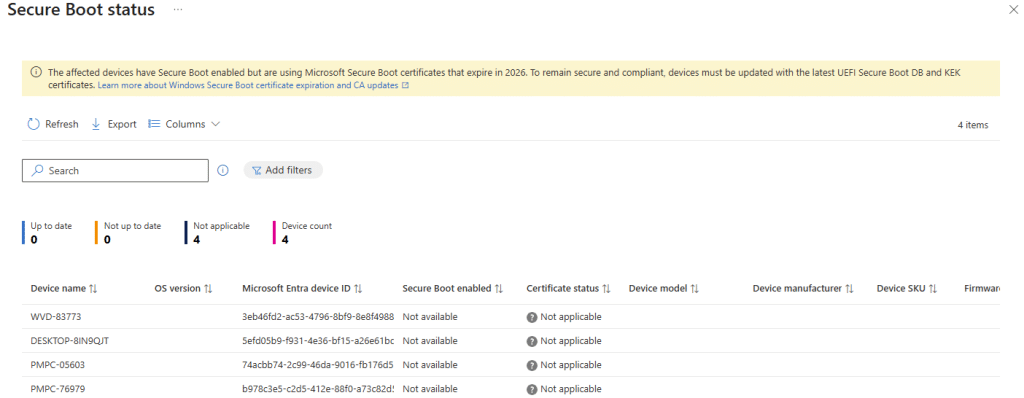
It is designed to show whether Secure Boot is enabled and whether the certificate status is up to date. But the real value is that it will finally connect policy rollout to device readiness. That is where capability becomes manageable, because you can stop treating every device like a policy problem. If the Secure Boot Status report says a device is not capable, you know where to focus. Firmware. BIOS. Platform readiness. Which means…. Not another day of chasing Error 65000 in Intune.
That capability view is the difference between a clean rollout and a support nightmare. It tells you where to act and where to stop wasting time. This is the missing layer between “policy is configured” and “device is updated.”
Who Actually Feeds the Secure Boot Status Report
Now the real question remains. Who is actually feeding Secure Boot information into the Secure Boot Status Report? Intune shows the result, but it does not explain the source. We had the same question and started tracing where that data is generated and how it travels before it ever appears in the portal. The answer is not where most people expect it to be. If you want to see which component sends the Secure Boot data and how that handoff works, the full breakdown is here:
Final thoughts
Secure Boot certificate updates should not feel like a mystery. They are important enough that they deserve a real portal view that shows readiness, capability, and progress. The interesting part is that Microsoft is already building it. The tile is already in the portal. The Secure Boot Status report blade already exists. The Autopatch OData backend already exists. Now it’s just waiting for the last missing piece.