
This blog will show you how the Intune Device Certificate Renewal Flow Has Shifted from Pull (Scheduled Task) to Push (ErollmentService)
Please note: This blog is based on my own testing and analysis, including decompiling publicly available Windows binaries. No NDA covered information, internal documentation, or private sources were used.
Introduction to the Certificate Renewal Flow
I thought I really had a good understanding og the entire Intune certificate renewal story. In the past, I wrote a funny deep dive explaining how DeviceEnroller.exe handled the timing window, prepared the renewal request, and ensured the renewal occurred at the right moment through a dedicated scheduled task.
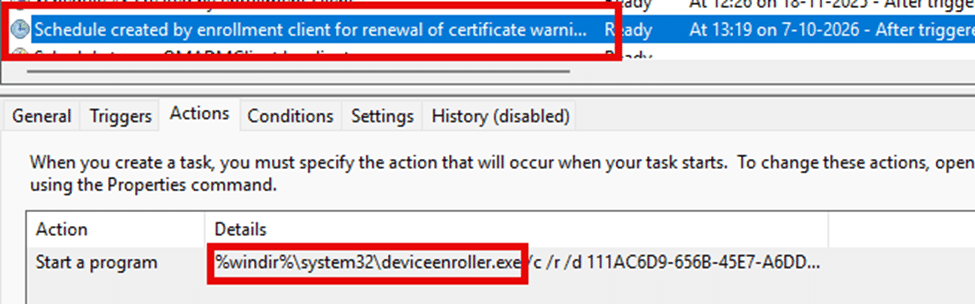
That certificate renewal flow seemed predictable. The device controlled the timing. Nothing in the renewal code suggested that Microsoft was preparing to change any of this.
That picture slowly fell apart over the past months. Devices that had reliably renewed for years suddenly stopped renewing. Some devices never even tried to renew the certificate. Others only renewed after a manual trigger. A few renewed in bulk right after a Windows update reboot, almost as if the update itself had unlocked something that had been stuck for weeks. None of this behaviour matched the classic Intune Certificate Renewal flow, and it became obvious that something fundamental had shifted.
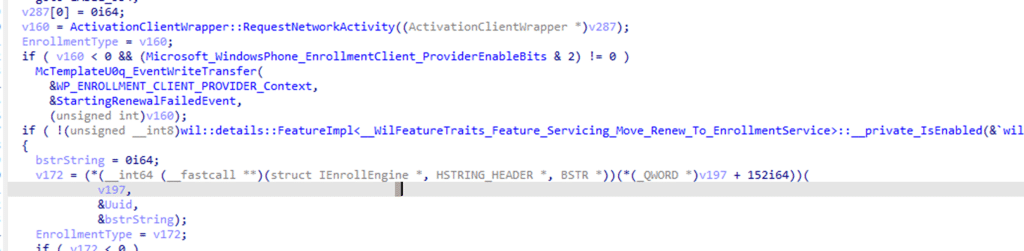
The real turning point did not come from documentation. It came from comparing the current 23H2 and 24H2 builds (deviceenroller.exe with the Ida Tool). Once I started tracing code paths, it became clear that much of the renewal logic had been moved entirely from DeviceEnroller.exe to dmenrollengine.dll (Enrollment). The branching was different. The renewal flow was different. Once the device prepared the renewal request, the logic no longer stopped within the local process. It forwarded everything into the Enrollment Service (dmenrollengine.dll), which then continued the renewal process. That was the first undeniable signal that renewal had moved from the device to the cloud?
This blog outlines the current state of Intune certificate renewal and how Windows gradually shifted authority from local decision-making to server-driven instructions.
The Old Flow and Why It Worked for So Long
For years, the design was simple. Thescheduled task created by the enrollment client for the renewal of the certificate was used to kick off the certificate renewal flow.
This scheduled task starts the DeviceEnroller, loads the enrollment information from the registry, checks whether the timing window has opened (Is in Renewal Period), and decides on its own whether to attempt a certificate renewal.

If everything looked correct, the DeviceEnroller generated the WSTEP request and sent it directly to the Intune enrollment endpoint. The server approved the request and returned the new Intune MDM certificate, but the device controlled everything about the timing.
That model worked as long as the local environment remained consistent. As soon as the registry drifted, the wrong provider was stored, or the TPM uplift caused the certificate to land in a location the local logic did not expect, the renewal process simply stopped. The device did not check with the server. It had no fallback path. It either believed renewal was allowed or that it was too early; if it believed the wrong thing, nothing happened.
The First Sign That the Renewal Flow Had Moved
The first real signal of change did not come from testing the scheduler or reviewing logs. It appeared while stepping through the deviceenroller code. After following the renewal paths in the 24H2 build, I saw that the logic no longer terminated in DeviceEnroller. Instead, the device prepared the request and then forwarded it to the enrollment service. (move_renew_to_enrolmentservice)
The Enrollment Service? First, I thought it was on the service side… but sometimes it’s simpler than you think.
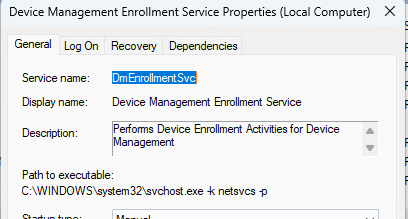
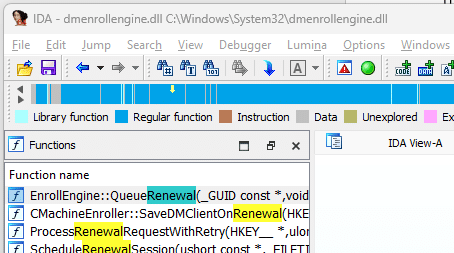
This service calls windows.internal.management.dll, which in turn communicates with dmenrollengine.dll when the Intune Certificate is queued for renewal.
What the New Code Reveals About the Modern Renewal Flow
Once you follow the renewal code paths in the newer builds, the design becomes very clear. The main certificate-renewal logic now resides in the dmenrollengine.dll. This engine prepares the renewal request, sends it to the Enrollment Service, waits for the server’s response, and then updates the device accordingly. The device no longer makes any timing decisions on its own. It only executes what the service instructs.
You can see this shift directly in the QueueRenewal function. In the old model, the DeviceEnroller used its own registry data to determine whether to start renewal. In the new model, QueueRenewal immediately reads the enrollment flags from the enrollment database and passes everything into the engine. It does not request DeviceEnroller’s permission, it does not check any timing logic, and it simply hands the renewal attempt to the new engine. The actual state change happens in BeginModifyState.
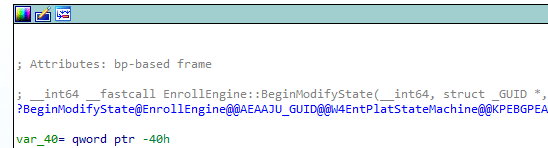
BeginModifyState
This is the part that replaces the old timing code. When a renewal is queued, BeginModifyState takes ownership of the enrollment state. It checks whether a renewal request is already pending and creates a new one if needed.
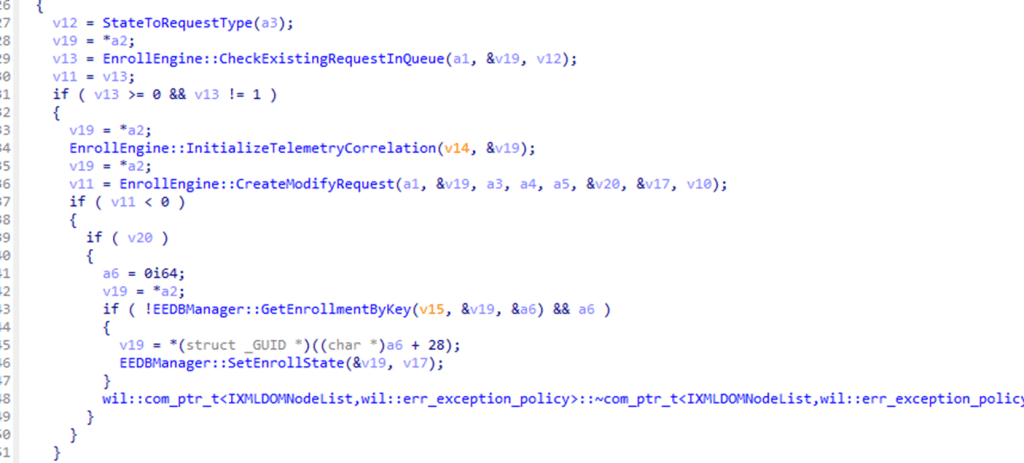
From there on, it updates the enrollment state in the enrollment database(registry). Even when the request fails, the engine still updates the state. It locates the enrollment entry and writes the new state using EEDBManager::SetEnrollState.
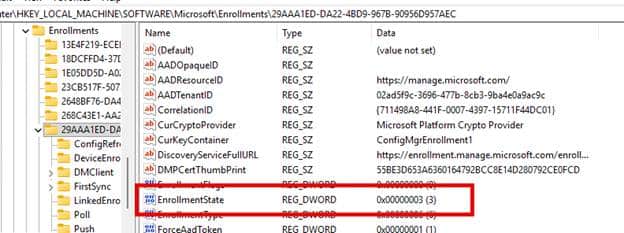
The key point is that the enrollment engine, not DeviceEnroller, now determines the enrollment state. It writes the next state into the database (EnrollmentState), sets flags that control future attempts, and records whether the request should be retried. The registry values are no longer calculated from the device. They are simply storage for whatever state the engine determined after talking to the server. In the old world, the device calculated the timing and wrote the next renewal window.
In the new world, the engine updates its state to reflect the server’s response.
From Pull to PUSH Renewals
All of this raised an obvious question. If the enrollment engine now owns the state and the device no longer calculates its own timing window, what really triggers the renewal? The scheduled task had been the main driver of the old certificate renewal flow, yet in the new model, it suddenly felt disconnected. The enrollment engine could update the state. The server could decide the timing. But the mechanism that actually started the renewal was missing.
The more I kept digging, the more obvious the gap became. The renewal engine was clearly expected to be called from outside. The retry markers appeared to be server instructions rather than device calculations. The device no longer performed local timing checks. It seemed to be waiting for a signal that the old scheduled task could not provide.
That suspicion remained until a small but important update appeared in the CertificateStore CSP documentation. A new action was added:
./Device/Vendor/MSFT/CertificateStore/MY/WSTEP/Renew/RenewNow
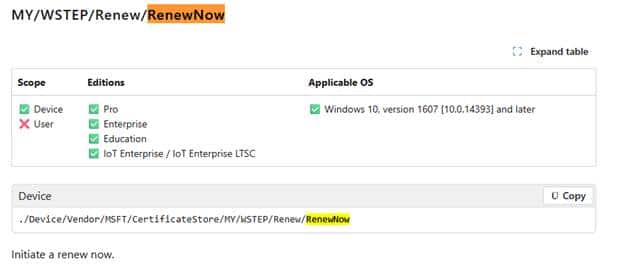
This RenewNow path provided the device with a push-based trigger rather than the old pull-based model. Testing the RenewNow CSP confirmed it immediately. The device skipped the scheduler, ignored the timing logic, and skipped the DeviceEnroller entirely.
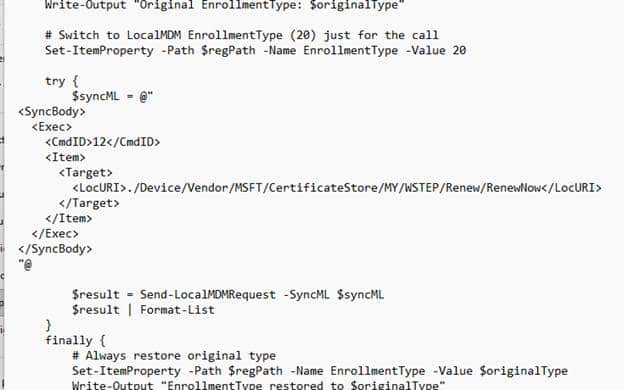
It moved straight into the enrollment engine, which sent the request to the Enrollment Service. The server decided whether to proceed with the renewal, and the engine updated the enrollment state accordingly.
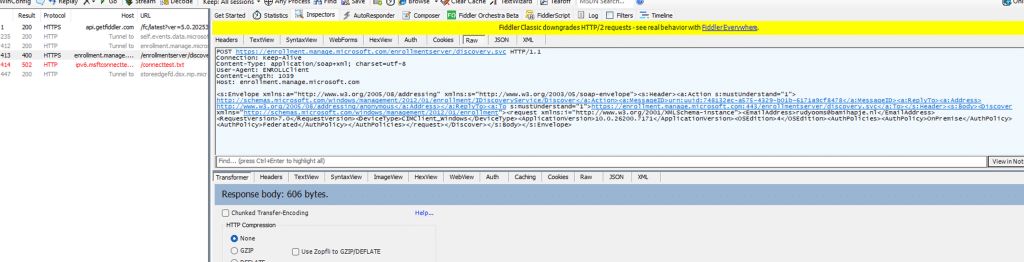
The RenewNow CSP explained the missing trigger. The classic pull-based model, in which the scheduled task decides when renewal should start, has been replaced by a push-based model in which the device is expected to be told by the Intune service when to renew (Using the RenewNow CSP). The scheduled task still exists (but seems to do nothing). The real authority now lives in the RenewNow CSP and the Enrollment Service behind it.
A Side Effect That Reveals the Enrollment Service Design
Once the service becomes the authority, the UPN stored after enrollment becomes relevant again. The old model ignored this value. DeviceEnroller never validated it. Renewal succeeded even when the stored UPN belonged to a domain that no longer existed. The new design behaves differently. The Enrollment Service now validates identity as part of the renewal request (which makes sense, because you are only allowed to enroll if you are licensed).
If the UPN in the registry doesn’t match the real user, the server immediately rejects the renewal, even though the device may still sync and check in without issue.
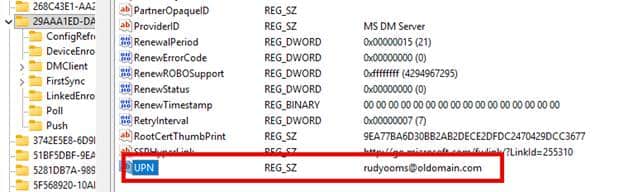
If you want to read the full story, please read this blog:
https://patchmypc.com/blog/intune-mdm-device-certificate-renewal-upn-issue
A Structural Shift Rather Than a Minor Adjustment
The transition happened quietly. DeviceEnroller still exists. The scheduled task still runs. The registry still contains the same values. But beneath the surface, the device is no longer really responsible for deciding when renewal should occur. The Enrollment service will send the push notification, and Windows will now prepare the request. Once the request is prepared, it will send it back to the Enrollment Service and update its local enrollment state based entirely on the server’s answer. This gives Microsoft far more control over timing, certificate lifecycles, and future root CA rotations. It also eliminates many silent failures that result from relying on device-side logic.
The renewal flow Windows used for years is no longer the active model. The authority has moved. The server decides. And the CSP layer has become the visible doorway into this new world.