
This blog is about an Entra Join failure that made no sense at all. No password prompt, no authentication errors, no event logs, just a silent loop back to the username field. Everything pointed nowhere, until we traced the flow all the way back to the very first request the device makes. What we found there was… unexpected. If you want to know what stopped the join before it even began, keep reading.
Introduction
It began as one of those weird Autopilot onboarding issues where nothing about the behavior made sense. A device refused to complete an Entra Join… It didn’t even start the Entra Join. Let me explain. The user typed their UPN, pressed Enter, and watched a brief spinner
and was immediately returned to the same username field.
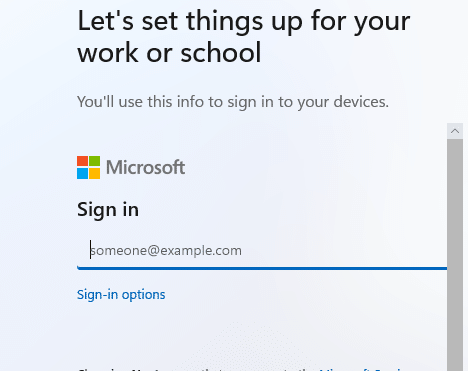
No password box, no MFA Prompt, and no Energy power saving this time, which is known to break the Entra join. Even the User Device Registration event log was completely empty (which logs every action of the Entra Join). That alone told us the most important detail: the Entra join process never started. With it, it was pretty obvious that the device wasn’t Azure AD joined/Entra Joined.

If it had even touched the first registration call, something would have been written in the user device registration event log. After ruling out the obvious stuff, such as licensing and different networks… DNS…(it’s always DNS), it was time for us to test it ourselves.
To rule out a local issue, we repeated the same test with a new account on a clean machine. The same loop appeared instantly. At that moment, it was clear that the problem was not user-specific, not device-specific. Something weird was stopping the flow before CloudAP or dsreg.dll had a chance to kick of the Entra Join itself. When an Entra join issue doesn’t show anything in the logs, the only direction left is backwards: return to the first moving part and check what happens before the Entra join even begins.
Entra Join First step: Home Realm Discovery
Before Windows starts the real Entra join itself, it needs to contact the Device Registration Service (DRS). To do so the system launches the Cloud Experience Host and loads the CloudDomainJoin web app hosted by the Microsoft login service. This is a small HTML and JavaScript application rendered inside a constrained WebView rather than a full browser. It pulls the OpenID configuration to determine which endpoints to use, then displays the username prompt.
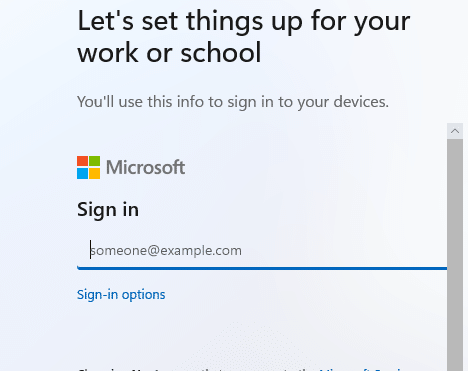
The critical moment happens the second you press Enter. At that point, the CloudAP plug-in uses the UPN to build the Home Realm Discovery request.
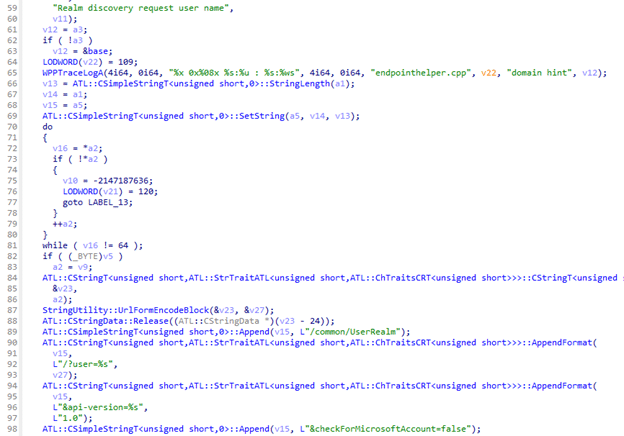
The internal function EndpointHelper::GetUserRealmEndPoint walks through the username to find the at-sign, decides whether to send the full UPN or only the domain, URL-encodes that value, and constructs a simple /common/UserRealm query that effectively asks one question
“For this user, which tenant and which authentication authority should I contact”
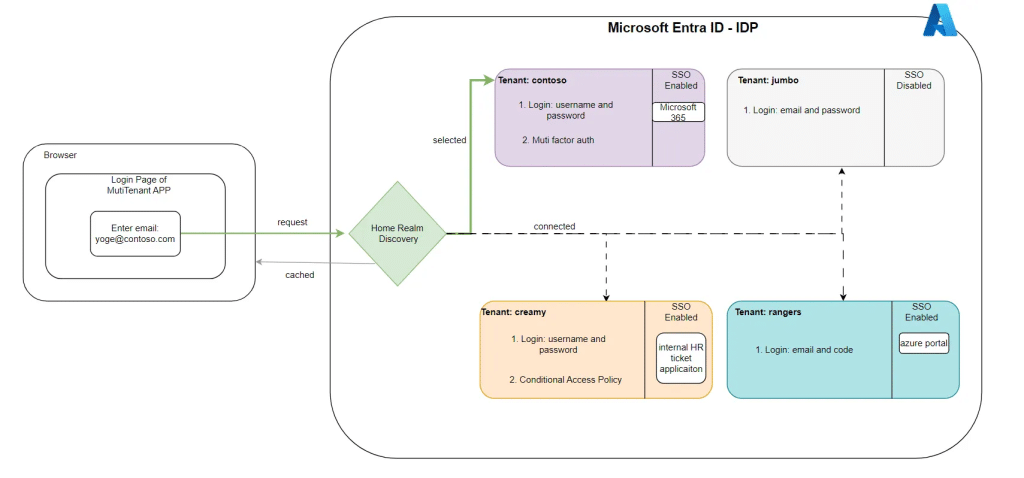
Nothing device-related is sent at this home realm discovery stage, no MFA, no tokens, No Authentication. The device is only trying to figure out which tenant owns the domain.
Entra Join Second step: Parsing the Home Realm Discovery
If the realm discovery request succeeds, the server returns a JSON response that includes the tenant ID, the namespace type, the correct login authority, and the full branding information payload, including any logo, background image, or a custom CSS the tenant has configured. The funny thing? Anyone can ask for this Public information.

CloudAP parses the user realm discovery result, returns control back to the Cloud Experience Host, and the WebView begins building the password page. Only once the WebView can render the password input does the real authentication phase begin, eventually producing the ID token on which the device registration depends.
If user realm discovery fails or the WebView cannot render the branding payload, the sign-in flow has nothing usable to continue. It simply reloads. From the user’s perspective, that looks like a brief spinner and a quick return to the UPN field. From the system’s perspective, the Entra join has not even started, which is why the user device registration log remains completely empty. This exact behavior is why we turned our attention to the realm discovery response and, in particular, to anything inside the branding block that might cause the WebView to fail.
The internal Home Realm Entra Join Discovery flow

The Tenant branding block in the Realm Discovery
The realm discovery JSON looked perfectly valid at first sight. The domain was recognized, the tenant was correct, and the namespace type was managed.

But the branding section stood out immediately. The tenant had configured acustom CSS file, and the URL pointed not to Microsoft’s CDN but to an externally hosted Azure App Service. Opening the file revealed broken encoding artifacts and a CSS rule that injected a background image from the same domain.

In a normal browser, this sort of customization makes sense. Many tenants use CSS to add visual cues that help users identify the real sign-in page, especially as protection against AiTM-style login proxies. Recently, someone else also demonstrated a similar technique in which CSS is used as a security signal rather than just a branding tool. The intention is sound: if attackers cannot replicate your layout exactly, users are more likely to spot a fake.
Why the CSS Tenant Branding broke the Entra Join
The problem is that the Web App executing the Entra Join is not a standard browser. The Cloud Experience Host WebView is extremely strict and fragile. It must download and apply all branding assets before displaying the password field or prompting MFA. It does not retry external hosts, and it does not handle malformed encoding gracefully. And it does not tolerate CSS that manipulates containers that the sign-in UI depends on to build the next step of the flow. A harmless security banner in a browser turned into a fatal rendering error in the WebView.
That is exactly what happened. The custom CSS, designed to strengthen the login experience, collided with the constrained environment of Entra Join. The WebView attempted to load and render the external image and malformed stylesheet, failed silently, and reloaded the entire Entra Join page. Because the authentication process had not yet begun, nothing was written to the logs, and no error was displayed… the only thing that was shown was the sign-in screen again.
Removing the CSS brought the Entra join back to life.
The moment we removed the branding configuration (once we had permissions), including the custom CSS, the behavior changed completely.

The first thing we did was check the user realm. After 15 minutes of waiting (it wasn’t applied/removed on the fly, it seems), the user realm showed the updated user realm version.

So it was time to test it!. The UPN was accepted immediately, the password page appeared immediately, and the usual sequence of device registration events began flowing in the logs. Nothing else required adjusting. The entire issue traced back to one branding asset.
The subtle Security trade-off
This was not a case of “branding gone wrong.” It was a reminder that even well-intentioned security improvements can interact with parts of the authentication pipeline that are more fragile than they appear. Some endpoints run inside lightweight WebViews. Some flows depend on the perfect rendering of early metadata. And some processes, like Entra Join, exist at a point where branding, layout, and tenant discovery are inseparable from authentication.
Strengthening the login experience is still a good idea. But it has boundaries. A security banner that works flawlessly in a browser might break a join flow that relies on a minimal rendering engine with no fallback paths.
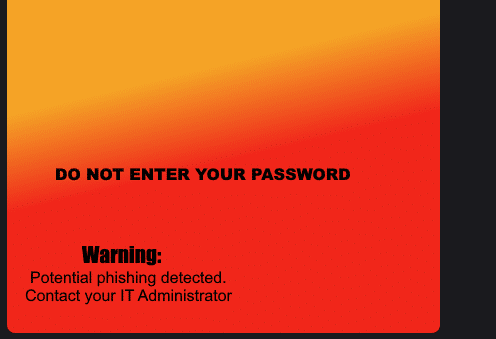
Understanding where those boundaries lie is the key to avoiding issues like this… Or asking me…
Why Custom CSS Is Being Phased Out in Entra ID
Microsoft has now announced that tenants created after January 5, 2026 will no longer be allowed to use custom CSS for Entra ID company branding.
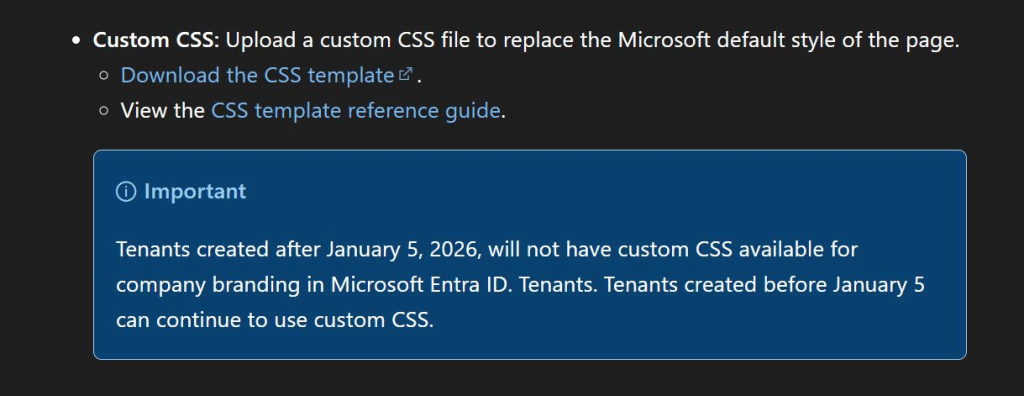
Existing tenants can keep it, but new ones will never get the option. That timing is hard to ignore. Custom CSS runs inside authentication surfaces, including constrained WebViews used during Entra Join and OOBE. Removing custom CSS for new tenants is less a cosmetic decision and more a deliberate move to protect the reliability and security of the authentication pipeline.
Closing thoughts
When Entra Join resets instantly after you enter your UPN and the logs remain empty, the immediate assumption is usually a network problem or a token issue. This case showed something entirely different. A single CSS file inside the Home Realm Discovery payload was enough to block the Entra join before it ever started. The fix was not in identity configuration, certificate handling, or network tracing. It was in the tenant’s branding.
If the password prompt never appears, check the branding block before you check anything else. Sometimes the most unexpected part of the pipeline is the one holding everything back.